內容簡介
NACSTech Delivery and Pickup Date Time Scheduler for WooCommerce 外掛幫助商店在購物車和結帳頁面直接收集送貨或取貨日期、時間區間及客戶指示,提供實用的排程工作流程,適合需要送貨、取貨或兩者皆需的商店。
【主要功能】
• 在購物車和結帳頁面提供送貨和取貨排程功能
• 可設定獨立的送貨和取貨標籤、規則及假期
• 支援日基礎的時間區間及訂單數量限制
• 設定黑名單日期及重複假期
• 提供客戶重新排程的控制功能
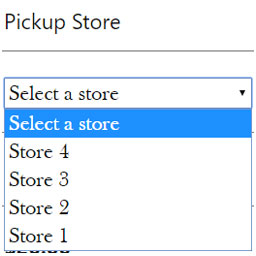
• 支援多個取貨地點及地址限制
外掛標籤
開發者團隊
② 後台搜尋「Delivery & Pickup Date Time Scheduler for WooCommerce」→ 直接安裝(推薦)
原文外掛簡介
NACSTech Delivery and Pickup Date Time Scheduler for WooCommerce helps stores collect delivery or pickup dates, time slots, and customer instructions directly on the cart and checkout pages.
It is built for stores that need a practical scheduling workflow for both customers and store managers. You can run delivery only, pickup only, or both together from one WooCommerce settings panel.
Key features
Delivery and pickup scheduling on cart, checkout, or both
Separate delivery and pickup labels, rules, holidays, and cut-off times
Day-based time slots with an order-count limit and an optional total-quantity limit per slot
Blackout dates, recurring holidays, shipping method rules, zone rules, and product/category restrictions
Special working dates that stay bookable even beyond the normal booking window (e.g. pre-orders for a known future date)
Hide specific payment methods for Delivery or for Pickup (e.g. no Cash on Delivery for Delivery orders)
Optional per-product preparation days that extend the lead time automatically when that product is in the cart
Multiple pickup locations, each with its own address, map link, and shipping-zone restriction
Customer reschedule controls for allowed order statuses
Reminder templates for email and SMS notifications
Manual reminder tools for store admins
Schedule exports, analytics views, and calendar feed sync
Useful links
Plugin page
Documentation
Configuration overview
Delivery Settings
Configure delivery scheduling, field labels, required settings, cut-off rules, headings, delivery-specific advanced rules, disabled payment methods, and special working dates.
Pickup Settings
Configure pickup scheduling separately from delivery, including labels, instructions, headings, pickup-specific rules, pickup locations, disabled payment methods, and special working dates.
Time Slots
Create slot rows with schedule type, weekday, start/end time, an order-count capacity, an optional total-quantity capacity, and optional fee or discount logic.
Holidays
Manage separate delivery and pickup holiday dates that are blocked in the date picker and validated again on order submission.
Advanced Rules
Control lead days, booking window, recurring holidays, blackout periods, shipping methods, zones, products, and categories.
Notifications
Set up customer email reminders, SMS reminders, admin alerts, manual reminders, and optional SMS gateway integration.
Analytics and exports
Track schedule volume, delivery vs pickup split, slot usage, order calendar view, CSV exports, and calendar feed sync.
Recommended setup
Enable delivery and/or pickup.
Decide whether fields should appear on cart, checkout, or both.
Add time slots with realistic capacity limits.
Set holidays and blackout dates.
Configure advanced rules only if your store needs shipping, zone, product, or category restrictions.
Test the customer checkout flow.
Configure reminders after the schedule workflow is working correctly.
External services
This plugin can connect to external services in the following cases:
Help request email to NACSTech
The Help tab can send a support email to NACSTech when a store admin submits the help form.
What the service is used for:
To send a support request from the plugin settings page to NACSTech support.
What data is sent and when:
The support request is sent only when the admin manually submits the Help form. It sends the subject, sender email address, message, site name, site URL, WordPress version, and WooCommerce version to NACSTech support using your site’s WordPress mail configuration.
Service provider:
NACSTech
Links: Support page | Terms of service | Privacy policy
Deactivation feedback email to NACSTech
When the plugin is deactivated, the plugins screen can show an optional feedback form. If the admin chooses “Submit & Deactivate”, the plugin sends a feedback email to NACSTech.
What the service is used for:
To collect optional product feedback and troubleshooting context when a site admin deactivates the plugin.
What data is sent and when:
The feedback request is sent only when the admin manually chooses “Submit & Deactivate” in the deactivation feedback form. It sends the selected reason, optional details entered by the admin, site name, site URL, admin email, WordPress version, and WooCommerce version to NACSTech support using your site’s WordPress mail configuration.
Service provider:
NACSTech
Links: Support page | Terms of service | Privacy policy
Optional SMS gateway chosen by the store owner
The Notifications > SMS Gateway tab lets the store owner connect any third-party SMS provider that supports GET or POST API requests.
What the service is used for:
To send manual or automatic SMS notifications related to delivery or pickup scheduling.
What data is sent and when:
SMS data is sent only when the store owner enables SMS notifications and configures an SMS gateway URL. Depending on the gateway template configured by the store owner, the plugin may send the customer’s phone number, the SMS message content, order-related schedule details included in that message, and any additional gateway fields required by the selected SMS provider.
Service provider:
Any SMS gateway selected and configured by the store owner.
Terms of service and privacy policy:
This plugin does not include, bundle, or enable any SMS provider by default. The plugin only sends SMS-related data if the store owner manually configures a third-party SMS gateway endpoint.
Because the SMS service is chosen entirely by the store owner, the applicable terms of service and privacy policy are those of the selected SMS provider. The store owner is responsible for reviewing and accepting that provider’s terms and privacy policy before enabling SMS notifications.