內容簡介
Product Filter for WooCommerce by WBW 外掛能夠提升您的網路商店,讓顧客可以依據價格、類別、標籤等多種條件精確篩選商品,並與 Elementor 完美整合,提供高度自訂的篩選選項。
【主要功能】
• 全面篩選:依價格、類別、標籤等條件篩選商品
• 彈性顯示選項:多種格式呈現篩選器
• AJAX 即時搜尋:無需重新載入頁面即時顯示結果
• Elementor 整合:無縫創建與自訂篩選器
• 產品排序選項:依受歡迎程度、評分等排序商品
• 產品計數顯示:顯示符合篩選條件的商品數量
外掛標籤
開發者團隊
② 後台搜尋「Product Filter for WooCommerce by WBW」→ 直接安裝(推薦)
📦 歷史版本下載
原文外掛簡介
The WooCommerce Product Filter plugin enhances your store by allowing customers to refine their searches by price, categories, tags, taxonomy, attributes and more.
It’s fully customizable and 100% compatible with Elementor, giving you full control over filtering options.
WooCommerce Product Filter Key Features
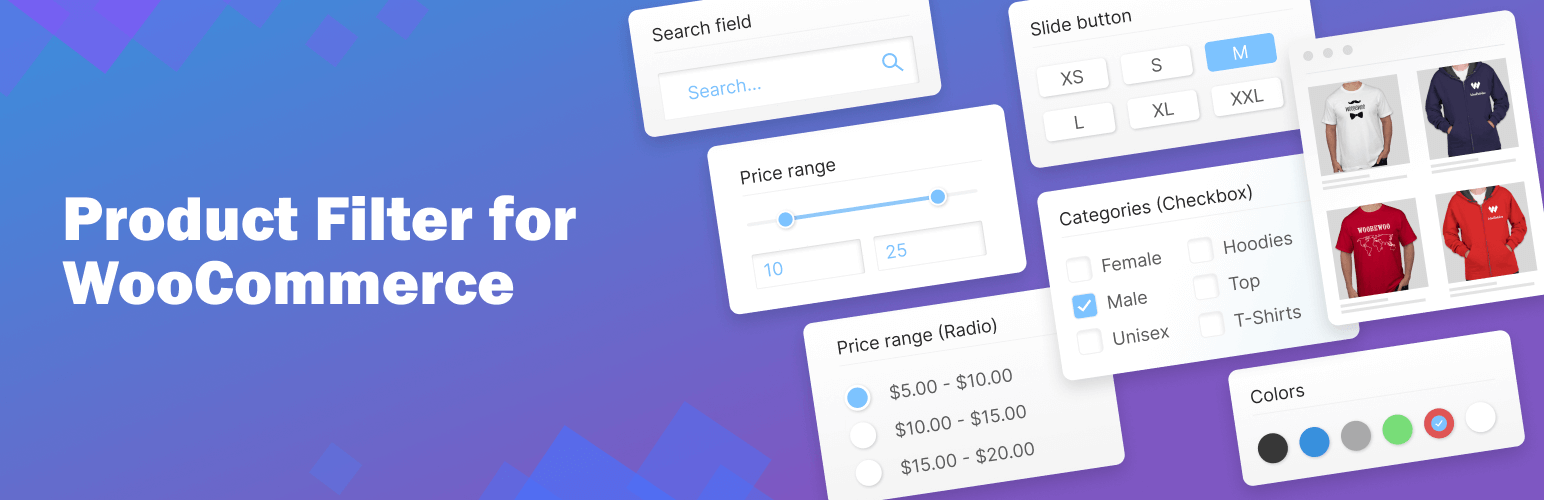
Comprehensive Filtering
let customers filter products by: Price, Price range, Categories, Tags, Author, Featured, On Sale, In Stock, Rating, Search by text**, Attribute filters.
Flexible Display Options
present the filters in various formats to suit your storefront’s design and user preferences. Options include: radio button list (single select) dropdown (single select), checkbox list (multi-select)** and icons** for attribute filters (colour, size, rating).
AJAX live search
Enable instant results without page reloads for a faster shopping with AJAX live search. AJAX search provides instant filtering results without the need to reload the page. This feature can be configured to activate immediately after a user selects their desired filter options and clicks the filter button, making product searches faster and more intuitive.
Elementor Integration
WooCommerce Product Filter compatible with Elementor. Seamlessly create and customize filters using Elementor’s interface.
All features of the WooCommerce Product Filter by WBW are accessible within the Elementor tab, providing a streamlined workflow for page building.
To help you get started, there’s a comprehensive video tutorial available that guides you through the process of setting up the WooCommerce Product Filter by WBW, ensuring you can make the most of its features to improve your online store’s functionality and user experience.
Product filters are the key things that allow your customers to view the products in a particular way and easily find the necessary items.
Statistics
Product Filter by WBW comes with a detailed filter statistics section to make it easier to collect, analyze data and subsequently support global business growth. Gather information about filtering and searching for products by your buyer and convert them into business solutions.
Live preview
With Live Preview, the results will appear in the panel right at the moment you make changes to settings.
Variety of options for sorting products
The product search plugin for WooCommerce allows sorting your products by popularity, rating, price, newness, alphabetical ascender, or descender.
Create new product filters in a few clicks
Easy to customize and set up. Just add a filter to every page using a widget or shortcodes.
Price filter design
Variation of skins: default, flat, big, modern, sharp, round, square. Custom setting for its design: color, symbol position, currency code or symbol, input fields.
Automatic price range settings with fixed step values
Adjust them manually and specify the exact value of every step as well.
Show Count and Recount products by selected filter
Recount the products by selected filters and display the exact number of products matching the filter results.
Fully responsive
The filter looks and works properly on different devices particularly mobile phones and tablets as well as desktops and laptops.
Support and suggestions for WooCommerce Product Filter Plugin
Ask your questions in the support forum, or contact us directly