內容簡介
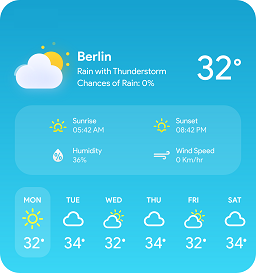
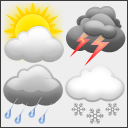
Weather Write 外掛將當地天氣資訊帶入雲端,自動捕捉實際天氣狀況,生成包含昨日回顧、今日預報及明日展望的文章,並可依使用者選擇的風格撰寫。使用者可安排文章發佈時間,並自動匹配天氣的圖片,讓讀者感受到個人化的天氣報導。
【主要功能】
• 自動生成專屬天氣報告文章
• 支援最多每日 6 次的定時自動發佈
• 可自訂 API 金鑰、排程、圖片及寫作風格
外掛標籤
開發者團隊
📦 歷史版本下載
原文外掛簡介
WeatherWrite brings your local weather coverage to the cloud. It automatically captures real conditions and generates posts that highlight yesterday’s recap, today’s forecast, and tomorrow’s outlook — all written in the style you choose. Schedule posts to publish exactly when you want, with automated images matched to the weather. Customize as much as you like, or let WeatherWrite handle the heavy lifting. Your readers get weather that feels personal, and you stay in control while the work gets done for you.
Video walkthrough: https://youtu.be/4ZUW77WvSCc
Features:
– Generates a dedicated post for each weather report created, on demand or on a schedule.
– Scheduled auto-posting (up to 6 times per day and you control the schedule)
– Admin settings for API key, schedule, images, weather alerts, writing style, and defaults
External Services
This plugin connects to several external services to generate weather-aware content and visualizations. Details for each service are below.
ReIntent API (text generation)
Endpoints: https://xwkwzbjifh.execute-api.us-east-2.amazonaws.com/v1 and https://1xt5le1gn6.execute-api.us-east-2.amazonaws.com/v1
What it’s used for: Generates the narrative text given prompts and options from the plugin settings.
What data is sent and when: On-demand (when you click generate or scheduled runs), the prompt text and selected options (e.g., location string, tone, length) are sent. Requires your API key; the plugin does not store API responses beyond creating the post. To obtain your key, email [email protected].
Open‑Meteo Forecast API
Endpoint: https://api.open-meteo.com
What it’s used for: Retrieves forecast and hourly data used in summaries, charts, and thresholds.
What data is sent and when: Latitude/longitude, desired variables, unit and language parameters on fetch.
Privacy: https://open-meteo.com/en/privacy
Open‑Meteo Geocoding API
Endpoint: https://geocoding-api.open-meteo.com
What it’s used for: Resolves user-entered place names to coordinates.
What data is sent and when: Query string (place name), country hint, language.
Nominatim (fallback geocoding)
Endpoint: https://nominatim.openstreetmap.org
What it’s used for: Fallback geocoding if Open‑Meteo geocoder cannot resolve.
What data is sent and when: Query string in the request URL. A User‑Agent header identifying the site is included.
Policy: https://operations.osmfoundation.org/policies/nominatim/
GeoNames
Endpoint: http://api.geonames.org
What it’s used for: Looks up GeoNameID and region metadata for map embeds.
What data is sent and when: GeoNameID queries and/or name lookups; includes the configured username.
OpenWeather (official alerts)
Endpoint: https://api.openweathermap.org
What it’s used for: When enabled in settings, retrieves official weather alerts via One Call 3.0 for the configured location.
What data is sent and when: Latitude/longitude when checking for alerts.
Meteoblue (map embed)
Website: https://www.meteoblue.com
What it’s used for: Optional iframe map shown in posts if enabled.
What data is sent and when: Parameters are included in the iframe URL (e.g., geonameId and/or lat/lon). No plugin-side requests are made; it is a browser iframe embed.