內容簡介
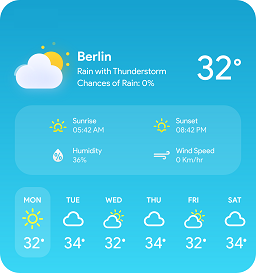
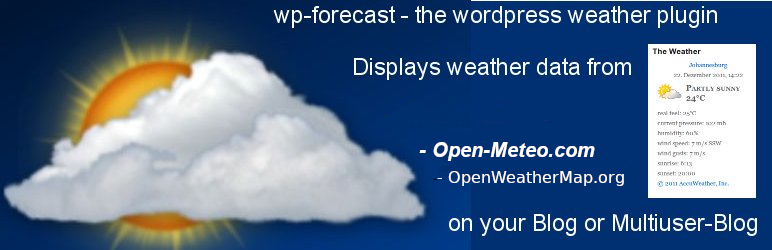
wp-forecast 是一款 WordPress 外掛,能夠顯示來自 Open-Meteo.com 和 OpenWeatherMap.com 的天氣數據,讓使用者在網站的頁面、文章或側邊欄中輕鬆查看天氣資訊。
【主要功能】
• 顯示來自 Open-Meteo 和 OpenWeatherMap 的天氣數據
• 支援自訂顯示的資訊
• 可選擇地點及語言
• 支援小工具,方便放置
• 提供多種預報天數選擇
• 整合 CSS 自訂樣式
外掛標籤
開發者團隊
📦 歷史版本下載
原文外掛簡介
You are reading the readme.txt file for the wp-forecast plugin.
wp-forecast is a plugin for the famous wordpress blogging package,
showing the weather-data from open-meteo.com and/or openweathermap.com.
please also refer to the terms of usage of open-meteo.com and/or openweathermap.com.
Features:
Displays the weather data from Open-Meteo.com and OpenWeatherMap.com
at your wordpress pages, posts or sidebar
Displays OpenUV.io data
Let you choose the
location (of course)
the time after the weather data is refreshed
the langugage
metric or american measures
windspeed unit
the forecast days
the forecast for up to six/seven days
support wordpress widgets, easy placement 🙂
customize the information you want to show
supports pull-down forecast data to efficiently use space
multiple wp-forecast widget support
integration into your site via css (see below)
comes with an api for wordpress-pro’s 😉
Credits:
Barbary Jany testing a lot and bring it to valid XHTML
Nike Gilhuijs,
Frans Lieshout, Wim Scholtes translation to dutch
Luís Reis translation to portugues
Håkan Carlström,
Susanne Svensso translation to swedish
Gabriele von der Ohe translation to german with entities (for iso-8859-1 or latin1 blogs)
Martin Loyer/Jean-Pierre translation to french
Robert Lang language file for en_US
Detti Giulio/Stefano Boeri translation to italian
Eilif Nordseth translation to norwegian
Michael S.R. Petersen translation to dansk
Jaakko Kangosjärvi translation to finish
Lukasz “linshi” Linhard translation to polish
Castmir & Alejandro translation to spanish
Tamas Koos translation to hungarian
Valeria Pellegrini translation to russian
Valentina Boeri translation to romanian
Roland Geci translation to slovak
Pavel Soukenik translation to czech
Pavel Karnaukhov translation to ukraine
Zoran Maric translation to serbian (latin)
Petar Petrov translation to bulgarian
Udi Burg translation to hebrew
Uli Kozok translation to indonesian
Ali Zemani translation to persian
Amizda Idriz translation to bosnian
Lovrenco Vladislavić translation to croatian
All the others giving feedback about missing features and bugs.
Thank you very much for your contribution to wp-forecast.
Weather Icon Font by me Erik FLowers Weather Icons licensed under SIL OFL 1.1
Installation:
Install via the WordPress plugin admin dialog (search for wp-forecast) or
Upload to your plugins folder, usually wp-content/plugins/, keeping
the directory structure intact (i.e. wp-forecast.php should end up
in wp-content/plugins/wp-forecast/).
Activate the plugin on the plugin screen.
Visit the configuration page (Options -> WP-forecast) to pick the
number of widgets, data to display and to change any other option.
Visit the Themes/Widgets page to place your wp-forecast widget within
your themes sidebars or insert it manually and edit your template
file and put the wp-forecast function where you want your weather
data to show up.
Example:
-
);
} ?>
You have to replace
For the first widget use wp_forecast(“A”), for the second
wp_forecast(“B”) and so on.
In most cases it is advisable to put the call into a div environment.
Optional
If you would like to have another set of icons download it
from http://accunet.accuweather.com/wx/accunet/graphics_icons.htm
and put it into the wp-content/plugins/wp-forecast/icons folder
Optional
If you would like to change the style, just edit wp-forecast.css
there are three classes div.wp-forecast for outer formatting,
table.wp-forecast for the middle part or iconpart and
wp-forecast-details for everything below the icon
Translations
wp-forecast comes with various translations, located in the directory lang.
if you would like to add a new translation, just take the file
wp-forecast.pot (in the wp-forecast main directory) copy it to
wp-forecast_-.po and edit it to add your translations
(e.g. with poedit).
Please be aware that the number codes stand for the weather-situations.
you can see the mapping in wp-forecast-en_US-en_US.po. there are also
the letters N, S, W, E they stand for the winddirections and can be
translates either.
To use your own translation, a different one as the default just rename the
appropriate file wp-forecast_-.po and
wp-forecast_-.mo
To add your translations online at the Translate WordPress project please visit
https://translate.wordpress.org/projects/wp-plugins/wp-forecast. This should be the prefered
way from now on.