內容簡介
WDesignKit 是一款強大的 WordPress 設計工具,幫助設計師在幾分鐘內創建令人驚豔的網站。透過 AI 模板、外掛建構器及 MCP 工作流程,顯著提升設計效率,成為每位 WordPress 設計師或代理商的必備工具。
【主要功能】
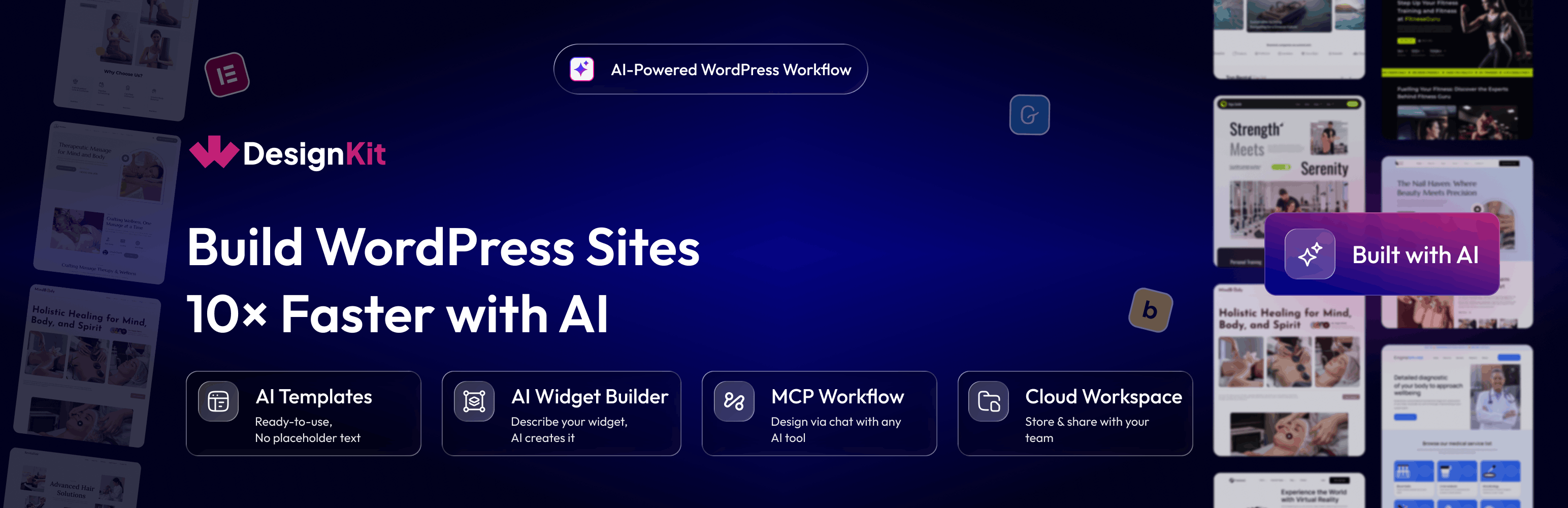
• AI 模板:導入預填充的 Elementor 和 Gutenberg 模板
• AI 外掛建構器:用自然語言描述所需外掛
• AI 代碼片段:透過對話生成自訂 WordPress 代碼
• MCP 工作流程:連接 AI 助手以簡化設計過程
• 1600+ Elementor 頁面模板:一鍵導入專業設計頁面
• 1500+ Gutenberg 模板:為原生區塊編輯器設計的全頁佈局
外掛標籤
開發者團隊
② 後台搜尋「WDesignKit – AI Templates, Widget Builder & MCP Workflow」→ 直接安裝(推薦)
📦 歷史版本下載
原文外掛簡介
WDesignKit is the ultimate designer tool for WordPress, empowering designers to create stunning websites in minutes. It’s the fastest way to build a WordPress website, making it a must-have tool for every WordPress designer or agency owner. Build faster with AI Templates, build widgets and code snippets with your favorite AI tool via MCP, and connect WDesignKit to compatible AI assistants through the Model Context Protocol (MCP) to streamline your WordPress workflow.
VISIT WDESIGNKIT WEBSITE
Quick Navigation Links
Visit Website | Video Tutorials | Documentations | Roadmap | Join Facebook Community | Free Support | Premium Support | AI Chat (Instant Answers)
Complete WDesignKit Features Explained Under 4 Mins Watch Now
What is WDesignKit ?
AI Templates: Import Elementor & Gutenberg Templates Pre-Populated with AI-Generated Content, No More Replacing Placeholder Text Line by Line
AI Widget Builder: Describe the widget you need in plain language, and your favorite AI tool, connected via MCP, builds a production-ready Elementor, Gutenberg, or Bricks widget.
AI Code Snippets: Generate custom WordPress code snippets through a conversation with your favorite AI tool, connected via MCP, no manual coding or copy-pasting required.
MCP Workflow: Connect WDesignKit to AI Assistants via Model Context Protocol (MCP) so You Can Design, Build, and Manage WordPress Sites Through a Chat Workflow
1600+ Elementor Page Templates, Kit & Sections: Ready-Made, Professionally Designed Pages, Kits & Sections You Can Import into Elementor in One Click
1500+ Gutenberg Templates & Patterns: Full Page Layouts & Reusable Patterns Built for the Native WordPress Block Editor
110+ Elementor Widgets Library: Ready-to-Use Elementor Widgets Covering Sliders, Forms, Galleries, Content Blocks & More
30+ Gutenberg Blocks Library: Pre-Built Gutenberg Blocks to Extend the Native Block Editor Without Extra Plugins
80+ Bricks Elements Library: Pre-Built Elements Ready to Drop into Any Bricks Builder Layout
Elementor Widget Builder: Turn Your Custom HTML, CSS & JS Code into a Fully Working Elementor Widget, No Elementor Widget Development Experience Needed
Gutenberg Blocks Builder: Turn Your Custom Code into a Native Gutenberg Block Ready to Use in the Block Editor
Nexter Blocks Builder: Turn Your Custom Code into a Reusable Nexter Block
Bricks Elements Builder: Turn Your Custom Code into a Reusable Bricks Element
1-Click Widget Converter: Easily Convert Elementor Widgets to Gutenberg Blocks or Bricks Elements & Vice Versa, No Rebuilding from Scratch When You Switch Builders
Cloud Workspace: Collaborate with your Team & Store Page Templates, Figma Designs or Custom Widgets on Cloud
60+ Figma Designed Websites: Editable Figma Website Kits with Auto Layout, Ready to Hand Off to Design Directly into a Live Build
🔍 OUR PRODUCTS
💰 The Plus Addons for Elementor – 120+ Elementor Widgets to create Elementor Widgets Easily.
💰 NexterWP Theme, Blocks & Extensions – Best Starter Theme for WordPress with 22+ WordPress Extension & 90+ Gutenberg Blocks.
💰 UiChemy – Figma to Elementor & Bricks Convertor – Convert your Figma Templates In Live Elementor Website using our FREE Figma Plugin.
External services
wdesignkit.com API : This API is used to fetch plugin-related data for onboarding and updates. It sends the plugin version and identifier during activation, updates, or specific plugin-related requests. For more details, you can review the Privacy Policy and Terms of Service.
api.wordpress.org : This API retrieves plugin metadata and compatibility information from WordPress.org. It sends the plugin identifier during updates or when checking compatibility. More information can be found in the Privacy Policy and Terms of Service.
api.posimyth.com : Usage analytics. Off by default; submitting the deactivation feedback form also sends it, plus your admin email if you tick the contact box. Terms · Privacy · what’s shared
AI Templates : This feature sends your prompt to WDesignKit’s AI service to generate ready-to-use template content. No content is sent unless you actively use this feature. For more details, review the Privacy Policy and Terms of Service.
Model Context Protocol (MCP) : The AI Widget Builder, AI Code Snippets, and MCP Workflow features connect WDesignKit to a third-party AI tool of your choice (such as Claude) over the Model Context Protocol. Your prompts, and where applicable your existing widget/template code, are sent to that AI tool to generate the result. This only happens when you actively connect and use an AI tool via MCP; review the privacy policy and terms of the AI tool you connect, in addition to WDesignKit’s Privacy Policy and Terms of Service.