內容簡介
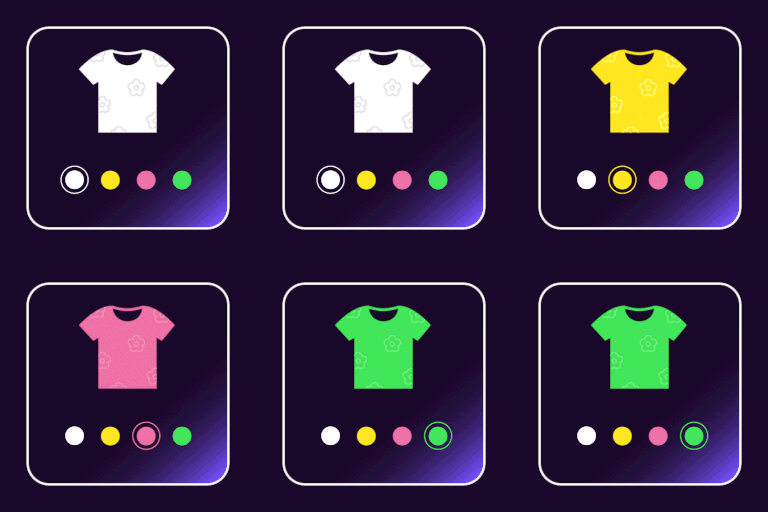
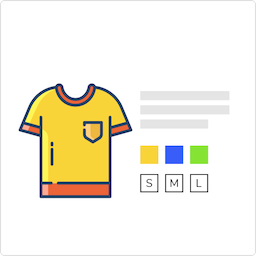
Product Variation Swatches for WooCommerce 可將 WooCommerce 預設的商品變體下拉選單,替換為美觀的顏色、圖片與標籤色票樣式,讓顧客更直覺地瀏覽與選擇商品款式,有效提升購物體驗與轉換率。
【主要功能】
• 以顏色、圖片、文字色票取代傳統下拉選單
• 支援圓形、方形、圓角等多種色票外觀樣式
• 可自訂色票尺寸、邊框樣式與邊框顏色
• 提供工具提示設定(字型大小、文字與背景顏色)
• 無法選購的變體可設為停用、劃線或模糊顯示
• PRO 版支援在商品目錄/商店頁面顯示色票
外掛標籤
開發者團隊
② 後台搜尋「Product Variation Swatches for WooCommerce – Enhance Your Product Attributes with Elegant Color, Image, and Label Swatches」→ 直接安裝(推薦)
原文外掛簡介
Product Variation Swatches for WooCommerce replaces the standard WooCommerce variation dropdowns with beautifully designed color, image, and label swatches, offering a more intuitive and engaging experience for your customers.
By transforming the boring dropdown into interactive visual swatches, this plugin helps shoppers quickly identify their desired product variations, ultimately reducing friction, enhancing store aesthetics, and boosting conversions.
Whether you’re selling apparel, electronics, cosmetics, or custom products, visual variation swatches give your store a modern edge and allow customers to make faster, more confident buying decisions.
View Demo & Upgrade to Pro for Product Variation Swatches for WooCommerce
💻 Demo | 🚀 Get The PRO Version | 🛠 Support | 📄 Documentation
✨ Key Features
Free Version
Replace variation dropdowns with clickable color/image/label swatches
Supports color, image, and text/label swatch types
Add unlimited terms under each product attribute
Choose among round, square, or rounded corner swatch styles
Customize swatch width and height
Enable/disable plugin’s default stylesheets
Configure tooltip options (font size, text color, background color)
Toggle visibility of tooltips for each attribute
Apply custom border styles for swatches
Set the border width to control thickness.
Choose a border type: Solid, Dashed, Dotted, or Double.
Pick a border color to match your style
Disable, cross out, or blur unavailable variation options.
Set the position where you want to show the variation label.
PRO Version
Swatches on archive/shop pages globally or per product
Show or hide variation labels on shop/catalog pages
Show or hide attribute names on single product pages, and shop/catalog pages
Choose swatch label position: inline, stacked (left), or stacked (center)
Catalog swatches position: after product title and price
Tooltip image previews and hover effects
Premium support and frequent updates
Upgrade to PRO: Click here
Coming Soon
Limit Attribute number in shop/catalog pages
Swatches in quick view and popups
Accessibility enhancements
Support for popular page builders (Elementor, Divi)
Benefits
Deliver a visually appealing shopping experience
Help customers make faster, more confident decisions
Reduce cart abandonment caused by confusing dropdowns
Manage variation styles easily without coding
Increase conversions and build customer trust
How It Works
Go to Products > Attributes and create a new attribute
Choose swatch type: Color, Image, or Label
Add terms with color codes, images, or text labels
Assign attributes to a variable product and create variations
Save the product and view swatches on the product page
Compatibility
Requires WooCommerce 6.0.0 or later
Compatible with most WooCommerce-compatible themes
Tested with Storefront, Astra, OceanWP, Flatsome, and more