內容簡介
- 使用我們的 WordPress 外掛,輕鬆地創建出引人注目、互動式的表格,無需編碼。
- 無限制的表格數量,讓你可以無限制地組織和展示數據,無論你是在經營小型企業還是運營內容豐富的網站,這個功能都能讓你探索數據表達的無盡可能性。
- 無限制的每頁表格數量,讓你可以在同一頁面上展示多個表格,自由定制頁面佈局,為用戶提供一個連貫且有吸引力的體驗。
- 輕鬆與 Google Sheets 整合,實時同步數據,確保你的表格始終是最新的,提升工作效率,充分發揮 WordPress 和 Google Sheets 的優勢。
- 只有高級版才有 WooCommerce 整合功能,無縫連接你的網上商店數據,提供統一且流暢的體驗,輕鬆管理和展示你的產品信息。
- 高級版還提供擴展的樣式選項,讓你創造性地自定義表格的外觀,確保它們與你的網站設計無縫結合,從顏色方案到字體,完全掌控視覺吸引力,增強數據的整體外觀和感覺。
- 高級和免費版都可以導出表格,支持多種格式,包括 CSV 和 Excel,讓你輕鬆分享、分析和協作。不管是準備報告、分享見解還是與團隊協作,我們的導出功能確保你的數據具有可訪問性和多樣性。
- 只有高級版才提供高級功能,從高級功能到無與倫比的自定義選項,我們的高級版提供了豐富的選擇,提升了你建立表格的體驗,讓你可以沉浸在無限可能性的世界中,將數據呈現成無縫且引人入勝的用戶體驗。
- 開始你的數據卓越之旅,使用 vTables 高級訂閱計劃,徹底改變你在 WordPress 網站上處理和展示數據的方式,體驗多功能和動態表格管理的真正威力。
使用 HTML 無順序列表表示如下:
<ul>
<li>使用我們的 WordPress 外掛,輕鬆地創建出引人注目、互動式的表格,無需編碼。</li>
<li>無限制的表格數量,讓你可以無限制地組織和展示數據,無論你是在經營小型企業還是運營內容豐富的網站,這個功能都能讓你探索數據表達的無盡可能性。</li>
<li>無限制的每頁表格數量,讓你可以在同一頁面上展示多個表格,自由定制頁面佈局,為用戶提供一個連貫且有吸引力的體驗。</li>
<li>輕鬆與 Google Sheets 整合,實時同步數據,確保你的表格始終是最新的,提升工作效率,充分發揮 WordPress 和 Google Sheets 的優勢。</li>
<li>只有高級版才有 WooCommerce 整合功能,無縫連接你的網上商店數據,提供統一且流暢的體驗,輕鬆管理和展示你的產品信息。</li>
<li>高級版還提供擴展的樣式選項,讓你創造性地自定義表格的外觀,確保它們與你的網站設計無縫結合,從顏色方案到字體,完全掌控視覺吸引力,增強數據的整體外觀和感覺。</li>
<li>高級和免費版都可以導出表格,支持多種格式,包括 CSV 和 Excel,讓你輕鬆分享、分析和協作。不管是準備報告、分享見解還是與團隊協作,我們的導出功能確保你的數據具有可訪問性和多樣性。</li>
<li>只有高級版才提供高級功能,從高級功能到無與倫比的自定義選項,我們的高級版提供了豐富的選擇,提升了你建立表格的體驗,讓你可以沉浸在無限可能性的世界中,將數據呈現成無縫且引人入勝的用戶體驗。</li>
<li>開始你的數據卓越之旅,使用 vTables 高級訂閱計劃,徹底改變你在 WordPress 網站上處理和展示數據的方式,體驗多功能和動態表格管理的真正威力。</li>
</ul>
外掛標籤
開發者團隊
② 後台搜尋「vTables – Data Table Builder for CSV, Excel & JSON」→ 直接安裝(推薦)
原文外掛簡介
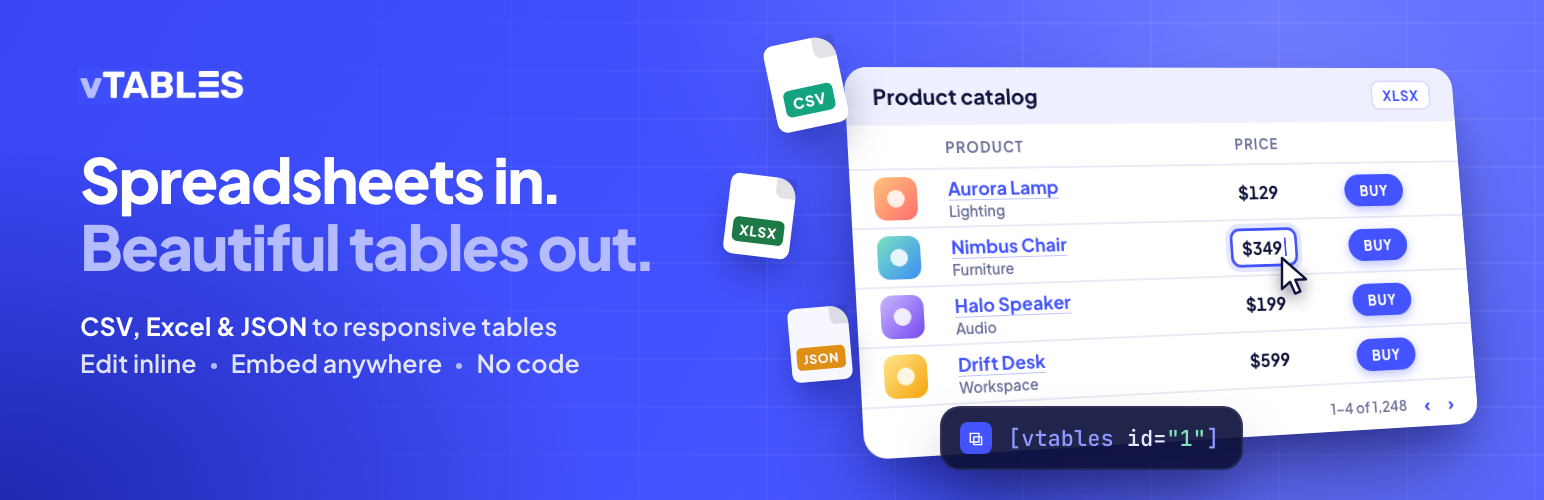
vTables is a table plugin for WordPress that turns CSV files, Excel spreadsheets (XLS, XLSX) and JSON data into clean, responsive data tables. Import a file or start from an empty grid, edit cells right in the WordPress admin like a spreadsheet, style the table, and embed it on any page or post with a shortcode.
Use it for price lists, product catalogs, event schedules, staff and member directories, sports results, comparison tables and any other data you keep in a spreadsheet.
Website | User Guide | FAQ
Features
Import CSV, JSON, XLS and XLSX files (large files are uploaded in chunks and imported in the background).
Build tables from scratch: set the number of columns and rows, then fill the cells in.
Spreadsheet-like table editor: double-click any cell or header to edit it; add, rename and delete rows and columns from the right-click menu.
Unlimited tables, and as many tables per page as you like.
Shortcode embed: [vtables id="1"] shows the table; [vtables id="1" row="2" column="email"] prints a single cell value inside your text.
Smart cells: image URLs become thumbnails, links become clickable, becomes a button, and basic HTML (links, images, line breaks) is rendered safely.
Style: colors for the title bar, header, body, pagination bar, links and buttons; dense and flat layouts; row/column separators; sticky header; table height and maximum width.
Pagination for large tables: rows are loaded page by page from the database, so tables with many thousands of rows stay fast.
Mobile friendly: tables use the width of the content area (with an optional maximum width), and wide tables scroll sideways on small screens.
Export any table as CSV, JSON or XLSX.
Works with the block editor, classic editor and page builders that accept shortcodes (Divi, Elementor, WPBakery, …).
Translated into English, German, Spanish, French, Hindi, Italian, Norwegian, Portuguese, Russian, Swedish, Turkish and Chinese.
vTables Pro
vTables Pro is a separate, paid add-on that runs on top of this plugin and uses the same tables. It adds:
Data sources: Google Sheets, external CSV/JSON URLs and WooCommerce product tables, with automatic sync.
Visitor tools: search, sorting and row filters.
Layout: column visibility, sticky first/last column, column widths, grouped headers, responsive card view, rows per page, custom CSS.
More cell formats: video, PDF, audio, Google Maps, star rating, progress bar and JSON.
This plugin is fully functional on its own and never requires Pro.
Source code
The admin screen and the embedded table are a Vue application. Its complete, unminified source ships with the plugin in the src/ folder, together with the build setup (package.json, quasar.config.js, scripts/). To rebuild: npm ci && npm run build (PHP dependencies: composer install --no-dev).
vTables does not track users and makes no requests to external services. The only external links in the admin are to vtables.pro, and they open only when you click them.