內容簡介
Get Use APIs - JSON Content Importer 是一款簡化 WordPress 與外部 API 連結的外掛,能夠輕鬆從第三方 REST API 獲取資料,並透過短碼、JCI 區塊或 PHP 顯示於網站上,提升網站的資料整合能力。
【主要功能】
• 低程式碼使用,節省時間
• 輕鬆插入 API-URL 並顯示資料
• JCI 區塊生成資料顯示模板
• Contact Form 7 整合,填充 JSON 資料
• 使用 JCI 快取,減少 API 請求
外掛標籤
開發者團隊
② 後台搜尋「Get Use APIs – JSON Content Importer」→ 直接安裝(推薦)
📦 歷史版本下載
原文外掛簡介
The simplest method to link WordPress with external APIs
JCI simplifies the task of retrieving data from a third-party REST API. The returned JSON-, XML, CSV, TXT-data can be neatly arranged and showcased on your WordPress site via a shortcode, a JCI Block or PHP. The plugin can generate a template for the data display.
20 seconds: Load API and display data
7 minutes: Basic intro to JCI free
Examples, Preview
Check out the live demonstration to explore how we’re interfacing with various APIs
LIVE PREVIEW – WordPress and a external API
Video: How to use the Wikipedia API
Main Plugin Features
Low code usage: Save time and avoid coding using an API
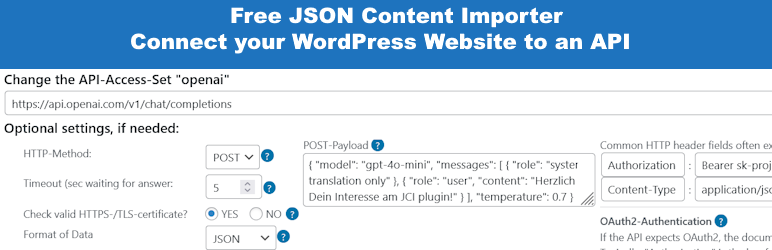
Insert an API-URL into Step 1: Data is loaded, and and displayed. Save it as API-Access-Set.
Use the API-Access-Set in Step 2 to create a Shortcode
Optional for maximum flexibility: Use the API-Access-Set n PHP code
Insert an API-URL into the JCI Block: Data is loaded, and a template can be generated to display the data.
Easy to start: Check Installation – Is your WordPress ready for JCI? Most probably!
Basic Settings: Check SSL, Cacher, Gutenberg and Authentication
ContactForm7 Integration: Populate CF7 forms with JSON data and forward CF7-submitted data to an API.
Use the JCI cacher to avoid many API requests
JCI-Block : Use the simple JCI Block interface to get data! Query the API and check the response. Then utilize the simple template generator inside the JCI Block to use the data!
Contact Form 7 Integration: Fill form and submit to API
Important Note Starting with Version 2.0.11
Starting with version 2.0.11, any HTML code present in the shortcode or block is filtered to prevent dangerous code (e.g. JavaScript) from being output.
However, if you want to allow certain tags or attributes as a deliberate choice:
In the plugin’s “Basic Settings” there is a field called “Allow additional HTML tags (advanced)”.
There you can enter comma-separated tags that should not be filtered out. For example, “iframe,script” would preserve these two tags in the HTML output.
“tr#onclick” would preserve the “onclick” attribute in ”, which would otherwise be removed.
Documentation
There’s a wealth of resources and support at your fingertips. Explore the articles listed below to begin your journey:
JCI Manual
Step 1: Access the Data
Step 2: Using the Data
Shortcode – Basic structure
Contact Form 7 Integration
Free JCI Plugin: Overview Videos
Free JCI Plugin: Getting Started
You need more?
JSON Content Importer PRO
Both the free and PRO JCI Plugins serve the same purpose: retrieving data, transforming it, and publishing the results.
However, while the free Plugin can only handle basic challenges, the PRO JCI Plugin offers nearly full control over WordPress, the database, and applications.
Compare: Free vs. JCI PRO Plugin
PRO features:
* application building by creating a searchform and connect it to a JSON-API in the background: pass GET-Variables to use a dynamic JSON-Feed-URL (“talk to API / webservice”)
* much better and more flexible templateengine: twig
* create and use Custom Post Types
* store Templates independent of pages
* more Shortcode-Parameters
* executing Shortcodes inside a template
* more features…