外掛標籤
開發者團隊
原文外掛簡介
The Yeti Dev Bookings Lite adds a “Bookable product” type to WooCommerce. Customers pick a date and time from a live calendar and pay through your normal checkout, with any payment gateway.
A time is held while it is in a customer’s cart, and every booking is checked again under a lock as it is saved, so two customers can never take the last space at the same moment.
Booking types
Time slots – appointments, lessons, sessions and hourly rentals
Whole days – equipment and vehicle hire, day passes
Slots every 15, 30 or any number of minutes
Availability
Weekly opening hours with as many time ranges per day as you need
Holidays, closures and special opening hours by date
Store-wide closed dates
Buffer time between bookings
Minimum notice and how far ahead customers can book
Spaces per slot for classes, tours and events – counted by booking or by person
Price
A price per booking
Ask how many people are coming, with a minimum, a maximum and a price per person
Customers
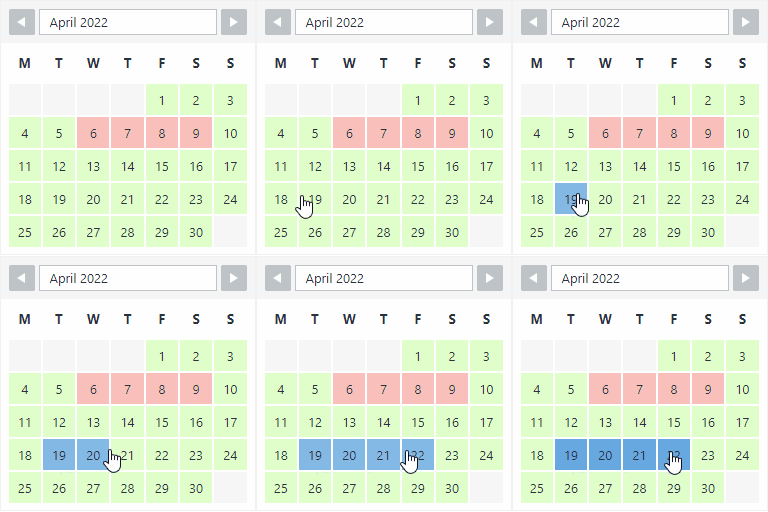
A fast calendar that shows which days are available, fully booked or closed
Live price as they choose
My Account > Bookings to pay, cancel and add to Google, Apple or Outlook calendars
A cancellation window you control
Confirmation emails with a calendar invite
You
Bookings list with filters, search and bulk actions
Month, week and day calendar
Take bookings by phone with Add booking – create a “Pay now” order, mark as paid, or just confirm
Move bookings to a new time and add private notes
Dashboard widget with upcoming bookings
Unpaid orders release their times after a period you choose, and late payments only keep a time that is still free
Works with your site
Any theme – “Match my theme” or the “Polished card” style, with your accent colour
Block editor blocks, Elementor widgets with full style controls, and shortcodes for other page builders
WooCommerce Cart and Checkout blocks, and High-Performance Order Storage
Personal data export and erase
Translation ready
The Yeti Dev Bookings Pro
The Yeti Dev Bookings Pro adds staff and resources, deposits, approvals, nights and customer-chosen lengths, pricing rules, types of people and extras, customer rescheduling, reminders and calendar sync. It uses the same bookings and settings, so you can switch at any time without losing anything.
External services
The Yeti Dev Bookings Lite does not contact any outside service by itself.
My Account > Bookings has an “Add to Google Calendar” link (you can turn it off under Bookings > Settings). It only opens Google Calendar in the customer’s browser when they click it, with the booking’s title, date, time and site name filled in. Nothing is sent unless they click it. Google’s terms of service and privacy policy apply to Google Calendar.