內容簡介
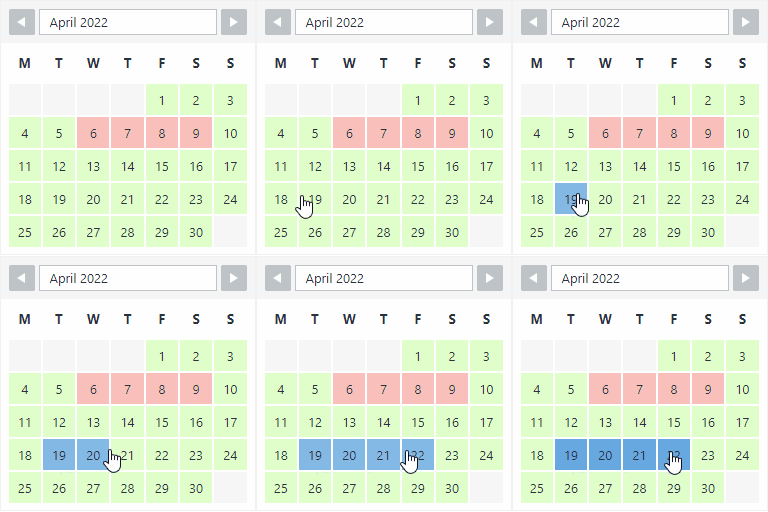
Date Picker For Contact Form 7 是一款 Contact Form 7 的日期選擇器擴充外掛,提供直覺的行事曆介面,讓使用者快速選取日期,避免手動輸入錯誤,適用於預約、訂房等各種需要日期欄位的表單情境。
【主要功能】
• 支援單一表單內新增多個日期選擇欄位
• 自訂日期顯示格式(如 dd/mm/yy、mm-dd-yy)
• 設定可選日期的最小與最大範圍限制
• 提供多種行事曆外觀樣式,可配合網站風格
• 支援自訂欄位佔位文字
• 進階版可停用特定日期,如假日或週末
外掛標籤
開發者團隊
② 後台搜尋「Date Picker For Contact Form 7」→ 直接安裝(推薦)
原文外掛簡介
Date Picker For Contact Form 7 is a lightweight yet powerful Contact Form 7 datepicker alternative that adds a flexible, mobile-friendly calendar field to your CF7 forms — no coding required. If you’ve been searching for a simple way to stop users from typing dates by hand, this plugin gives you a clean calendar widget in just a few clicks.
Whether you need a Contact Form 7 calendar booking system for appointments, an Arrival/Departure date range, a Check-in/Check-out flow for a rental or hotel site, or a simple Appointment Booking form, this plugin gives you full control over how dates are selected and displayed.
Popular use cases
Setting a Contact Form 7 date min today so customers can’t book dates in the past.
Building a Contact Form 7 booking calendar for hotels, clinics, salons, and consultants.
Adding a Contact Form 7 datepicker placeholder so users instantly know the expected date format.
Looking to disable past dates in Contact Form 7 without writing custom JavaScript.
Restricting bookings to a specific date range for events, rentals, or reservations.
Why choose this Date Picker?
User Experience: Faster date selection leads to higher form conversion rates.
Data Accuracy: Forces a consistent date format, making data management easy.
Scheduling Control: Perfect for businesses that need to restrict weekends, holidays, or past dates.
No Coding Needed: Configure everything from the CF7 tag generator — set the minimum date to today, add a placeholder, and pick a skin, all from the admin screen.
Main Features
Multiple Date Pickers: Add multiple unique date fields to a single form.
Custom Date Formats: Choose how the date appears (e.g., dd/mm/yy, mm-dd-yy).
Min/Max Date Restrictions: Set the Contact Form 7 date min to today, or set a max date, to disable past dates or limit how far ahead users can book.
Custom Skins: Change the design and look of the calendar to match your site.
Placeholder Support: Add a custom Contact Form 7 datepicker placeholder text inside the date field.
[Pro] Advanced Features
Disable Specific Days: Blackout holidays, weekends, or specific dates where you are unavailable — ideal for a booking calendar.
Advanced Logic: Perfect for complex Contact Form 7 calendar booking requirements.
Get Premium | Support | Documentation