外掛標籤
開發者團隊
② 後台搜尋「Tagioo Server-Side Tracking for WooCommerce」→ 直接安裝(推薦)
原文外掛簡介
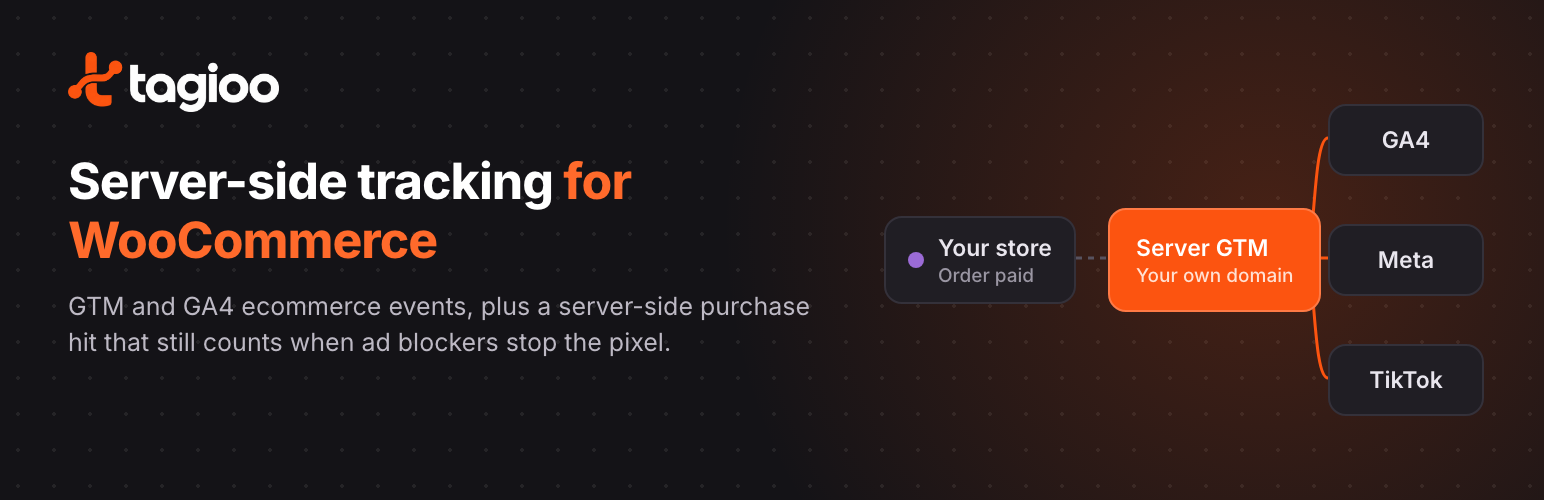
Ad blockers, Safari’s tracking limits and closed browser tabs stop many purchases from ever reaching GA4, Meta or TikTok. Tagioo Server-Side Tracking for WooCommerce sends every paid order from your WordPress server to your own server-side Google Tag Manager (sGTM) container, so the sale is recorded even when the browser pixel never fires.
It also gives your Google Tag Manager web container a complete GA4 ecommerce dataLayer, so you don’t need a separate GTM plugin.
What it does
Server-side purchase hit. When an order is paid (or reaches Processing, for cash on delivery and bank transfer), the plugin sends a GA4 purchase event from your server to your sGTM container. It runs in the background, so checkout is never slowed down, and it tries again if your sGTM server is briefly unavailable.
GA4 ecommerce dataLayer. Pushes view_item, view_item_list, search, add_to_cart, remove_from_cart, view_cart, begin_checkout, add_shipping_info, add_payment_info and purchase with items, value and currency. Works with the classic checkout and the Cart and Checkout Blocks, including AJAX add to cart and quantity changes.
Customer data for better matching. Purchase events include the billing email, phone number (in international format), name and address, so your server tags can hash them and send them to Meta and TikTok. Logged-in shoppers’ details are added to earlier events too.
No double counting. Browser and server events share an event_id (the WooCommerce order ID for purchases), which Meta and TikTok use to deduplicate them.
Longer-lasting Meta identifiers. Turns the fbclid from an ad click into the _fbc cookie on the landing page, keeps _fbp and _fbc as first-party cookies set by your server, and saves them on the order.
Google Tag Manager snippet. Adds your GTM container to every page. Turn it off if your theme or another plugin already loads GTM.
Cookie consent (optional). Show Tagioo’s Accept / Reject banner with Google Consent Mode v2, or read the shopper’s choice from CookieYes, Complianz, Cookiebot, OneTrust or the WP Consent API. The choice is sent with the server-side purchase hit so your sGTM tags can respect it.
Custom Loader (optional). Loads gtm.js from your sGTM domain instead of googletagmanager.com, for servers set up to serve it (Tagioo-hosted servers are).
Compatible with WooCommerce High-Performance Order Storage (HPOS).
What you need
WooCommerce.
A Google Tag Manager web container whose tags (for example GA4, Meta Pixel and TikTok Pixel) use the dataLayer events above.
A server-side GTM container on your own subdomain, such as sgtm.yourstore.com, with a GA4 client and the server tags you want (for example GA4, Meta Conversions API and TikTok Events API). You can host it yourself or use Tagioo, which sets up both containers for you.
Your GA4 Measurement ID and a GA4 Measurement Protocol API secret.
Every feature in the plugin is free. Nothing is locked behind a licence or account, and it works with any server-side GTM container, not only Tagioo’s.
External services
This plugin connects to the following services. Nothing is sent until you enter the matching setting on WooCommerce → Tagioo.
Google Tag Manager
When a GTM Container ID is set and “Inject GTM snippet” is on, every front-end page loads https://www.googletagmanager.com/gtm.js (and the ns.html noscript iframe) from Google. Google receives the visitor’s IP address, user agent and the page URL, and the tags you configure inside GTM decide what else is sent. If cookie consent is set to “Wait for consent”, GTM loads only after the visitor accepts.
Google Terms of Service: https://policies.google.com/terms
Google Privacy Policy: https://policies.google.com/privacy
Your server-side GTM container (sGTM domain)
When an sGTM domain, GA4 Measurement ID and API secret are set and “Server-side purchase hit” is on, the plugin sends one request per paid order from your server to
The sGTM domain is chosen by you. If it is hosted by Tagioo, the Tagioo terms and privacy policy apply:
Tagioo Terms: https://tagioo.com/terms
Tagioo Privacy Policy: https://tagioo.com/privacy
Custom Loader
When “Custom Loader” is on, gtm.js and ns.html are loaded from
Destinations configured in your containers
Data forwarded by your GTM or sGTM containers is governed by those services’ own terms, for example:
Meta: https://www.facebook.com/legal/terms and https://www.facebook.com/privacy/policy
TikTok: https://ads.tiktok.com/i18n/official/policy/terms and https://www.tiktok.com/legal/privacy-policy
Privacy
The plugin sets these cookies on the store’s own domain:
_fbp, _fbc — Meta browser and click identifiers (90 days). With the Tagioo consent banner they are only set after the shopper accepts.
tagioo_consent — the shopper’s choice in the Tagioo consent banner (180 days).
tagioo_q — a short-lived flag (10 minutes) that tells the page an add/remove-to-cart event is waiting to be sent.
It saves the shopper’s _fbp, _fbc, IP address, user agent and consent choice as order meta so the server-side purchase hit can send them later.
You are responsible for telling shoppers about this tracking in your privacy policy and for choosing the cookie consent option your store needs.