內容簡介
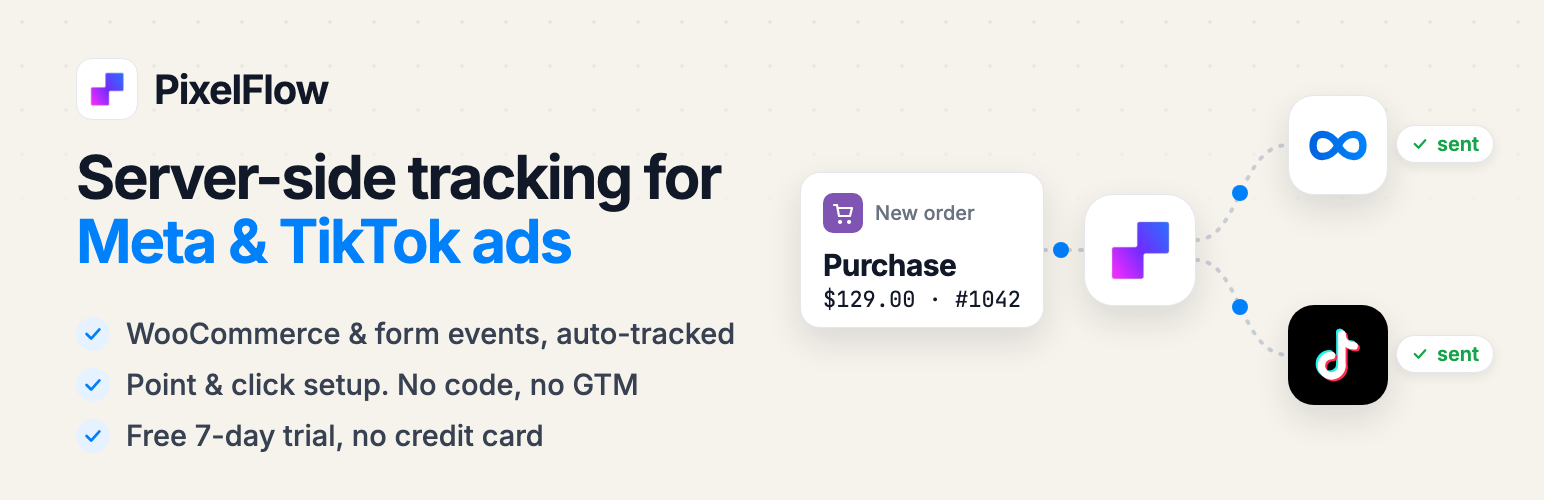
PixelFlow 是一款專為 WooCommerce 設計的外掛,能夠透過 Meta Conversions API 和 TikTok Events API 追蹤並優化廣告數據,解決瀏覽器像素無法正常運作的問題,幫助商店擁有更準確的銷售與轉換數據。
【主要功能】
• 同時支援 Meta 和 TikTok 廣告
• 自動追蹤 WooCommerce 事件
• 自動追蹤多種表單插件
• 簡單的點擊設定介面
• 提供完整的事件日誌與轉換旅程
外掛標籤
開發者團隊
② 後台搜尋「PixelFlow – Meta & TikTok Pixel + Conversions API for WooCommerce」→ 直接安裝(推薦)
📦 歷史版本下載
原文外掛簡介
Your ads are only as good as the data you send them. iOS privacy rules, ad blockers and cookie limits stop the browser pixel from firing, so Meta and TikTok miss a big share of your sales and leads, and their algorithms optimise on half the picture.
PixelFlow fixes that. It sends your WooCommerce and WordPress events server-side through the Meta Conversions API (Facebook & Instagram) and the TikTok Events API, alongside your browser pixels, with automatic deduplication so every sale is counted once.
Built for store owners and marketers, not developers. Install the plugin, connect your pixels, and events start flowing. No code, no Google Tag Manager, no server to manage.
Free 7-day trial, no credit card required. Start at pixelflow.so
Why store owners choose PixelFlow
Meta and TikTok in one plugin. Send the same clean, enriched events to Facebook, Instagram and TikTok ads.
WooCommerce tracked automatically. Add to Cart, Initiate Checkout and Purchase fire on their own, with full order data.
Forms tracked automatically. Contact Form 7, Elementor Pro, Fluent Forms, Gravity Forms, Ninja Forms and WPForms.
Point & click setup. Tag any button or page from your dashboard. No GTM, no developer.
More than better data. Attribution, conversion journeys and a full event log show what’s actually driving your results.
Automatic WooCommerce event tracking
PixelFlow tracks the events that matter for ecommerce as soon as WooCommerce is active:
Add to Cart with product, price and quantity
Initiate Checkout with cart totals
Purchase with full order data and revenue
Every event is enriched with the data Meta and TikTok use to match the buyer to their ad click: hashed email, phone, name and address, click IDs (fbclid / ttclid), browser IDs, IP address and user agent. Better matching means higher Event Match Quality, more attributed sales and lower CPAs.
Store controls:
Product IDs for catalog ads. Send product IDs with your events in the format your Meta catalog uses, for dynamic product ads and catalog reporting.
Exclude SKUs. Stop specific products (gift cards, samples, wholesale items) from triggering events.
Free products. Choose whether free products trigger Add to Cart, Checkout and Purchase events.
Pick your events. Turn Add to Cart, Initiate Checkout or Purchase on or off individually.
Subscriptions. Send Purchase only for a customer’s first order, not renewals or repeat orders.
Automatic form tracking
Turn on form tracking and PixelFlow detects the forms on your site from the most popular form plugins:
Contact Form 7
Elementor Pro Forms
Fluent Forms
Gravity Forms
Ninja Forms
WPForms
Choose the event each form sends (Lead, CompleteRegistration and more) and which fields to use. Contact details are normalised and SHA-256 hashed before they leave your server, and message text is never sent, stored or logged. Only have one name field? Pick it for both first and last name and PixelFlow splits it automatically.
Point & click setup, no Google Tag Manager
For anything else, use the PixelFlow dashboard:
Visual Tagger: open your live site, click any button, link or form, and choose the event it should fire.
Page URL triggers: fire an event when someone lands on a page, like /thank-you = Lead, with an optional value.
Clean data your ads can trust
Bot blocking: bots, crawlers and automation tools are filtered out before they reach your pixels.
Deduplication: browser and server events share an event ID, so Meta and TikTok count each conversion once.
Blocking rules: decide when an event should not fire: once per session, only with a click ID, or not again within a set window.
Exclude user roles: keep administrators, shop managers and your own team out of your tracking.
Consent aware: works with your cookie banner, honours Global Privacy Control and Do Not Track, and can hold events until consent is given (GDPR and CCPA friendly).
See what’s driving results
PixelFlow doesn’t just send better data, it shows you what’s working:
Attribution: visitors, leads, purchases and revenue by traffic source, from Facebook and TikTok to Google, organic and direct.
Conversion journeys: the full path behind every purchase and lead, from the ad they clicked to every page they visited.
Event log: every event in real time, with the exact payload sent to Meta and TikTok and its delivery status.
Also included
Unlimited pixels across ad accounts
Unlimited events on every plan, with no per-event fees
Stripe and Calendly integrations
Works alongside your existing pixel. No need to remove anything
Zero impact on page speed: events are sent from your server
Debug logs for WooCommerce and form events
Not using WooCommerce?
PixelFlow works on any WordPress site. Track leads from your forms, or tag buttons and pages with point & click triggers. PixelFlow also works on Webflow, Framer, Squarespace and more at pixelflow.so.
Privacy
PixelFlow sends conversion events to the Meta Conversions API and the TikTok Events API on your behalf (when configured). This may include page views, product interactions, purchase events and form submissions.
Form submissions are sent only when form tracking is turned on in the Form Settings. A form event carries the event name, the form title, and the visitor’s contact details (email, phone, name, city, state, postcode, country), normalised and SHA-256 hashed before they leave the server. Message bodies and other free-text fields are never sent, stored or logged.
All data is processed according to Meta’s and TikTok’s policies and your local privacy regulations. Please make sure you have appropriate consent mechanisms in place where required by law (e.g. GDPR, CCPA).
PixelFlow Privacy Policy
Meta Business Tools Terms
TikTok Business Products (Data) Terms
Links
PixelFlow website
Documentation
Support
Source code on GitHub
PixelFlow is an independent product and is not affiliated with, endorsed by or sponsored by Meta Platforms, Inc., TikTok, Automattic or WooCommerce.