外掛標籤
開發者團隊
原文外掛簡介
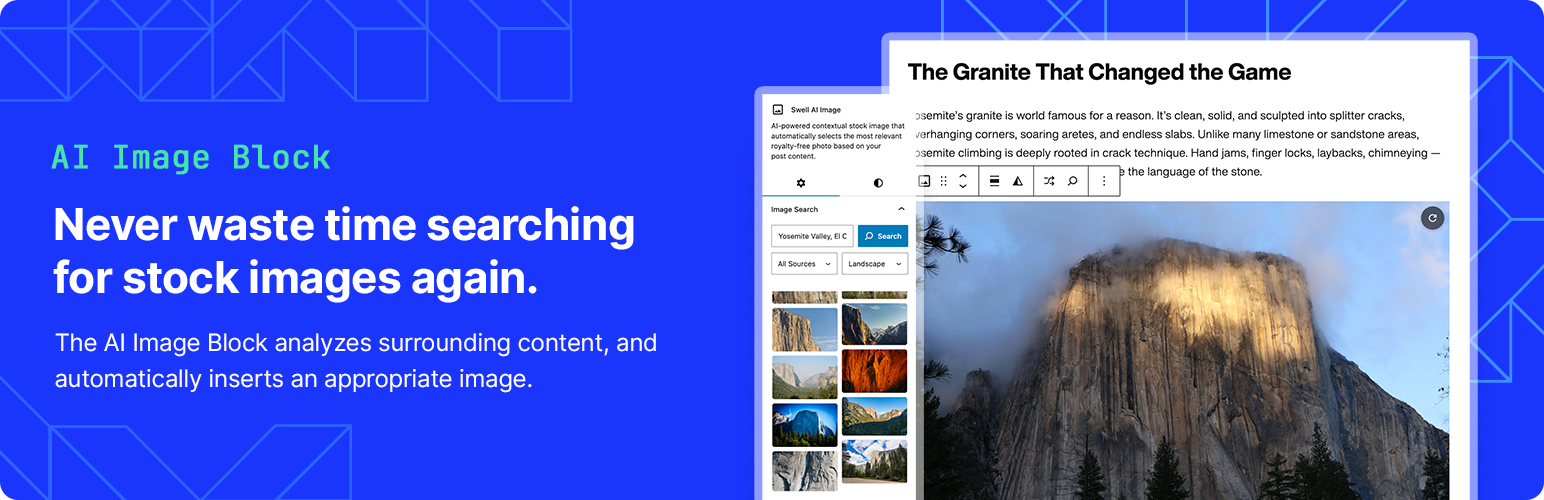
Swell AI Image Block uses artificial intelligence to analyze your post content and automatically find the most relevant royalty-free stock photo for each location in your article. Simply add the block and let AI do the rest. A built-in AI Featured Image finder also searches for a featured image based on your post title — no more hunting for the right photo before you hit publish.
Features:
Automatic Image Selection – AI analyzes the content around the block and selects the best matching stock photo
AI Featured Image Finder – Find and set a featured image based on your post title directly from the Document sidebar
Multiple Sources – Searches Unsplash, Pexels, and Wikimedia Commons for free, high-quality images
Smart Caching – Results are cached locally to speed up the editor
Shuffle – One-click button to cycle through alternative image options
Manual Search – Override the AI selection with your own keyword search
Proper Attribution – Automatically adds photographer credit as required by image licenses
Premium Suggestions – Optional premium image recommendations from iStock
Responsive – Images adapt to all screen sizes
Free Plan (Managed Service):
10 AI-powered image selections per month via our managed service
All free image sources (Unsplash, Pexels, Wikimedia Commons)
Shuffle and manual search included
Full attribution support
Bring Your Own API Keys (Free, Unlimited):
Enter your own OpenAI, Unsplash, and Pexels API keys at Settings → Swell AI Image Block
Unlimited AI-powered image selections at no cost
Full control — the plugin calls the APIs directly on your behalf
Pro Plan (Upgrade):
Unlimited AI-powered image selections via our managed service
No API key setup required
Priority support
Third-Party Services
This plugin can connect to external services in two ways:
Option 1 — Managed Service (default, no setup required)
By default, this plugin routes requests through our secure API server for AI-powered content analysis and image matching. Content is processed in real-time and is not stored permanently.
Service URL: https://smart-image-block-production.up.railway.app
Privacy Policy: https://swellapps.ai/privacy-policy/
Option 2 — Your Own API Keys (Settings → Swell AI Image Block)
You may instead enter your own API keys. In this case, your WordPress site calls the APIs directly and no data passes through our server.
Our managed server and the direct-key mode both communicate with:
OpenAI – Used for analyzing post content and generating relevant image search keywords.
* Website: https://openai.com
* Privacy Policy: https://openai.com/privacy
* Terms: https://openai.com/terms
Unsplash – Free stock photo source.
* Website: https://unsplash.com
* Privacy Policy: https://unsplash.com/privacy
* API Terms: https://unsplash.com/api-terms
Pexels – Free stock photo source.
* Website: https://www.pexels.com
* Privacy Policy: https://www.pexels.com/privacy-policy/
* API Terms: https://www.pexels.com/api/documentation/#guidelines
Wikimedia Commons – Free media repository.
* Website: https://commons.wikimedia.org
* Privacy Policy: https://foundation.wikimedia.org/wiki/Privacy_policy