內容簡介
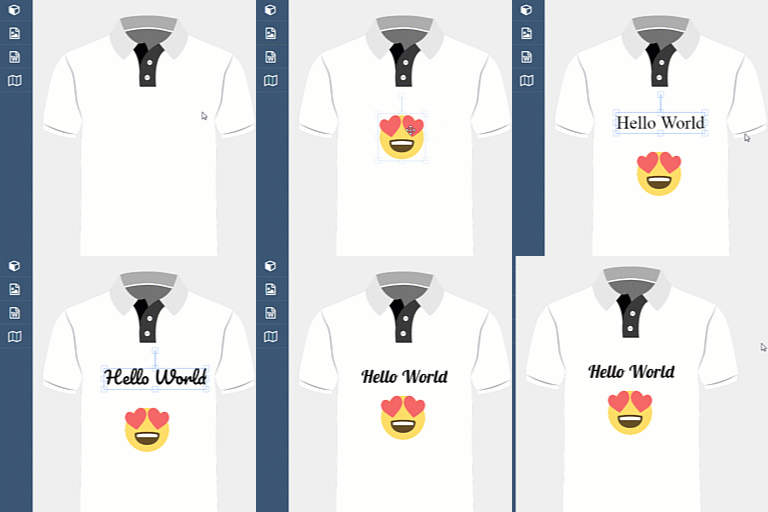
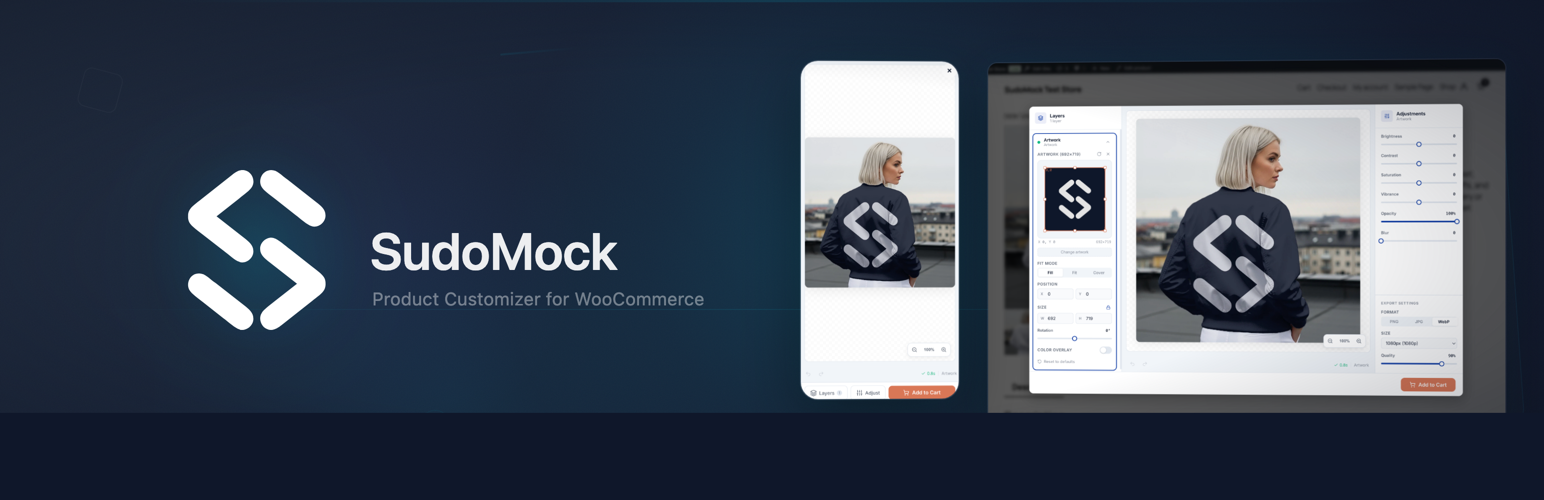
SudoMock Product Customizer 是一款專為 WooCommerce 商店設計的外掛,讓顧客能夠上傳藝術作品、標誌或文字,並即時在 PSD 模擬圖模板上查看效果,提升客製化商品的購物體驗。
【主要功能】
• PSD 渲染:支援 27 種混合模式及 CMYK,最高可達 8000px 輸出解析度
• 白標化:完全可自訂標籤、按鈕文字及顏色,無第三方品牌顯示
• 按次計費:基於信用的渲染,僅為使用的部分付費
• 購物車整合:渲染的模擬圖預覽自動附加至購物車及訂單
• HPOS 兼容:為 WooCommerce 高效能訂單儲存設計
• GDPR 合規:完整的客戶個人化數據導出及刪除功能
外掛標籤
開發者團隊
原文外掛簡介
SudoMock Product Customizer connects your WooCommerce store to the SudoMock PSD rendering engine. Customers upload their artwork, logos, or text and see it rendered onto your PSD mockup templates using Photoshop Smart Object replacement.
Features
PSD Rendering – Photoshop Smart Object replacement with 27 blend modes, CMYK support, and up to 8000px output resolution
White-Label – Fully customizable labels, button text, and colors. No third-party branding shown to customers
Pay Per Render – Credit-based rendering, pay only for what you use
Cart Integration – Rendered mockup preview automatically attaches to cart and order
HPOS Compatible – Built for WooCommerce High-Performance Order Storage
Blocks Compatible – Works with both classic checkout and WooCommerce Blocks checkout
GDPR Compliant – Full data export and erasure for customer personalization data
Internationalization – Translation-ready with EN and DE included
How It Works
Upload PSD mockups to your SudoMock account
Map mockups to WooCommerce products in one click
Customers see a “Customize” button on product pages
Preview – customers upload artwork and see the mockup rendering
Buy – rendered mockup image attaches to cart and order automatically
Who Is It For?
Print-on-demand WooCommerce stores
Custom merchandise shops (t-shirts, mugs, posters, phone cases)
Gift stores with personalization (engraving, printing, embroidery)
Brand merchandise with strict visual guidelines
Any WooCommerce store selling customizable products
Integrations
n8n, Zapier, Make automation workflows
Printful, Printify POD fulfillment
REST API for custom integrations
Requirements
WooCommerce 8.0 or later
PHP 7.4 or later
A SudoMock account (free signup)
External services
This plugin connects to the external SudoMock service to provide PSD mockup rendering functionality for WooCommerce products. No data is transmitted until the store administrator explicitly connects their SudoMock account.
SudoMock API (api.sudomock.com)
The plugin communicates with the SudoMock API at https://api.sudomock.com for the following operations:
Account verification — When the admin connects their SudoMock account, the plugin sends an API key to verify the account (GET /api/v1/me).
Mockup listing — When the admin opens the Products tab, the plugin fetches the list of available PSD mockup templates from the merchant’s account (GET /api/v1/mockups).
Mockup details and thumbnails — When viewing mapped products, the plugin fetches mockup metadata including thumbnail image URLs to display in the admin panel (GET /api/v1/mockups/{uuid}). The thumbnail images are served from SudoMock servers.
Studio session creation — When a customer clicks the “Customize” button, the plugin creates a rendering session on the server (POST /api/v1/studio/create-session).
Render processing — When a mockup render is requested, the plugin sends the mockup UUID and smart object data to the rendering API (POST /api/v1/renders).
Studio configuration — The plugin reads and updates white-label editor settings stored on the SudoMock server (GET/PUT /api/v1/studio/config).
Support tickets — When the admin submits a support message via the plugin’s Help tab, it is sent to the SudoMock support API (POST /api/v1/support/ticket). As a fallback, the message may be sent via email to [email protected].
Account disconnect — When the admin disconnects, a notification is sent to the SudoMock server (POST /api/v1/woocommerce/disconnect).
All API calls are made server-to-server using wp_remote_request. The API key is stored encrypted (AES-256-CBC) and is never exposed to the browser.
This service is provided by “SudoMock”: Terms of Service, Privacy Policy.
SudoMock Studio (studio.sudomock.com)
The plugin loads the SudoMock Studio editor from https://studio.sudomock.com in an iframe on the frontend product page. This happens only when a customer clicks the “Customize” button. Inside the Studio editor, the customer can upload their own artwork/images which are transmitted to the SudoMock rendering service to generate a preview of the customized product. The rendered image URL is then sent back to WordPress via postMessage and stored alongside the customer’s order.
This service is provided by “SudoMock”: Terms of Service, Privacy Policy.
SudoMock Website (sudomock.com)
The plugin links to the SudoMock website at https://sudomock.com for the following purposes:
OAuth connect flow — The admin is redirected to sudomock.com/integrations/woocommerce/connect to authorize the WooCommerce integration and obtain an API key.
Account registration — Links to sudomock.com/register for new account signup.
Dashboard links — Links to sudomock.com/dashboard/playground for PSD mockup management and sudomock.com/dashboard/billing for plan management. These are navigational links that open in a new browser tab.
Documentation links — Links to sudomock.com/docs for integration guides and PSD preparation documentation.
These are browser-side navigational links only. No data is automatically transmitted to sudomock.com by the plugin.
This service is provided by “SudoMock”: Terms of Service, Privacy Policy.