內容簡介
Quick View for WooCommerce 是一款快速且完整的免費 WooCommerce 快速檢視外掛,讓顧客能在不離開商店頁面的情況下,透過流暢的 AJAX 彈出視窗預覽產品圖片、價格和變化,提升購物體驗。
【主要功能】
• 即時產品預覽彈出視窗
• 支援 WooCommerce 變數產品
• 產品圖片畫廊顯示
• 側邊抽屜模式購物體驗
• 全螢幕行動裝置彈出視窗
• 短碼支援,兼容各種頁面編輯器
外掛標籤
開發者團隊
② 後台搜尋「Storzen Product Preview for WooCommerce」→ 直接安裝(推薦)
原文外掛簡介
Quick View for WooCommerce – Popup & AJAX Product Preview is the fastest, most complete free WooCommerce quick view plugin available. Let customers preview product images, prices, variations, and add items to cart — all inside a smooth AJAX popup — without ever leaving the shop page.
Stop losing customers to slow product navigation. WooCommerce Quick View lets shoppers instantly preview products, explore variations, choose options, and add items to their cart — all without leaving the current page or waiting for a full page reload.
Give your customers a faster, smoother shopping experience and make it easier to browse more products, compare options, and complete purchases.
Works with any WooCommerce theme. Supports simple products, variable products, Gutenberg, Elementor, Divi, and classic themes — out of the box.
View Documentation
Why Use Storzen WooCommerce Quick View?
WooCommerce stores lose up to 40% of potential buyers to slow page-by-page navigation. Storzen Quick View fixes this with:
Instant AJAX product preview popup — no page reload, zero friction
WooCommerce variable product support — size, colour, and custom attributes inside the popup
Product image gallery — thumbnail strip with click-to-swap
Sidebar drawer mode — slide-in panel for a modern sidebar shopping experience
Full-screen mobile popup — fixes the broken mobile display every competitor has 3-star reviews for
Next/Previous navigation — browse products without closing the popup
Shortcode support — works with Elementor, Gutenberg, Divi, and any page builder
Checkout redirect — send shoppers straight to checkout after add to cart
Lightweight — CSS and JS load only on shop and category pages
Key Features
Instant Product Preview Popup
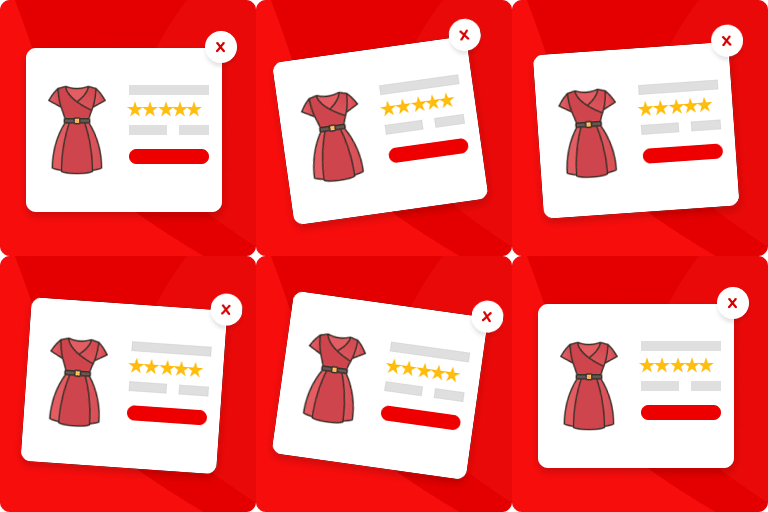
Opens as a centered modal or a side drawer — displaying product image gallery, title, category, price, stock badge, star rating with review count, short description, quantity selector (with variation support), Next/Previous navigation arrows, and Add to Cart button — all without a page reload. Full-screen on mobile.
Quick View Button on Shop & Category Pages
Automatically adds a customizable “Quick View” button to every product card on your shop, category, and archive pages.
Works with Any WooCommerce Theme
Built to be fully compatible with all standard WooCommerce themes right out of the box — no extra configuration needed.
Full Design Control — No CSS Required
Use the built-in settings panel to customize:
Button background color & text color
Button border radius
Modal popup width
Button label text & position (on image / below title / below price)
Quantity Selector in Popup
Customers can choose how many units to buy directly in the popup using +/− buttons before adding to cart — no need to visit the product page just to change quantity.
Star Rating with Review Count
The product’s average star rating and total review count are displayed inside the popup. Social proof at the decision moment is proven to boost conversions.
Product Category Badge
The product category is shown as a linked badge above the title. Helps shoppers understand where a product fits without navigating away.
Product Image Gallery in Popup
A thumbnail strip below the main image lets shoppers browse all product photos without leaving the popup. Click any thumbnail to swap the main image instantly — no extra AJAX request, no page reload.
Stock Availability Badge
A colour-coded badge below the price shows “In Stock” (green) or “Only N left!” (amber) at a glance. Urgency cues at the decision moment are proven to lift conversion rates. The low-stock threshold is filterable via storzen_qv_low_stock_threshold.
Sidebar Drawer Mode
Switch the Quick View popup from a centered modal to a side drawer that slides in from the right. Offers the “open sidebar mode” experience that real users specifically mention as a reason to choose premium plugins — now free. Toggle between Modal and Drawer in the General settings.
Full-Screen on Mobile
On screens under 480px the popup automatically expands to fill the entire viewport with a sticky close button. Fixes the broken mobile display that competitors have 3-star reviews for. Works in both Modal and Drawer modes.
Next / Previous Product Navigation
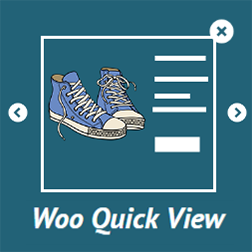
Arrow buttons inside the popup let shoppers browse to the next or previous product in the same category — without closing the modal or reloading the page. Keeps shoppers in the discovery flow and reduces bounce. Pro upgrade unlocks custom navigation order (price, popularity, newest) and keyboard arrow key support.
Checkout Redirect After Add to Cart
A simple toggle sends shoppers directly to the checkout page after adding a product to cart from the popup — no extra steps, no friction. Ideal for single-product stores and ad campaign landing pages. Pro upgrade adds a configurable delay and custom redirect URL.
Variable Product Support
Variation dropdowns (size, colour, and any custom attribute) render inside the Quick View popup for variable products. WooCommerce updates the price, stock, and Add to Cart button live as the shopper makes selections — no page visit required.
Shortcode Support
Place a Quick View button anywhere with [storzen_quick_view id="123"]. Works in Gutenberg blocks, Elementor, Divi, classic editor, and any widget area. Ideal for featured product sections and custom landing pages.
Hover or Click Trigger
Choose whether the Quick View popup opens on button click (default) or automatically after the cursor rests on the button for a moment. Hover mode is ideal for discovery-focused stores where shoppers browse quickly. Fully accessible — click always works as a fallback.
Popup Open Animation Presets
Pick from four popup entry animations — Slide up, Fade, Zoom in, or None — directly from the Design settings panel. Pure CSS, zero extra libraries. Works alongside all themes without conflict.
Choose Where the Button Appears
Control which pages show the Quick View button — shop page, category pages, or both.
Disable on Mobile
A one-click toggle hides the Quick View button on mobile devices — ideal for stores with mobile-optimised checkout flows.
Mobile Responsive
The popup is fully responsive and optimized for phones, tablets, and desktops.
Lightweight & Performance-Friendly
CSS and JavaScript load only on pages where the Quick View button is displayed — zero bloat on the rest of your site.
Keyboard Accessible & Screen Reader Friendly
Focus trap, Escape key support, and ARIA labels are included for full accessibility compliance.
Perfect For
Fashion & clothing stores — show size/colour variations inside the popup
Electronics & gadget shops — display detailed specs and gallery images without page loads
Large WooCommerce catalogs — let customers browse 10x faster with quick view
Stores running ad campaigns — use checkout redirect for a frictionless “buy now” flow
Page builder users — Elementor, Gutenberg, and Divi quick view button via shortcode
Any store focused on CRO — social proof (ratings, reviews, stock badge) at the decision moment
How It Works
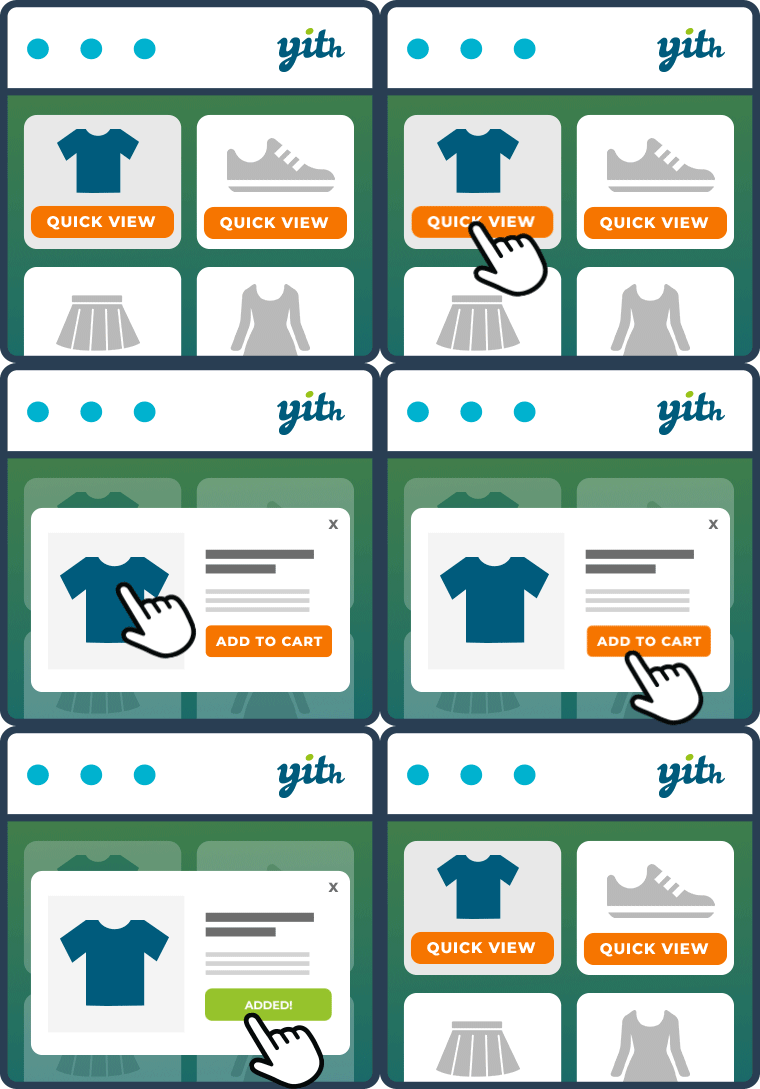
User hovers or clicks on a product
Quick view button opens a popup modal
Product details load instantly via AJAX
User can view images, price, and description
Add to cart without leaving the shop page
That’s it. Shortcode also available: [storzen_quick_view id="123"] for Elementor, Gutenberg, and any page builder.