內容簡介
Direct Checkout - Quick View - Buy Now 是一款專為 WooCommerce 設計的外掛,旨在簡化購物流程,提升轉換率。透過快速檢視彈出視窗和立即購買按鈕,鼓勵顧客更輕鬆地從您的網站購物。
【主要功能】
• 快速檢視產品詳細資訊
• 立即購買按鈕功能
• 自訂按鈕標題與位置
• 選擇重定向至結帳頁面
• 顯示數量輸入欄位
• 自訂樣式與外觀
外掛標籤
開發者團隊
② 後台搜尋「Direct Checkout – Quick View – Buy Now For WooCommerce」→ 直接安裝(推薦)
原文外掛簡介
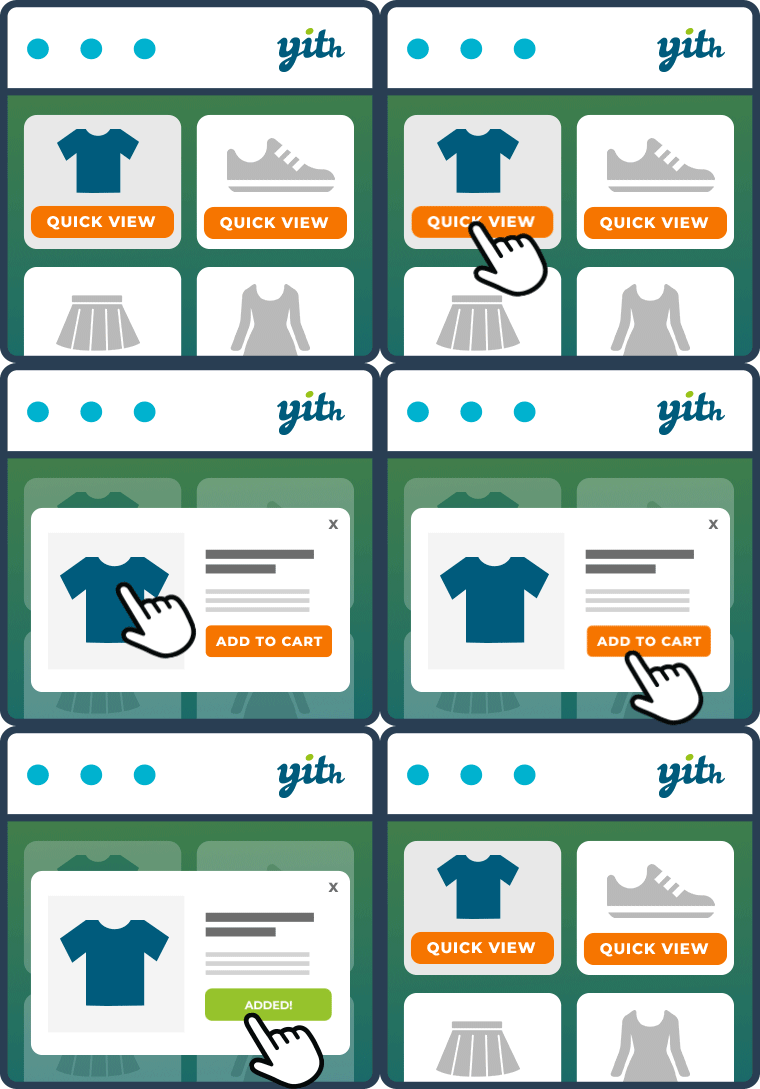
Quick View and Buy Now plugin makes the buying process easy in your store to increase conversion and encorage clients buying from your website by adding Quick View popups and Buy Now buttons.
The plugin offers many features in both Free and Pro Versions.
Change The redirect-to-cart option to redirect to checkout.
Change “Add To Cart” Buttons Text.
Change “View Cart” and “Continue Shopping” links in added to cart notice with “Checkout” link.
Add “Quick View” button to products in shop and archive pages [ simple – variable – grouped – external ]
Show the product details in a popup with the ability to choose Quantity and either “Add to Cart” or “Buy Now”
Add “Buy Now” button in single product pages for product types [ simple – variable – grouped ]
enable / disable the “Quick View” button by product type.
Customize the “Quick View” Button Title.
Customize the “Quick View” Button position.
enable / disable the “Buy Now” Button by product type.
Customize the “Buy Now” Button Title.
Customize the “Buy Now” Button position.
Choose to show or hide additional sections in popup product [ Data tabs section – Upsells products section – related products seciton ].
Select the redirect page after “Buy Now” between cart page or checkout page.
Add custom styles for the “Quick View” – “Buy Now” Buttons and the Quick View popup.
👉 Pro | Demo 👈
Enable – Disable the “Quick View” button for each product.
Enable – Disable the “Buy Now” button for each product.
Custom “Add to cart” title for each product.
Custom “Quick View” title for each product.
Custom “Buy Now” title for each product.
Options to remove the “Add to Cart” button either from the [ popup – archive and shop pages – single product page ]
Custom Redirect URL after “Add to cart” for each product.
Custom Redirect URL after “Buy Now” for each product.
Display Quantity input field for each simple product in shop page for quick add to cart.
Display Loading Screen while Buy now process and Quick View popup is showing.
Custom Quantity Field styles.
[New] Direct Purchase Product.
[New] Quick View product Carousel.
Other Plugins for the Same Job
These are the ones that pair with a faster checkout.
Simple Countdown Timer — put a deadline on a sale. It reads the sale end date WooCommerce already stores and counts down to it on the product page.
Coming Soon Products — tease a product before it goes on sale, and collect interest while it is still hidden.
Paddle Checkout — take payments through Paddle, with subscriptions and tax handled for you.
Browse everything