內容簡介
Sticky Elementor 是一款高效且輕量的外掛,專為 Elementor 設計,能為任何容器添加進階的黏性效果。無需編碼即可輕鬆創建透明的黏性標題、黏性行動菜單及縮小的標誌效果,提升網站的使用體驗。
【主要功能】
• 支援 Elementor Flexbox 容器與常用小工具
• 自訂黏性位置及外觀設定
• 提供平滑的回到頂部按鈕
• 進階滾動效果與進入動畫
• 兼容多個流行的 Elementor 外掛
• 100% 免費且易於使用
外掛標籤
開發者團隊
② 後台搜尋「Sticky Elementor – Sticky Header, Menu Color After Sticky, Logo Swap & Back to Top Button」→ 直接安裝(推薦)
📦 歷史版本下載
原文外掛簡介
Are you looking for a Free Sticky Header for Elementor?
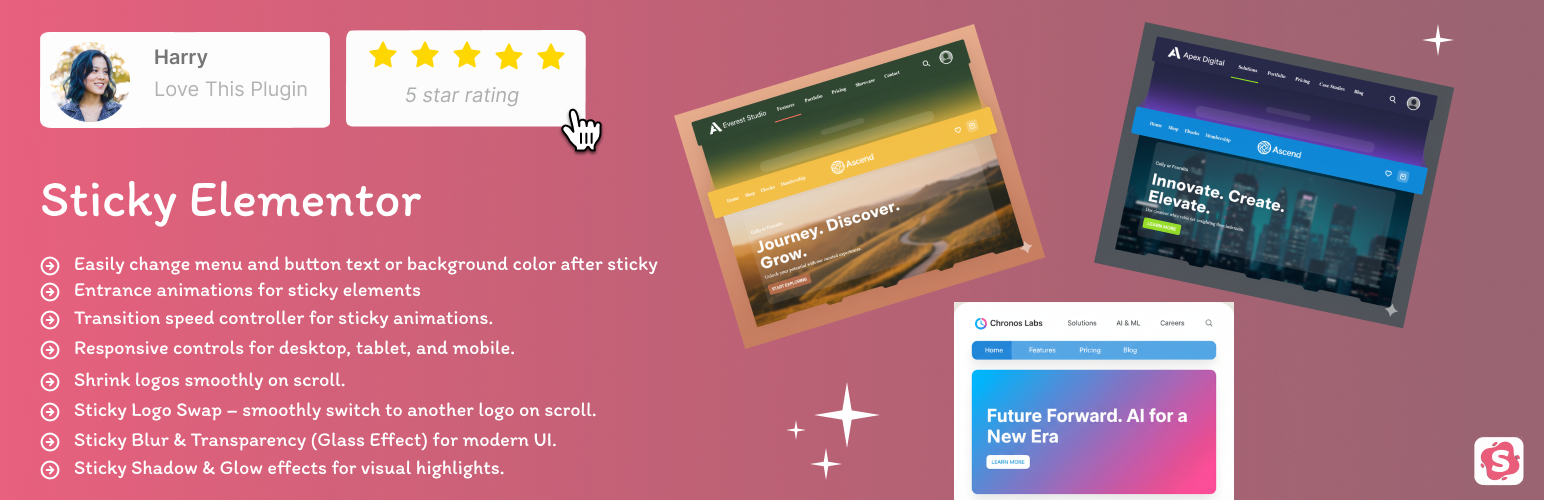
Sticky Elementor is a high-performance, lightweight plugin designed to add advanced sticky effects to any Elementor container. Whether you want a Transparent Sticky Header, a Sticky Mobile Menu, or a Shrink Logo on Scroll effect, this plugin provides a complete toolkit with zero coding required.
Built for full compatibility with Elementor’s Flexbox container system, it offers advanced scroll effects, sticky triggers, entrance animations, and responsive visibility.
🌟 Why Choose Sticky Elementor?
Zero Layout Shift (CLS Fix): Our dynamic spacer ensures your content doesn’t “jump” when the header becomes sticky, improving your Google Core Web Vitals score.
Mobile-First Design: Individual sticky controls for Desktop, Tablet, and Mobile.
All-in-One Solution: Get advanced sticky options, logo swapping, and menu styling in one lightweight package.
🚀 Key Features
Works seamlessly with Elementor Flexbox containers and common widgets: Nav Menu, Button, Heading — with full control to change their styles even after they become sticky.
Compatible with Essential Addons for Elementor (e.g., Button, Simple Menu widgets) – sticky effects work perfectly with them.
Fully works with Templately templates, so you can directly use sticky effects inside pre-built designs.
Back to Top button with smooth scroll animation (fully customizable).
Any container sticky – headers, sections, logos, toolbars, or promo bars.
Control sticky position: top, middle, or bottom.
Customize appearance: top offset, padding, background, width, and border radius.
Entrance animations for sticky elements: fade, slide, zoom, rotate, bounce, and more.
Transition Speed controller to adjust animation speed.
Z-Index control to manage stacking of sticky elements.
Rotation effects (X & Y) on scroll for dynamic animations.
Responsive controls for desktop, tablet, and mobile.
Shrink logos and change logo color on scroll.
Glassmorphism Effects: Add modern Blur (Backdrop Filter) and Transparency effects for a premium look.
Menu & Button Styling: Change navigation text color and button backgrounds specifically for the sticky state.
Back to Top Button: Add a smooth-scrolling back to top button with customizable styles.
Works seamlessly with popular Elementor addons (Royal Addons, Premium Addons, ElementsKit, Ultimate Addons for Elementor, plus more) ensuring smooth compatibility.
Lightweight and optimized with minimal JS & CSS for top performance.
Whether you’re building a sticky header, floating section, or a smart scroll-based container — this plugin makes it fast and easy, and it works fully with free Elementor (Pro is not required).
✅ Compatibility with Popular Elementor Addons
Sticky Elementor is fully tested and compatible with popular Elementor addons and their key widgets:
Elementor Addons – Fully supports Heading,Button and Icon styling after sticky.
Essential Addons for Elementor – Works with Button, Simple Menu widgets.
Royal Addons for Elementor – Compatible with Nav Menu, Mega Menu, and Button widgets.
Premium Addons for Elementor – Sticky effects work smoothly with Nav Menu and Button widgets.
ElementsKit Elementor Addons – Fully supports Nav Menu and Button styling after sticky.
Ultimate Addons for Elementor – Compatible with Nav Menu widgets and sticky styling.
Flexbox Containers & Templately Templates
👨💻 Why Choose Sticky Elementor?
100% free and easy to use.
Lightweight and optimized for performance.
Designed with SEO-friendly practices.
Regular updates with new features.
Compatibility with wordpress 7.0.
Credits
Developed with ❤️ by Bhumi
License
This plugin is licensed under the GPLv2 or later.
See https://www.gnu.org/licenses/gpl-2.0.html for details.