內容簡介
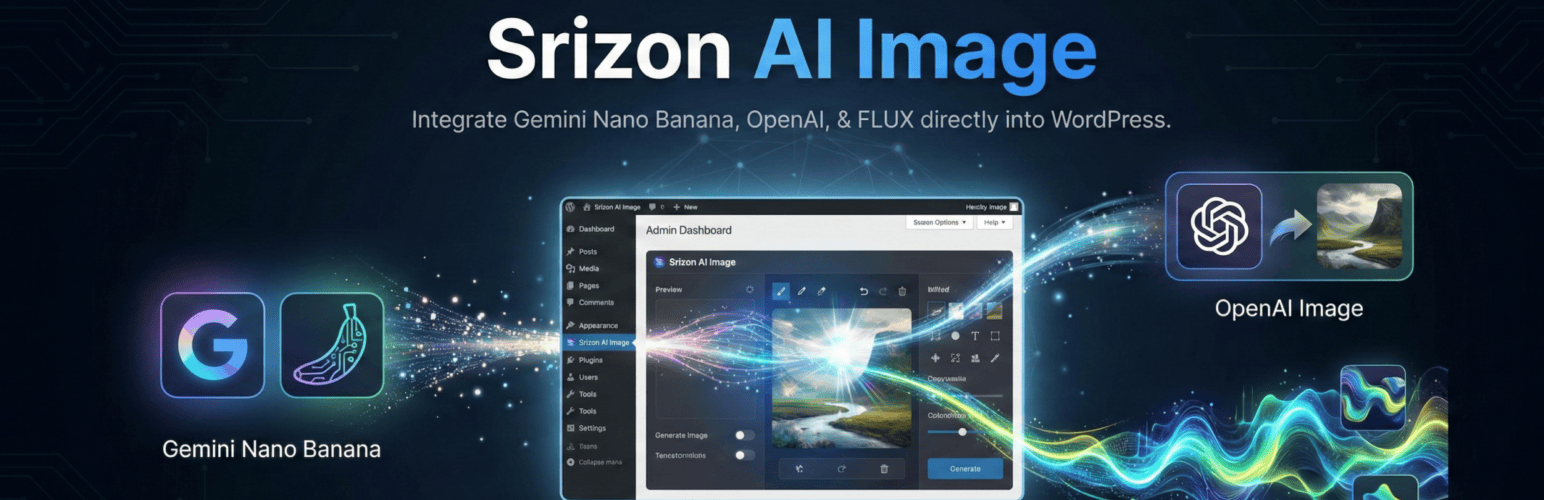
總結:Srizon AI Image 將多個 AI 圖像生成提供者的功能直接融入到你的 WordPress 工作流程中。使用 FLUX、Google Gemini(Nano Banana)、OpenAI GPT Image 和 Midjourney 模型,從文字提示中生成令人驚豔的圖像,並且輕鬆去除現有圖像的背景。
問題與答案:
1. Srizon AI Image 的主要功能是什麼?
- 可以從文字提示中使用多個 AI 提供者生成圖像。
2. 支援哪些 AI 模型用於圖像生成?
- FLUX.2 Dev、Nano Banana (Google Gemini)、GPT Image 1.5 (OpenAI)、Midjourney V7 和 Nano Banana 2 Pro (Google Gemini 3)。
3. 如何輕鬆移除圖像的背景?
- 可以在 Media Library 中的 JPEG、PNG 或 WebP 圖像上點擊一下來移除背景。
4. 在使用 Bulk Background Removal 功能時,可以做什麼?
- 可以選擇多個圖像一次批量去除背景。
5. Srizon AI Image 在工作流程中的作用是什麼?
- 生成的圖像會自動保存到你的 Media Library 中。
外掛標籤
開發者團隊
原文外掛簡介
Srizon AI Image brings the power of multiple AI image generation providers directly into your WordPress workflow. Generate stunning images from text prompts and remove backgrounds from existing images without leaving your editor, with support for FLUX, Google Gemini (Nano Banana), OpenAI GPT Image, and Midjourney models.
Key Features:
AI Image Generation – Create images from text prompts using multiple AI providers
Background Removal – Remove backgrounds from images with one click (~$0.0006/image)
Multiple AI Providers – Choose from FLUX, Google Imagen (Nano Banana), OpenAI GPT Image, and Midjourney
Block Editor Integration – “Generate with AI” button in the Image block toolbar
Media Library Integration – Generate images from Featured Image and Gallery modals via dedicated tab
Media Library Page – “Generate with AI” and “Remove Background” buttons on the Media Library page
Bulk Background Removal – Select multiple images and remove backgrounds in batch
Model-Specific Dimensions – Each AI model offers optimized resolution presets (Square, Landscape, Portrait, Wide, Cinematic, and more)
Advanced Parameters – Model-specific controls for Steps, CFG Scale, and Quality settings
Smart Model Memory – Your last selected model is remembered for convenience
Seamless Workflow – Generated images are automatically saved to your Media Library
Supported AI Models for Image Generation:
FLUX.2 Dev – Fast and affordable image generation
Nano Banana (Google Gemini) – Google’s image generation model (~$0.04/image)
GPT Image 1.5 (OpenAI) – OpenAI’s image generation with quality options (~$0.04/image for Medium)
Midjourney V7 – High-quality artistic images (~$0.10 for 4 images)
Nano Banana 2 Pro (Google Gemini 3) – Premium Google model (~$0.138/image)
Background Removal:
Remove backgrounds from any JPEG, PNG, or WebP image in your Media Library:
* Single image removal from attachment details
* Bulk removal from Media Library grid view
* Bulk action in Media Library list view
* Original images are preserved – new images created with “-nobg” suffix
* Cost: ~$0.0006 per image
How It Works:
Configure your Runware API key in Settings → Srizon AI Image
To generate images: In the block editor, add an Image block and click “Generate with AI” in the toolbar
Enter your prompt, select model and dimensions
Adjust advanced parameters if desired (Steps, CFG Scale, Quality)
Click Generate and your AI image is created and inserted
To remove backgrounds: Go to Media Library, select images, and click “Remove Background”
Supported Locations:
Image block toolbar in Gutenberg editor
Featured Image modal (“Generate with AI” tab)
Media Library modal for galleries (“Generate with AI” tab)
Media Library page (wp-admin/upload.php) – “Generate with AI” and “Remove Background” buttons
Attachment details – “Remove Background” button
Model-Specific Features:
FLUX models – Adjustable Steps (1-50) and CFG Scale (1-20) for fine-tuning
OpenAI/GPT Image – Quality selector (High, Medium, Low, Auto)
Midjourney – Generates 4 images per request, all saved to Media Library
External services
This plugin connects to the Runware API (https://runware.ai) to generate AI images and remove backgrounds from images.
What data is sent and when:
Image Generation: When you click the “Generate” button, your text prompt, selected dimensions, model choice, and generation parameters (steps, CFG scale, quality settings) are sent to Runware’s servers. The generated image is returned and saved to your Media Library.
Background Removal: When you click the “Remove Background” button, the URL of your image is sent to Runware’s servers for processing. The processed image (with background removed) is returned and saved as a new file in your Media Library.
No data is sent automatically. The API is only called when you explicitly click a Generate or Remove Background button.
Service provider: Runware Ltd
Runware Website
Runware Terms of Service
Runware Privacy Policy
Disclaimer: This plugin is not affiliated with, endorsed by, or sponsored by Runware. It simply integrates with the Runware API as a third-party service. You will need your own Runware account and API key to use this plugin.