
內容簡介
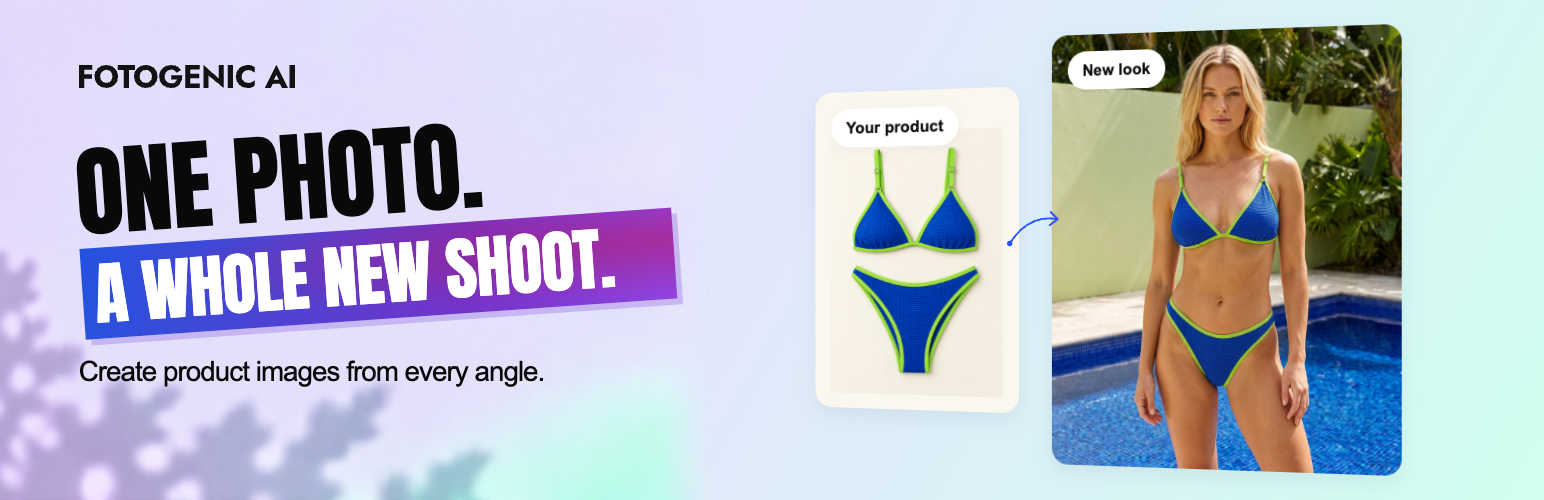
Fotogenic AI 是一款專為 WooCommerce 設計的 AI 產品攝影外掛,能將現有商品照片轉換為專業的工作室照片、生活場景及模特兒圖片,幫助商家提升產品頁面及廣告的視覺效果。
【主要功能】
• 將商品照片轉換為專業攝影風格
• 支援批量生成產品圖片
• 自動更新 WooCommerce 商品圖片
• 直接在控制台中檢視及應用圖片
• 適用於各種促銷活動及社群貼文
外掛標籤
開發者團隊
② 後台搜尋「Fotogenic AI – Product Image Generator for WooCommerce」→ 直接安裝(推薦)
原文外掛簡介
📸 Give your WooCommerce products a fresh new look
Your products. A fresh look. No new real photoshoot.
Turn the photos already in your WooCommerce store into studio shots, lifestyle scenes and on-model images for product pages, ads and social posts.
Fotogenic AI is an AI product photography plugin for WooCommerce stores and ecommerce businesses. Give a best-selling product a new look, prepare visuals for a launch, or refresh an entire collection, right inside WordPress.
Using SureCart, another ecommerce plugin or a regular WordPress site? Create new images from your WordPress Media Library, Posts and Pages, then use the saved results on your site. Direct product selection and automatic product updates are WooCommerce features.
Make your products the focus: create new looks for your WooCommerce product pages and galleries.
Prepare your next promotion: create campaign images for new arrivals, seasonal offers and social posts.
Refresh more of your catalog: select products and variations and generate in bulk.
Put new images to work: update featured images and galleries directly, with review-first or automatic options.
🎬 See Fotogenic AI in action
Explore the Fotogenic AI platform. This plugin provides the image creation, campaign and upscaling workflows described here.
🛍️ Update WooCommerce product images and galleries
From a fresh product look to your WooCommerce product page. Create, review and apply images in the same workflow, without downloading and uploading them again.
Choose how you want to work:
Review images first: save the results, inspect them and apply the images you want.
Update my store automatically: choose your image updates during setup and let eligible completed results use those settings.
For supported product and variation results, you can:
Replace the featured image with a new product photo.
Add images to the gallery at the beginning or end.
Replace the current gallery with your new images.
Keep results in the Media Library by choosing Review images first.
Your original files stay in the Media Library. Incomplete results may require review. AI creates new images, so check product shape, colors, logos and text before publishing.
📦 Bulk AI product image generation for WooCommerce
A new collection. A seasonal refresh. A catalog that needs a new look. Select the products you want to work on and create images together, without setting up a separate run for every item.
Find the right products: search by name, SKU or ID, and filter by category or stock status.
Select products and variations: apply a shared setup to the items you choose.
Check the estimate first: see the estimated credit cost before starting.
Follow your progress: larger product selections use background processing.
Return through History: reopen saved runs and review their results.
AI campaign images for launches, ads and social media
One product. More ways to promote it. Use Campaign Set to create a group of images with a shared creative direction for your store’s next launch or promotion.
2 to 6 related images: build a set for new arrivals, a seasonal offer or a social campaign.
Creative options: choose the available style, model and output settings.
Single or multiple selections: create campaign sets from WooCommerce products or Media Library images.
🎨 AI product backgrounds and lifestyle photography
A plain product photo is just the starting point. Take a jacket outdoors, give a skincare bottle a colorful studio backdrop, or place home decor in a lifestyle setting.
New backgrounds and styles: explore clean catalog looks, colorful settings and lifestyle scenes.
Your existing photos: use the featured image, gallery photos or both as references.
Your creative direction: choose available environment and style settings, then add your own instructions.
AI models for product and fashion photography
Show clothing on a model, explore a different look, or keep the focus on the product alone.
Fotogenic AI models: choose from the available model library.
Your own references: select an available account reference or upload a model photo.
Reusable saved models: pick references saved in the plugin without finding them again in the Media Library.
Product-only images: create a scene without including a model.
✨ Product photography templates and custom controls
Start with a look you like. Make it work for your products.
Ready-made templates: browse by product category, preview the example and apply its creative and output settings.
Custom lighting and camera settings: guide the lighting, angle, framing and composition in custom image setup.
Image quality and aspect ratio: choose the available output options for your workflow.
Reference images and instructions: give the AI more direction about the result you want.
Saved setups: reuse a creative direction across your next collection or product selection.
Fotogenic Visual Intelligence: get suggested settings from your source image, then review and adjust them.
Template options are defined by each template. Switch to custom settings when you want more control.
AI image upscaling for existing product photos
Already have a product photo you like? Use Increase Resolution to create a higher-resolution version for your store.
Upscale product or Media Library images individually or in multiple selections.
Save the enhanced image as a new file in your WordPress Media Library.
Keep your original photo available for future use.
Get your new product look in 4 steps
Choose your products: select WooCommerce products or variations from your catalog.
Choose your look: start with a template or set your own creative direction.
Check and generate: review the setup and estimated credit cost.
Use your new images: review and apply the results, or use the automatic updates you selected.
More image tools for your WordPress content
Create beyond your product catalog, too. Use images for your blog, landing pages and other WordPress content. WooCommerce is optional for these workflows:
Generate Images with Media Library, Post and Page images.
Campaign Set and Increase Resolution with Media Library selections.
The plugin works in your WordPress dashboard and adds no frontend blocks, shortcodes, widgets or tracking scripts to your storefront.
Give your first WooCommerce product a new look
Start with a product you already sell. See what a new look can do for it. Install Fotogenic AI, connect your account and select a product photo from your store.
Free to install: image creation uses the Fotogenic AI service and account credits.
Free credits for eligible new accounts: try the service with no credit card.
Costs visible before you start: check your balance and the estimated generation cost in Studio.
View plans and pricing | Explore Fotogenic AI for WooCommerce
External Service
Fotogenic AI connects to the Fotogenic AI service when you connect an account, refresh account-backed configuration or pricing, use Fotogenic Visual Intelligence, or start and monitor an image workflow. Depending on the action, the plugin sends the selected image files, chosen recipe options, and the account/session data required to fulfill the request. Images returned by completed workflows are saved as new attachments in your WordPress Media Library.
Review the Fotogenic AI Privacy Policy and current Pricing before using the service.
Pricing
To view current plans, credits, and pricing details, visit our Pricing page.
More Information
https://fotogenic.ai/
https://fotogenic.ai/woocommerce-product-image-generator/










