內容簡介
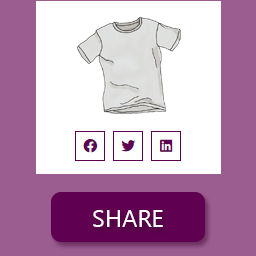
Social Icons Obvs 是一個 WordPress 外掛,可以添加社交媒體圖標到網站上,並提供廣泛的自定義選項,例如圖標背景顏色、形狀、大小、間距和對齊方式。
該外掛的設置頁面包含三個部分,每個部分都有自己的選項卡。它們分別是“帳戶”、“自定義”和“顯示”。
帳戶
帳戶部分包括14個社交媒體頻道,可以切換開啟,此時需要提供個人資料的網址。
目前外掛支援的頻道包括:Behance、Bitbucket、Dribbble、Facebook、GitHub、Instagram、LinkedIn、Pinterest、Soundcloud、Tumblr、Twitter、Vimeo、YouTube 和 YunoJuno。
自定義
自定義部分提供各種選項,包括:
可用的背景顏色包括品牌、透明或自定義(後者提供選擇特定 HEX 值的顏色選取器)。
形狀(即每個圖標所在的形狀)可以是方形、圓形或帶圓角的方形。
大小可以是小(30 x 30 px)、中(40 x 40 px)或大(50 x 50 px)。
對齊方式可以設定為居中、左對齊或右對齊。
間距可以在每個圖示兩側放置一定量的空間,可以設定為“超小”(5 px)、“小”(10 px)、“中”(15 px)、“大”(20 px)或“超大”(25 px)。
顯示
在此部分中,可以將圖標拖放到所需的順序,頂部的圖標為第一個。
一旦保存了更改,在網站的任何位置放置語音縮略語 [social_icons_obvs] 以顯示圖標。
注意:如果在將縮略語放在網站的任何位置後更改了此部分中的任何選項,新更改將反映在以前放置的縮略語中。
外掛標籤
開發者團隊
📦 歷史版本下載
原文外掛簡介
Social Icons Obvs offers the ability to add social media icons to a WordPress site with extensive customising options, such as icon background colour, shape, size, spacing and alignment.
The plugin settings page consists of three sections, each with it’s own tab. They are namely Accounts, Customise and Display.
Accounts
The Accounts section consists of 14 social media channels that can be switched on, at which point a profile URL is required.
The plugin currently serves the following channels: Behance, Bitbucket, Dribbble, Facebook, GitHub, Instagram, LinkedIn, Pinterest, Soundcloud, Tumblr, Twitter, Vimeo, YouTube and YunoJuno.
Customise
The Customise section features various options, including:
Background colours are available as either branded, transparent or custom (the latter features a colour picker for selecting a specific HEX value).
Shapes (that is, the shape that each icon sits within) can either be square, circle or square with rounded corners.
Size can either be small (30 x 30 px), medium (40 x 40 px) or large (50 x 50 px).
Alignment can be set to either center, left or right.
Spacing places a certain amount of space either side of each icon and can be set to either Extra Small (5 px), Small (10 px), Medium (15 px), Large (20 px) or Extra Large (25 px).
Display
In this section, the icons can be dragged and dropped into the desired order, the top one being the first.
Once the changes have been saved, place the shortcode [social_icons_obvs] wherever you would like the icons displayed.
Note: If any changes are made in this section once the shortcode has been placed somewhere in the site, the new changes will be reflected in the previously placed shortcode.