內容簡介
Simbe Weather Ticker 是一款顯示選定城鎮當前天氣的外掛,提供滾動顯示或表格形式,讓使用者輕鬆獲取即時天氣資訊。
【主要功能】
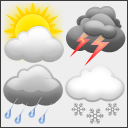
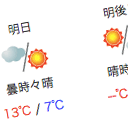
• 滾動顯示天氣圖示、城鎮名稱及溫度
• 可排序的天氣表格
• 內建城鎮搜尋功能,無需 API 金鑰
• 支援攝氏或華氏顯示
• 可與短碼及區塊搭配使用
• 快取回應以保持頁面快速
外掛標籤
開發者團隊
原文外掛簡介
Simbe Weather Ticker shows the current weather for the towns you pick, either as a scrolling
ticker or as a table.
Scrolling ticker with weather icon, town name and temperature
Weather table with sortable columns
Town search built in, no API key needed
Celsius or Fahrenheit
Works with shortcodes and blocks
Caches responses so your pages stay fast
Data comes from Open-Meteo, which needs no account or API key. Open-Meteo asks every plugin
and site to credit them, so the ticker and the table link back:
Terms of Use: https://open-meteo.com/en/terms
Privacy Policy: https://open-meteo.com/en/terms#privacy
Data licence (CC BY 4.0): https://open-meteo.com/en/licence
Usage
Shortcodes:
[simbe_weather_ticker] – scrolling ticker with all configured towns
[simbe_weather_ticker towns="london,paris"] – only the towns you name
[simbe_weather_ticker theme="light" duration="25" condition="yes"] – lighter and faster
[simbe_weather_table] – table with all configured towns
[simbe_weather_table columns="icon,condition,wind" orderby="temp" order="desc"] – chosen columns, warmest first
Blocks:
Weather Ticker
Weather Table
Configuration
Go to Settings > Simbe Weather Ticker, search for a town and press Add. Use the arrow buttons
to change the order, Remove to drop a town, or Add town manually to enter coordinates
yourself. Everything else on that screen is a default for the shortcodes and blocks.
The panel at the bottom of the settings screen records recent save attempts, which is
useful if you need to report a problem.