
內容簡介
HTML語法:
```html
<!DOCTYPE html>
<html>
<body>
<h2>Silo Scope WordPress 外掛總結:</h2>
<p>Silo Scope 是一個用於 WordPress 的網站健康監控解決方案,可以在同一個地方全面了解您網站的健康狀況。</p>
<h3>問題與答案:</h3>
<ul>
<li><strong>問題:什麼是 Silo Scope?</strong></li>
<li>答案:Silo Scope 是一個能在 WordPress 儀表板中不離開的情況下,提供網站健康全面報告的解決方案。</li>
<li><strong>問題:Silo Scope 的主要功能有哪些?</strong></li>
<li>答案:
<ul>
<li>包括安全性、性能、伺服器配置、SEO 和外掛的綜合網站報告。</li>
<li>可以點擊任何度量衡以獲得詳細的彈出說明,包括度量衡的含義、重要性、如何修復以及建議的外掛。</li>
<li>提供智能插件建議、插入建議和Go-live清單等功能。</li>
<li>生成適用於遠程監控的安全連接代碼。</li>
<li>支援多站監控和強化安全模式以保護數據和隱私。</li>
</ul>
</li>
<li><strong>問題:如何訪問外部服務的健康檢查閾值建議?</strong></li>
<li>答案:啟用外部服務後,外掛可以從指定的服務 URL 檢索健康檢查閾值建議。</li>
</ul>
</body>
</html>
```
希望這有幫到你!如果有任何其他問題,歡迎隨時詢問。
外掛標籤
開發者團隊
原文外掛簡介
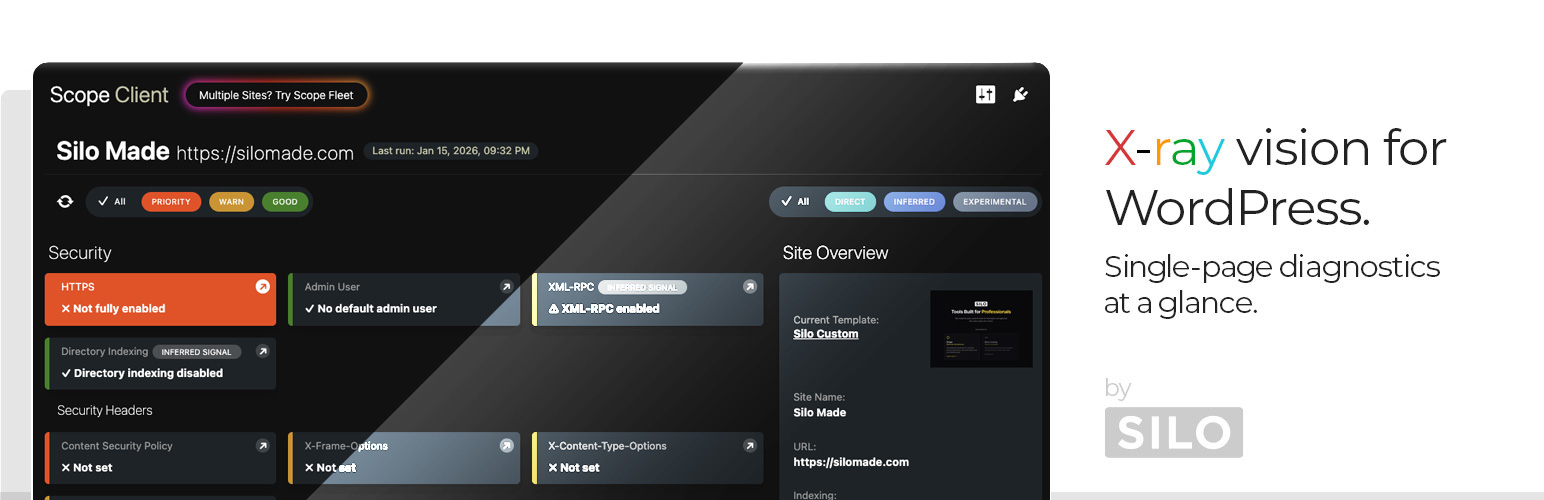
Silo Scope is a site health monitoring solution for WordPress that gives you a complete overview of your site’s health in one place.
Get a comprehensive health report covering security, performance, server configuration, SEO, and plugins without leaving your WordPress dashboard.
Key Features
Comprehensive Site Reports
Security: Core/plugin/theme updates, HTTPS status, directory indexing, XML-RPC exposure, admin user check, file permissions, HTTP security headers (CSP, HSTS, X-Frame-Options, etc.), user enumeration detection
Server & Environment: PHP version and limits, database engine/version, disk space, OPcache status, object cache detection, image toolkit capabilities, PHP error log activity, cron health, timezone alignment
Performance: Cache detection, compression (gzip/Brotli), autoloaded options size, transient bloat, post revisions, database size
SEO: Search engine visibility, robots.txt, sitemap detection, meta tags, canonical URLs, permalink structure
Configuration: Debug flags, cron status, active theme, backup plugin detection, maintenance mode
Plugins: Total/active/inactive counts, must-use plugins, abandoned plugin detection, update availability, duplicate cache plugin warnings
Context-Aware Help
Click any metric for a detailed modal explaining:
What the metric means
Why it matters
How to fix it
Recommended plugins (optional)
Recommendations System
Smart plugin suggestions based on detected issues
Non-intrusive inline recommendations in help modals
View Modes
Switch between different dashboard views for your workflow
Go-live checklist for pre-launch review
Connection Code Generation
Generate secure Connection Codes for remote monitoring
Enables integration with external monitoring tools
Security Model
Silo Scope takes security seriously:
API Token Authentication: Remote sites require a valid token (compared via hash_equals)
Domain Allowlist: Only configured domains can request reports
SSRF Prevention: Blocks loopback, private, and reserved IP ranges
No Tracking: No visitor analytics, pixels, or front-end scripts
Data & Privacy
All checks run inside your WordPress installation
HTTP checks are loopback requests to your own site
Report data stored in WordPress options/transients
Remote monitoring requires explicit opt-in via Connection Code
External Services
This plugin includes an optional feature to fetch policy baseline updates from an external server. This feature is disabled by default and must be explicitly enabled in Plugin Settings.
Remote Policy Baseline (Optional)
When enabled, the plugin fetches health check threshold recommendations from:
– Service URL: https://baseline.scopefleet.com/policy.v1.json
– Data sent: No personal or site data is sent. The request is a simple GET request to retrieve a JSON file.
– When: Only when the “Remote Policy Baseline” option is enabled in Plugin Settings. The data is cached locally for 24 hours.
– Purpose: Provides updated threshold recommendations for site health metrics (e.g., recommended PHP version, memory limits).
– Service provider: SILO (silomade.com)
– Terms of Service: https://silomade.com/terms
– Privacy Policy: https://silomade.com/privacy
If this feature is not enabled, the plugin uses locally bundled policy defaults and makes no external requests.













