內容簡介
Image Optimizer 是一款易於使用的 WordPress 外掛,透過各種壓縮和調整大小的技術來減少圖片檔案大小,同時保持最高的圖片品質。支援多種流行格式,提升網站效能與使用者體驗。
【主要功能】
• 支援 JPEG、PNG、WebP、AVIF 和 GIF 格式
• 背景優化,無需停留在頁面上
• 自動調整大圖片至設定的最大寬度
• 提供無損和有損兩種壓縮選項
• 上傳時自動優化圖片
• 批次或單獨優化圖片選項
外掛標籤
開發者團隊
② 後台搜尋「Image Optimizer – Compress Images and Convert to WebP or AVIF」→ 直接安裝(推薦)
📦 歷史版本下載
原文外掛簡介
Image Optimization (formally known as Image Optimizer) is an easy-to-use WordPress plugin that reduces image size through various compression and resizing techniques – all of which preserve the highest possible image quality. Image Optimization supports many popular formats, including JPEG, PNG, WebP, AVIF, and GIF.
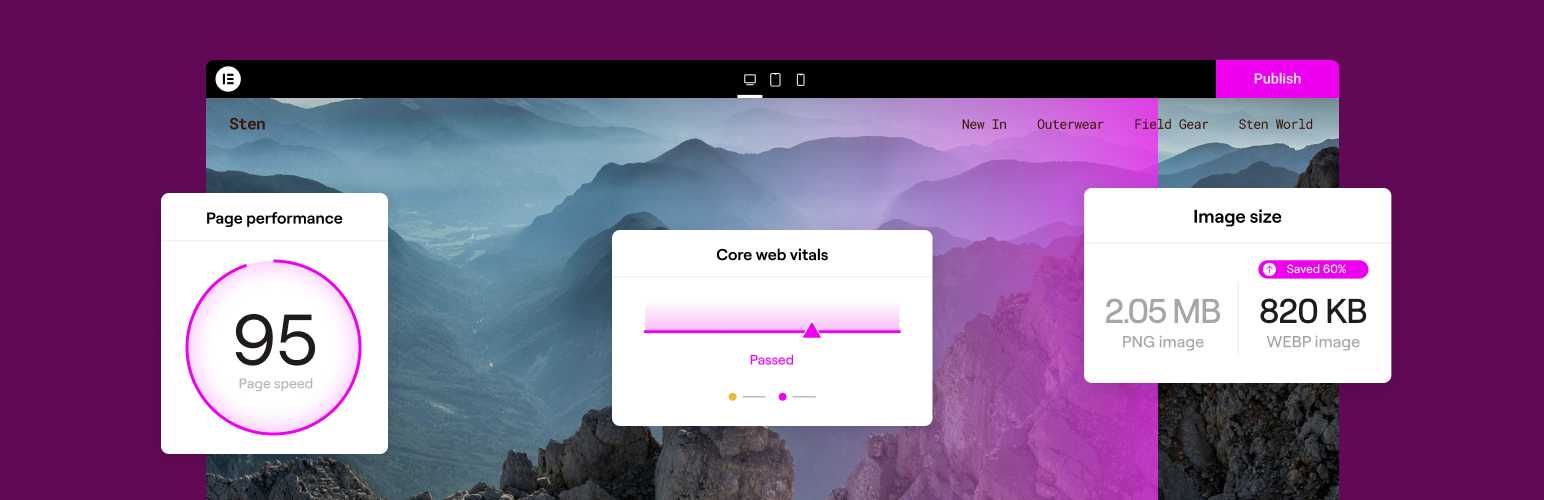
Reduced file sizes for boosted performance
Image Optimizer ensures faster loading times, enhanced user experience, and overall boosted website performance. It reduces the size of your website’s images, improving Core Web Vitals and search engine rankings. With Image Optimizer’s exceptional capabilities and unique algorithms, you can fine tune images and reduce their file sizes while retaining quality with lossless or lossy compression.
Features
Image formats supported include JPEG, PNG, WebP, AVIF and GIF.
Works in the background: The only plugin in the category that optimizes your images in the background, without you having to stay on the page during optimization.
Resize large images: The user can set a maximum pixel width, after which images will automatically be resized. (default value set to 1920px)
2 compression levels: Lossless – highest quality with minimal compression; Lossy – maximum compression with somewhat reduced quality.
Optimize on upload: Automatically optimizes images when you upload them.
Bulk or individual optimization: Flexible image optimization options, whether it’s on-demand scaling and compression, or bulk optimization for your entire image library.
EXIF Metadata: Select whether to clear image metadata to reduce size even further without impacting image quality.
Backup original images: Ability to delete backups permanently to save space. (We recommend backing up your website beforehand.)
Restore original images (all sizes) for selected media files if needed.
Convert to WebP and AVIF: Get efficient and faster-loading formats with WebP and AVIF for even better web performance.
Image thumbnails: Resize all image sizes by default. Allow the user to choose specific image sizes based on WordPress-registered thumbnail sizes.
Bulk or single image optimization
Image Optimizer by Elementor lets you optimize all images in your library either one at a time, or in a batch according to your preferences and settings. Easily configure the plugin to scale or compress your images on-demand, or automatically have them triggered as they are being uploaded. Or, if you have a large number of images already uploaded, the bulk optimization feature allows you to resize and/or compress your entire library of existing images in just a few clicks.
Two Compression Levels
With Image Optimizer’s advanced algorithms, you can compress images and reduce their file size at the level that makes the most sense for you. We offer 2 types of compression for processing images giving you the perfect balance of compression and quality.
Lossless Compression: Lossless compression reduces image file sizes without sacrificing or diminishing the quality of your images. This type of compression reduces file sizes by removing unused or unnecessary data so that no image details are lost along the way. Hence, you are able to reduce the file size and still maintain the quality of your image.
Lossy Compression: Lossy compression performs maximum compression resulting in lightweight images and smaller file sizes. It reduces image size by removing image data that is generally invisible to the human eye and minimizes any compromise in image quality.
Convert to WebP and AVIF: Convert images to the slimmer WebP or AVIF formats for even better optimization with a 25-30% savings over JPEG and PNG. Most browsers support WebP, however if they don’t, you can have fallback versions of the image available in the same format as the original image.
By tailoring compression to the level you need, your visitors will enjoy faster load times, improved responsiveness, and a seamless browsing experience. Our approach also enables your website to rank higher in search results. Since a search engine’s ranking is heavily influenced by speed, user experience, and Core Web Vitals, Image Optimizer is an invaluable tool for any website, especially one that’s abundant with images.
Get started today
For more information about Image Optimizer, visit our official website or Try It Now.
If you have any questions or need support, feel free to contact us or visit our help center.
This plugin requires a connection to an active Elementor account in order to identify the user and provide the purchased service. This connection is triggered manually by the user via the plugin’s settings panel.
This plugin uses a 3rd party service operated by Elementor, which accepts a standard image in JPG, PNG, GIF or WEBP format and returns a web optimized image based on the selected settings. This flow is triggered by the user or automatically (based on the selected plugin settings) on a compatible image upload or by manually initiating the optimization process.
Related Plugins
Email Deliverability: Effortlessly manage transactional emails. High deliverability, logs and statistics, and no SMTP plugins needed.