內容簡介
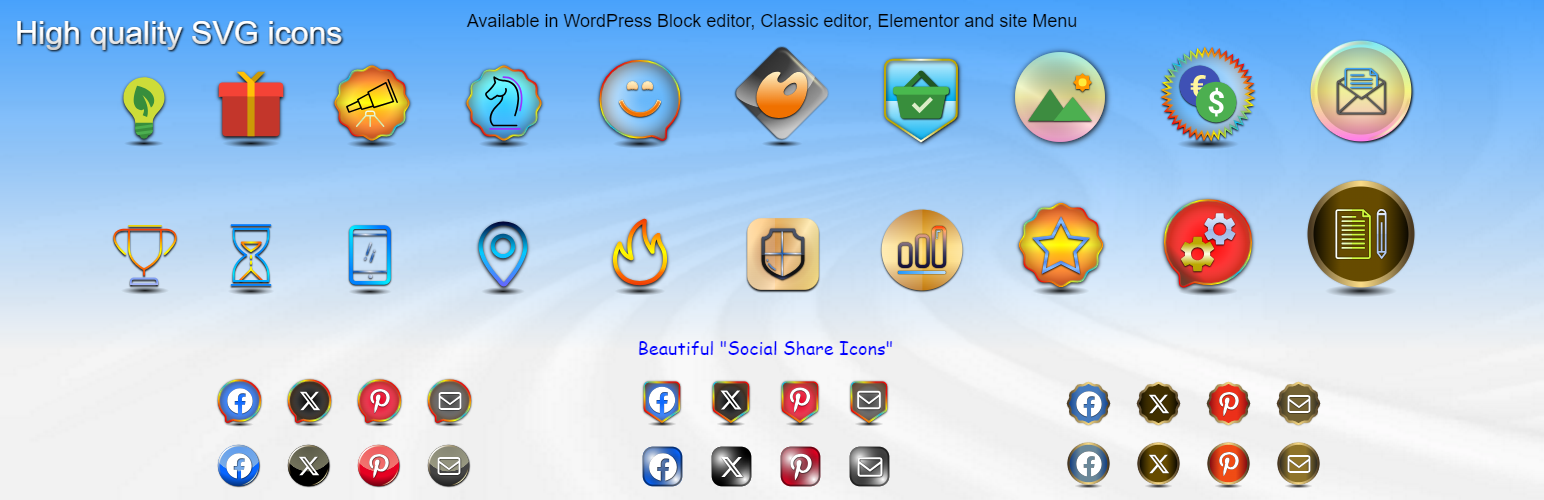
Safelayout Elegant Icons 是一款高效能的 WordPress 外掛,提供高品質的 SVG 圖示,讓使用者能輕鬆在網站中添加美觀的社群媒體圖示。此外掛支援多種編輯器,並提供即時的圖示佈局,提升網站的視覺效果與載入速度。
【主要功能】
• 高品質的內嵌 SVG 圖示
• 支援 Gutenberg、Elementor 和經典編輯器
• 預製的轉換區塊與視覺佈局
• 多色圖示包與漸層自訂功能
• 可直接添加圖示到網站導航菜單
外掛標籤
開發者團隊
② 後台搜尋「Safelayout Elegant Icons – WordPress icons」→ 直接安裝(推薦)
📦 歷史版本下載
原文外掛簡介
Safelayout Elegant Icons adds high quality SVG icons to your WordPress website, and it helps you add beautiful social media icons to your website.
It’s a performance-focused plugin that drops pre-configured icon layouts directly into your content with a single click. Instead of forcing you to build complex layouts manually, this plugin provides instant, high-quality SVG Icons across your entire site layout ecosystem.
🌐 Triple-Editor Integration & Site Menu Support
Enjoy absolute workflow flexibility. Safelayout Elegant Icons integrates seamlessly as a Gutenberg Block, an Elementor Widget, and a tool within the WordPress Classic Editor. Beyond post content, you can add SVG icons directly into your website navigation Menus—fully supporting both traditional Classic Themes and modern Full-Site Editing Block Themes.
🚀 High-Quality Inline SVG Icons (Built for Performance)
Protect your website loading speeds. Every graphic in this library renders as a 100% pure inline HTML SVG icon. Because it completely eliminates bulky, render-blocking webfont files (like FontAwesome), your pages load lightning-fast with flawless cross-browser clarity on both mobile and desktop viewports.
📦 Ready-Made Conversion Blocks & Visual Layouts
Transform your plain text into structured, eye-catching sections using our pre-built layout modules:
* “Icon Box” Block with Premium Accents: Drop in beautiful info boxes featuring decorative “Box Ribbon” overlays and integrated “Box Button” wrappers for instant promotional callouts.
* “Icon List” Block: Effortlessly swap out boring default bullets for beautifully aligned vector item markers.
* “Social Share Icons” Block: Instantly position responsive social bookmarks across your content layout streams to boost page shares.
🎨 Multi-Color Icon Packs & Advanced Gradient Customization
Break away from boring monochrome graphics. The plugin includes dedicated multi-color icon packs featuring multi-toned vector elements. Take full creative control over your palette with global gradient options: apply rich gradient colors across the icon fill, the icon stroke, and the background container color simultaneously.
⚡ 38 Hover Animation Effects & Design Feedback
Bring your user interfaces to life with interactive micro-interactions. Access a library of 38 distinct hover animation effects and beautiful icon transitions.
How to add icons to the navigation menu of your WordPress website.( Block Themes )
How to add icons to the navigation menu of your WordPress website.( Classic Themes )
How to add beautiful icons into the text.( Elementor )
How to add beautiful icons into the text.( Block editor )
Features
Available in Block editor, Classic editor and Elementor.
Ability to add icons to the site menu. (Classic themes and Block themes)
No icon fonts, just inline SVG.
High quality SVG icons.
Include “Social Share Icons” block.
Include “Icon List” block.
Include “Icon Box” block.
Include “Box Ribbon” block.
Include “Box Button” block.
Include multi color icon packs.
Many beautiful icon effects.
Choose which icon packs to load.
Adding icons to text blocks ( Paragraph, Heading, Button, … ).
Gradient color for icon fill and stroke as well as background color.
38 Hover animation effects.
Fully compatible with Full-Site Editing.
Cross browser compatible.
Fully customizable.
Work with Any Theme.
Live Demo
Safelayout Elegant Icons Demo.
Pro Version
Safelayout Elegant Icons Pro is available. Upgrade to pro version and get full features!
Pro Version Icon Packs (4700+ icons)
Themeisle (100 icons) https://themeisle.com/free-icons/
WordPress Dashicons (337 icons) https://developer.wordpress.org/resource/dashicons/
WordPress (285 icons) https://github.com/WordPress/gutenberg/blob/trunk/packages/icons/src/library/
Flat color icons by Icons8 (312 icons) https://icons8.github.io/flat-color-icons/
Linecons (48 icons) https://designmodo.com/linecons-free/
Filled icon set by Icons8 (200 icons) https://icons8.com/
Genericons Neue (103 icons) https://genericons.com/
Font Awesome regular (163 icons) https://github.com/FortAwesome/Font-Awesome
Font Awesome brands (467 icons) https://github.com/FortAwesome/Font-Awesome
Font Awesome solid (1390 icons) https://github.com/FortAwesome/Font-Awesome
Material Design (1261 icons) https://developers.google.com/fonts/docs/material_icons
Meteocons – weather (47 icons) https://www.alessioatzeni.com/
Safelayout other plugins
Safelayout Brilliant Buttons – WordPress Button block
Safelayout Cute Preloader – CSS3 WordPress Preloader
Safelayout Animated Header Footer