
內容簡介
Saddle – AI Site Control (MCP) 讓您的 AI 應用程式在 WordPress 網站上運作,無需提供管理權限。透過 Saddle,您可以控制 AI 的操作,確保內容安全且符合您的需求。
【主要功能】
• 支援多種 AI 應用程式,如 ChatGPT 和 Claude
• 創建、編輯和刪除文章與頁面
• 管理自訂內容類型,如產品和活動
• 上傳媒體並編輯其詳細資訊
• 管理分類和標籤
• 操作菜單項目,包括新增和移動
外掛標籤
開發者團隊
② 後台搜尋「Saddle – AI Site Control (MCP)」→ 直接安裝(推薦)
原文外掛簡介
Saddle lets your AI app work on your WordPress site without handing it the keys.
Ask Claude, ChatGPT or Cursor to write a post, fix a page or update SEO titles. The app does the work through Saddle, using real WordPress tools. You decide which tools it may use.
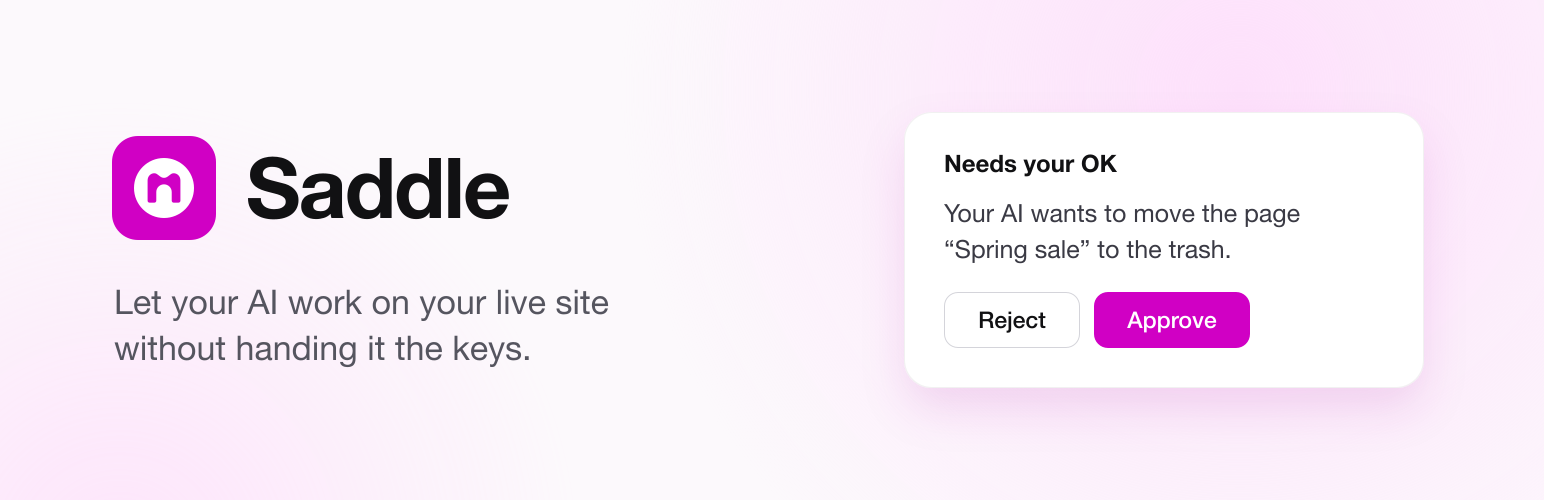
Saddle is built for live sites. A new install can only read. Every delete shows a preview and waits for your approval. Your AI app connects straight to your site, so your content never passes through our servers.
Guides, examples and docs: saddle.to
Try it now
Click Live Preview at the top of this page. A test WordPress opens in your browser with Saddle installed, so you can explore every screen. The preview runs only in your browser, so AI apps cannot connect to it. To connect an app, install Saddle on your own site.
How it works
Install Saddle and choose what your AI may do.
Add your AI app under Saddle → Agent setup. Paste the address Saddle shows into the app and approve the connection when your browser opens.
Ask your AI to write, edit or check your content.
Saddle works with Claude and Claude Code, ChatGPT, Cursor, VS Code, Codex, Gemini CLI and other apps that support MCP (Model Context Protocol). Step-by-step setup for each app is at saddle.to/docs.
Content
Posts and pages: Create, edit and delete posts and pages.
Custom content types: Work with the post types your plugins and theme add, such as products, events or docs.
Media: Upload images from a URL and edit their details.
Categories and tags: Create and list categories and tags.
Search: Find any post, page or media item.
Menus: Add, rename, move and remove menu items, and choose which menu shows in each theme location.
Users: List users and read their profiles.
Block editor pages
Block pages: Build pages with real blocks that stay editable in the block editor.
Block editing: Add, edit, move and remove single blocks.
Theme styles: Use your theme’s colors, fonts, spacing and patterns.
Templates: Read your theme’s templates, template parts and global styles.
Design system: Add a color palette, type scale and spacing to a block theme.
Templates and patterns: On a block theme, change a template or the header and footer, add a template part, and save a section as a pattern. Changes are saved in the database and the theme’s files are never edited.
Divi 5 pages
These tools work on sites running Divi 5.
Divi pages: Build and edit pages with real Divi modules. Add, edit, move and remove modules, and change page settings.
Loops and dynamic content: Repeat a module for each post in a query, and show live post data in module fields.
Display conditions and presets: Show or hide a module by rule, and apply a saved preset.
Divi design data: Read global colors, fonts, variables and presets, and list Library items and Theme Builder templates.
Saddle edits Divi 5 pages only. It leaves Divi 4 shortcode pages untouched.
Check the result
Page check: Find layout, contrast and accessibility problems on a block or Divi 5 page, with a score and a fix for each problem.
Node view: See the real styles and HTML of any part of a page.
Preview: Get a short-lived preview link to see the page before it goes live.
Integrations
The SEO and WooCommerce tools work when that plugin is active.
Yoast SEO: Read and edit the SEO title, meta description, robots and schema type of posts, pages and terms.
Rank Math: Read and edit the SEO title, meta description and robots of posts, pages and terms.
All in One SEO: Read and edit the SEO title, meta description, robots and social fields of posts and pages.
WooCommerce: List and read products and variations. Orders show customer names and emails, so listing them needs Edit content.
Unsplash: Find and import free stock photos. This needs your own Unsplash API key.
Other plugins: Any plugin can add its own tools to Saddle. Tools from other developers stay off until you switch them on under Saddle > Settings > Advanced.
Skills and memory
Skills: Add short Markdown guides that tell your AI how you work.
Built-in Skills: Use the included guides to build a page and fix a page.
Memory: Let your AI save notes and use them in later sessions.
Recent changes: Let each new session see what changed on the site.
Site management
These tools stay off until you give an app Manage the site.
Settings: Change the site title, permalinks and reading options.
Plugins and themes: Activate and deactivate plugins and switch the active theme, each after a preview.
Install from WordPress.org: Search the WordPress.org plugin directory, and install a plugin or theme from WordPress.org by name after a preview. A new plugin or theme arrives inactive, and turning it on is a separate step. Saddle never installs from a zip file or a link, and never deletes a plugin or theme.
Updates: See which plugin, theme and WordPress updates are waiting. Apply plugin, theme, WordPress and translation updates through WordPress’s own updater, and turn automatic updates on or off per plugin. WordPress keeps a backup and restores a plugin that breaks the site. A major WordPress release is applied only if you turn on Major WordPress releases in Saddle → Settings. It is off by default, and no app can turn it on.
Site Health: Read the results of WordPress’s own Site Health checks.
Cache: Clear the site cache.
Safety
Access for each app: Choose Read only, Edit content or Manage the site for each connected app. New apps start at Read only.
Confirmation: Review a preview before anything is deleted or overwritten, a plugin or theme is installed, a plugin is turned on or off, or the theme changes.
Drafts only: Save new posts as drafts until you publish them.
Rehearsal: Let an app try anything its level allows while nothing is saved. Each change it would have made shows in the activity log as rehearsed.
Tool switches: Set each tool to Allow, Ask first or Off. A tool set to Ask first waits for your approval on the Dashboard, and a yes in the chat is not enough. A recommended set applies this to plugins, themes, updates, settings and deletes in one click. A tool added by a later update asks first until you choose.
Pause: Block all AI requests with one switch.
Activity log: See every change and every blocked request.
Undo: Ask your AI to undo a logged change, or click Undo on it in Home’s Activity feed. It restores a page’s earlier version, untrashes what was trashed, and puts settings back. A change that someone edited again since is left alone. Permanent deletes, plugin, WordPress and translation updates, and installs cannot be undone.
Protected settings: The site URL, security keys, user roles and admin email cannot be changed.
Saddle never runs code from the AI and has no shell access. Your AI app cannot write or edit files on your server. WordPress itself still saves uploads, applies updates, installs plugins and themes from WordPress.org and saves permalink rules the way it always does. The one file Saddle changes is .htaccess, and only when you click Fix it for me in the connection check. That adds one marked block so your server passes sign-in headers to WordPress. Uninstalling Saddle removes it.
Connecting an app
Turn on sign-in for apps once, when the wizard offers it. After that every app needs only your site’s address: it opens your browser, and an administrator approves it on your own site. Nothing is installed and no key is copied. Sign-in needs HTTPS and pretty permalinks.
Apps can also connect with a pasted key. Saddle uses WordPress Application Passwords for that. Each key works only with Saddle, not with the rest of the REST API. ChatGPT cannot use a pasted key.
Saddle Pro
Saddle Pro is a paid add-on for Divi 5 sites. It needs this free plugin. Pro adds work that changes more than one page:
Divi design system: Create, edit and delete global colors, fonts, variables and presets.
Divi Library and Theme Builder: Save, update, apply and delete Library items, and assign Theme Builder templates.
Whole pages: Build a new Divi page in one step, or clone one.
Site-wide changes: Swap an image or apply a preset across many pages, with undo.
Design brief: Save a page’s design plan and check the page against it.
WooCommerce: Update prices, stock, status and categories across many products, with undo.
Every feature in this free plugin stays free. Saddle → Get Pro shows the plans and their prices, and only while Saddle Pro is not installed. It sends nothing; its buttons open saddle.to.
Credits
Iconoir icons (MIT): iconoir.com
AI app logos from LobeHub Icons (MIT): github.com/lobehub/lobe-icons. Each logo belongs to its owner.
External services
Saddle sends no tracking or usage data. It connects to another site only in these cases:
Upload from URL: WordPress downloads the one file you asked for.
Connection check: Saddle sends a test request to your own site.
Live page check (optional): This runs only when your AI app asks for it after editing a published page. Saddle loads that page from your own site, as a visitor would, to confirm the change is live.
Unsplash (optional): This runs only after you add your own API key under Saddle → Settings. Saddle sends your search words or a photo ID to api.unsplash.com. It downloads photos from images.unsplash.com. Each imported photo gets a caption that credits the photographer, as Unsplash requires. You can edit or remove it. See the API Guidelines, API Terms and Privacy Policy.
OAuth app check (optional): This runs only when OAuth sign-in is on. Saddle reads a public web address the app provides to confirm who the app is. It sends nothing about your site.
Updates and Site Health (optional): When your AI app lists or applies updates, or reads Site Health, WordPress runs its own checks with WordPress.org and downloads the update packages it already offers, from WordPress.org or a plugin’s own update server, exactly as the Updates screen does. After updating an active plugin, WordPress loads your own home page once to check for a fatal error.
Plugin and theme directory (optional): When your AI app searches for a plugin, or installs a plugin or theme, WordPress sends the search words or the slug to api.wordpress.org, as the Add New screens do. The same happens when you choose to add Saddle Analytics in Saddle’s welcome or on Home. Like every WordPress.org request WordPress makes, it includes your WordPress version, language and site address. Saddle keeps search results on your site for an hour. An install downloads the package from downloads.wordpress.org. Saddle refuses a package from anywhere else.
The WordPress.org version never checks for its own updates. The version from plugpress.co checks at most once every six hours. It sends only the plugin name and version number.
Privacy
Saddle stores its settings, Skills, memory, activity log and short-lived confirmation codes on your site.
With OAuth on, it also stores approved apps and a one-way hash of their tokens.
For each connected app, it stores the name the app reports, when it connected and last called, and the names of its last five tools. It stores no tool inputs or results.
Saddle sends no personal data off your site.
Deactivating or deleting Saddle deletes the app keys it made, because nothing limits them while Saddle is off. Apps that connected with a key need to connect again after you turn Saddle back on. Keys you made yourself stay.
Uninstalling removes all Saddle data.














