內容簡介
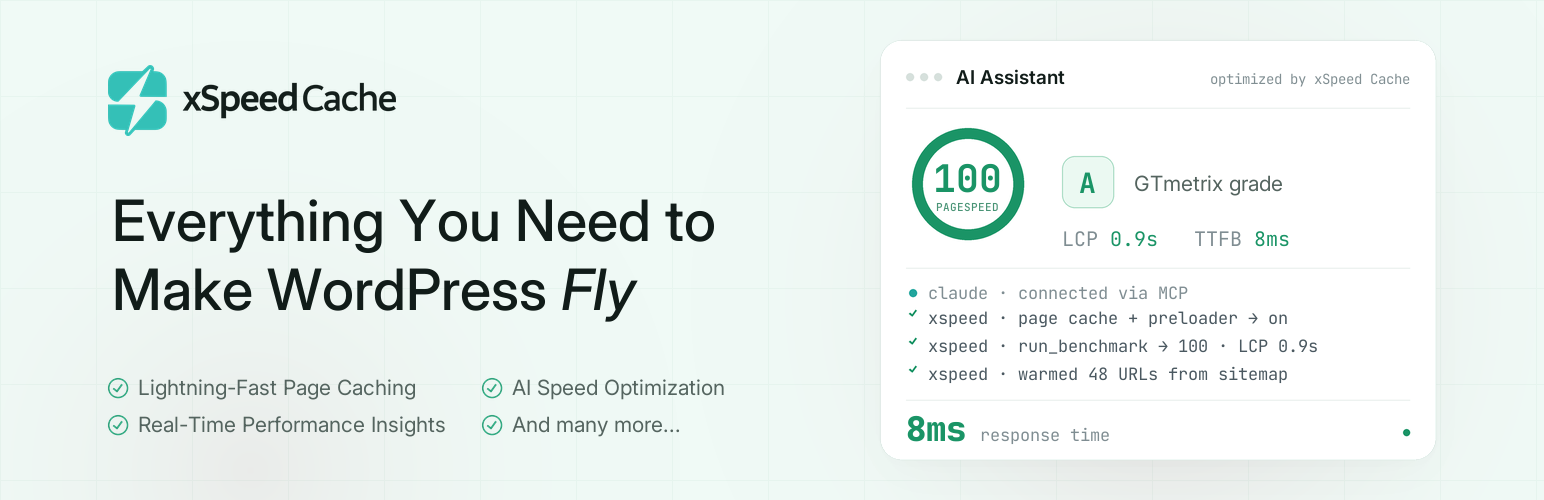
xSpeed Cache 是一款全站性能外掛,專注於加速 WordPress 網站的載入速度。透過簡單的設定,該外掛能有效快取頁面、壓縮檔案,並提供 AI 驗證,讓網站在毫秒內加載,提升使用者體驗與 SEO 排名。
【主要功能】
• 靜態頁面快取,快速響應時間
• 自動清除快取,無需手動操作
• 代碼最小化,優化頁面速度
• GZIP 壓縮,減少檔案大小
• 延遲加載媒體,提升載入效率
• 字型優化,改善核心網頁指標
外掛標籤
開發者團隊
② 後台搜尋「xSpeed Cache: AI-Powered Performance Hub with MCP, Caching & CDN」→ 直接安裝(推薦)
📦 歷史版本下載
原文外掛簡介
Your visitors decide to stay or leave in under 3 seconds. xSpeed Cache makes sure they stay.
Most caching plugins bury you in settings, charts and upgrade popups. xSpeed Cache does the opposite. Install it, flip one switch, and your site loads faster. No bloat, no upsells nagging you, no PhD required.
Built by the team at WPDeveloper, trusted by over 7 million WordPress users worldwide.
What This WordPress Caching Plugin Does
xSpeed Cache is a full-site performance plugin. It caches your pages, shrinks your code, compresses your files and serves everything as fast as your server physically can, including an AI-powered audit that tells you exactly what is slowing your site down.
The result: pages that load in milliseconds, not seconds. Better Google PageSpeed scores. Happier visitors. Better SEO rankings.
If you have been searching for how to speed up WordPress site performance without hiring a developer, this is the shortest path there. It is built to speed up WordPress from the first page load, not after a week of tuning.
The Speed Advantage No Other Free WordPress Cache Plugin Offers
When xSpeed Cache caches a page, it does not just save it. It serves it directly from the server, bypassing PHP entirely.
That means:
With xSpeed static cache: 5 to 15ms response time
Without it (PHP-served cache): around 85ms response time
That is up to 17x faster page delivery on cache hits. No other free WordPress cache plugin does this across Apache, nginx and LiteSpeed automatically, which is what makes it worth comparing against any other best WordPress cache plugin shortlist you are working from.
Features at a Glance
Page Caching That Speeds Up Your WordPress Site
Your pages are saved as static HTML files and served instantly to visitors, before WordPress even loads. This is the fastest way to speed up WordPress page delivery, and the cache rebuilds itself automatically whenever you publish a post, switch themes or update a plugin. You never have to think about it.
Static-file rewrite path that bypasses PHP entirely for a 5 to 15ms TTFB
Auto-purge on publish, update, comment and theme change
One-click cache purge from the admin bar
Exclude specific URLs such as /cart, /checkout and /my-account
Set your own cache expiry, from 1 to 720 hours
Separate mobile cache for phone and tablet visitors
Per-post cache rules with custom expiry, or disable caching for individual posts
Code Minification for WordPress Page Speed Optimization
Strips all the unnecessary whitespace, comments and characters from your HTML, CSS and JavaScript without breaking anything. Smaller files are one of the most reliable WordPress page speed optimization wins available.
Minify HTML, CSS and JavaScript
Combine CSS and JS files to reduce HTTP requests
Defer or delay JavaScript so it does not block page rendering
Async CSS loading
Removes ?ver= query strings from asset URLs
Safe-minify automatically skips already-minified files and falls back if anything looks off
GZIP Compression
Makes every file your server sends smaller, so browsers download them faster.
Auto-configures GZIP on Apache and LiteSpeed
Shows a ready-to-paste config snippet for nginx and IIS
Detects if your server already has GZIP active, so there is no double-configuration
Lazy Load WordPress Images, Videos and Iframes
Lazy load WordPress media so images, videos and iframes load only when a visitor scrolls to them, rather than all at once on page load.
Lazy load images, iframes and videos
Automatic Cumulative Layout Shift fix so your layout does not jump
Font Optimization for WordPress Core Web Vitals
Web fonts are one of the most common causes of slow-loading pages, and fixing them is one of the easiest ways to increase WordPress page speed. Together with lazy loading and the LCP preload, this is practical core web vitals optimization rather than a score-chasing trick.
Adds font-display: swap so text is visible immediately while fonts load
Preloads above-the-fold font files for instant rendering
Removes the blank-text flash caused by slow Google Fonts responses
Browser Cache
Tells browsers to remember your static files such as images, CSS and JS, so returning visitors load your site even faster.
Sets proper Cache-Control and Expires headers
Works automatically with no manual configuration needed
Cache Preloader
Warms up your cache automatically so the very first visitor after a purge still gets a fast page.
Sitemap-driven cache warmer
Auto-warms cache when you publish or update content
Redis Object Cache for WordPress (Redis and Memcached)
Speed up database-heavy installs with a persistent object cache WordPress can rely on between requests. Set up Redis object cache WordPress support, or Memcached, in seconds and keep every repeated query in memory.
Connect Redis or Memcached in seconds
View status and flush the object cache from the dashboard
Works as a drop-in persistent object cache, so object cache WordPress lookups are not repeated on every page load
WordPress CDN Plugin Support with Cloudflare Integration
Serve your static files from a WordPress CDN for faster global delivery. Point it at whichever provider you already use, including a WordPress CDN free tier, so you are not locked into one network while you decide which is the best WordPress CDN for your traffic.
Pull-zone URL rewriting for any CDN provider
Built-in Cloudflare WordPress CDN integration: connect your zone, auto-purge on publish and toggle development mode
Works as a WordPress CDN plugin for any pull zone, with no separate connector to install
WordPress Database Cleanup and Optimization
A bloated database slows down every page load. This WordPress database cleanup plugin keeps yours clean and helps speed up WordPress database queries without a separate tool.
Optimize database tables
Remove post revisions, spam, trash, transients and orphaned meta
Schedule automatic cleanup so it runs on autopilot
AI Assistants and the WordPress MCP Server
xSpeed Cache ships a WordPress MCP server, so a Claude WordPress MCP connection, or any other MCP client, can inspect and tune your site through the same tools the dashboard uses. Every action is bounded by what you allow when you connect, which is what separates a real WordPress MCP plugin from a chatbot bolted onto a settings page.
MCP server appears on the Overview as a capability card, so an AI connection can be set up without hunting for a panel
OAuth discovery, with dynamic client registration bounded by stored-client limits, redirect URI limits, name and URI length limits and per-IP rate limiting
Read-only MCP connections can read status through every per-command tool, while write actions stay refused
Credentials cannot be written by an AI assistant unless you explicitly grant that permission when connecting
WP-CLI parity: wp xspeed purge, wp xspeed preloader status, wp xspeed score run, wp xspeed optimize and wp xspeed settings list|get|update
The optimize_site tool measures the site, applies recommended settings one at a time, re-checks the page after each change and reverts anything that breaks it
Disable Bloat
Turn off WordPress features you do not use. Each one is a request your server does not have to make.
Disable dashicons on the frontend
Remove oEmbed, RSS feeds, XML-RPC, jQuery Migrate and REST API authentication headers
AI-Powered Site Audit (Pro)
xSpeed Pro scans your specific site and tells you exactly which performance features will help the most, with severity ratings and concrete reasons rather than generic advice.
Built to Handle WordPress Edge Cases
xSpeed Cache handles the edge cases other plugins miss:
Multisite ready. Each site in the network gets its own cache and settings.
LiteSpeed server? xSpeed Cache detects the LiteSpeed Cache server module and steps back to avoid conflicts.
WooCommerce? Logged-in customers and checkout pages are never cached.
WordPress Site Health. xSpeed Cache adds its own health check under Tools then Site Health, so you always know your cache config is working correctly.
Works on any server. Apache, nginx, LiteSpeed, IIS and any standard PHP host.
Designed for Everyone
Non-technical users: A 3-step setup wizard walks you through first-time configuration in under 2 minutes. Settings auto-save, so there is no Save button to forget.
Developers: REST API at /wp-json/xspeed/v1/, developer filters (xspeed_skip_minify, xspeed_cache_skip_for_post, xspeed_cache_expiry_for_post), WP_DEBUG awareness, and a React 18 and TypeScript admin UI.
Agencies: Use the xspeed_branding filter to white-label the dashboard for clients.
Private By Default
xSpeed Cache never collects personal data, stores IP addresses or uses tracking cookies. Every optimization runs locally on your server. By default it makes no calls to any third-party server. The only request is a quick check to your own site’s home URL to confirm GZIP is active, rate-limited to once per hour.
xSpeed Cache also includes optional usage analytics. The setup wizard shows a clearly labeled consent control for it (enabled by default, untick to opt out), and nothing is sent until you confirm your choices in the wizard. When enabled, xSpeed Cache shares anonymous, non-sensitive diagnostics: your WordPress and PHP version, active theme and plugins, server type, site language, and which xSpeed Cache features you have switched on, so we know what to keep fast and compatible. No personal data and no page content are ever sent, and you can turn it off again at any time from your dashboard. See the External services section below.
Backed By a Team You Trust
xSpeed Cache is developed by the trusted team at WPDeveloper, a leading WordPress marketplace used and loved by millions of users.
Loved xSpeed Cache?
If xSpeed Cache makes your site faster, please leave a review on WordPress.org. It really helps.
External services
xSpeed Cache contacts your own site (the gzip probe below); when usage analytics is enabled, an analytics service; only if you choose to submit the optional deactivation survey, that same service; and — only if you turn it on — one external performance-score provider. The setup wizard shows a clearly-labeled consent control for analytics (enabled by default, untick to opt out), and nothing is sent until you confirm your choices there. The deactivation survey is separate and never sends anything unless you explicitly click Submit. External scores are off by default and never run on their own.
Self-hosted gzip probe
What it does: Issues a single GET request to your site’s home URL (home_url('/')) with an Accept-Encoding: gzip header to detect whether your web server is already serving gzipped responses. The response body is discarded; only the Content-Encoding header is read.
When it runs: On demand when the admin dashboard loads server status, throttled to once per hour via a transient (xspeed_gzip_active).
Where the request goes: Your own site (home_url()). This request goes only to your own server.
What is sent: No personal data, no site identifiers, no payload — just a standard HTTP GET from your server back to your server.
Usage analytics (opt-in, off by default)
What it does: When usage analytics is enabled, xSpeed Cache periodically sends anonymous, non-sensitive diagnostics to help us keep the plugin fast and compatible with real-world WordPress environments. Data sent: site URL, site name, WordPress version, PHP version, site language & charset, multisite flag, server software, your list of active & inactive plugins, active theme & version, text direction, and your xSpeed Cache feature usage (which optimization features you have switched on and their numeric settings — e.g. cache lifetime, minification, lazy-load). This is feature-usage data only: it tells us which features are actually used so we can focus on what matters. We never send any values you enter — no API keys, tokens, passwords, license keys, email addresses, URLs, brand names, or logos — and no page content, no visitor data, and no personal data (your email is never collected in the free plugin).
When it runs: It runs at most once per day via WP-Cron, only after you confirm your choices in the setup wizard. Untick the consent control (or disable it later from the dashboard) and nothing is ever sent.
Where the request goes: WP Insights, WPDeveloper’s usage-analytics service — https://send.wpinsight.com/process-plugin-data. (Privacy Policy)
How to turn it off: Untick the consent control in the wizard, or disable it later from the xSpeed Cache dashboard. Opting out stops all data collection and clears the scheduled task.
External performance scores (opt-in, off by default)
What it does: Lets you run a performance audit of one of your own pages from the dashboard and shows the score alongside xSpeed Cache’s internal TTFB benchmark. Two providers are supported: Google PageSpeed Insights (works without an API key; you may add your own key to raise Google’s anonymous rate limit) and GTmetrix (requires your own API key — it has no anonymous mode).
When it runs: Only when you press Test now on the dashboard, or run wp xspeed score run. There is no schedule and no background call. If the feature is left off — which is the default — no request is ever made.
Where the request goes: Google PageSpeed Insights — https://www.googleapis.com/pagespeedonline/v5/runPagespeed (Terms, Privacy Policy) — or GTmetrix — https://gtmetrix.com/api/2.0/tests (Terms, Privacy Policy).
What is sent: The URL you are testing (your own page, which the provider then fetches publicly) and, if you supplied one, your own API key for that provider. No personal data, no visitor data, and no site content are sent by the plugin.
How to turn it off: Switch “Enable external scores” off in the xSpeed Cache dashboard (Health → PageSpeed). Past results stay in your database until you clear them.
Deactivation feedback (optional, only when you submit it)
What it does: When you deactivate xSpeed Cache, a short optional survey asks why, so we can fix problems and prioritize the right features. Nothing is sent unless you pick a reason and click Submit & Deactivate.
What is sent: the reason (or reasons) you selected and any note you type. If usage analytics (above) is enabled, that reason is attached to your regular analytics report. If usage analytics is disabled, only a minimal message is sent — the reason, your optional note, your site URL, the xSpeed Cache version, and your WordPress & PHP version — and nothing else (no plugin list, no theme data, no personal data, no page content).
When it runs: Only on the deactivation screen, and only when you click Submit & Deactivate. Choosing Skip & Deactivate, closing the dialog, or pressing Esc sends nothing at all.
Where the request goes: WP Insights, WPDeveloper’s service — https://send.wpinsight.com/process-plugin-data. (Privacy Policy)
How to avoid it: Click Skip & Deactivate (or close the dialog) instead of Submit — deactivation works exactly the same, with no data sent.
Third-party libraries
This plugin bundles the following GPL-compatible third-party libraries:
matthiasmullie/minify
Used for CSS and JavaScript minification.
Source: …