內容簡介
<HTML>
<ul>
<li>輕鬆創建食譜並為搜索引擎優化。</li>
<li>使用我們的古騰堡食譜區塊輕鬆博客食譜。</li>
<li>您甚至可以為每個食譜添加一張Pinterest圖片,創建一個“在Pinterest上釘”按鈕並分享這張圖片。</li>
<li>在這種情況下,您的用戶將被重定向到 https://www.pinterest.com。</li>
<li>查看他們的數據隱私政策以通知您的用戶: https://help.pinterest.com/de/article/your-privacy-and-data-settings。</li>
<li>通過可選的呼籲行動,您可以請求訪客在他們煮食了您的食譜時在Instagram上標記您。這包括一個指向您的Instagram檔案的鏈接。</li>
<li>點擊它會將用戶帶到Instagram。查看他們的隱私政策(https://privacycenter.instagram.com/policy),如果需要,在您的隱私政策中通知您的用戶關於這個。</li>
</ul>
</HTML>
Question and answer:
<ol>
<li>如何輕鬆創建食譜並為搜索引擎優化?
<ul>
<li>使用我們的古騰堡食譜區塊輕鬆博客食譜。</li>
</ul>
</li>
<li>怎樣添加Pinterest圖片並與他人分享?
<ul>
<li>您可以為每個食譜添加一張Pinterest圖片,創建一個“在Pinterest上釘”按鈕並分享這張圖片。</li>
</ul>
</li>
<li>如果訪客煮了我的食譜,我可以讓他們在Instagram上標記我嗎?
<ul>
<li>透過可選的呼籲行動,您可以要求訪客在他們煮食了您的食譜時在Instagram上標記您。</li>
</ul>
</li>
</ol>
外掛標籤
開發者團隊
📦 歷史版本下載
原文外掛簡介
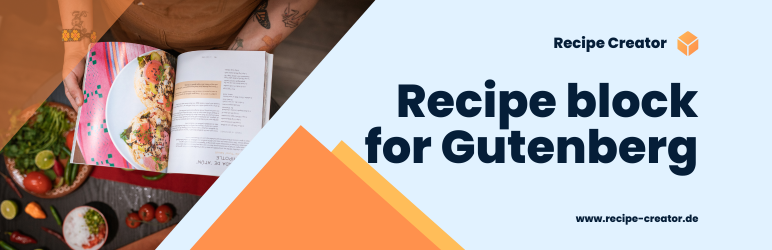
Our plugin provides you with a recipe block for the Gutenberg editor, with which you can easily insert recipes into your blog posts. You can edit the recipe directly in the editor. The recipe is automatically optimized in the background for search engines such as Google by adding structured data to the recipe in the background.
You can automatically insert a “Jump to recipe” block at the beginning of all blog posts so that your readers can easily jump to the recipe in your blog post.
You can customize the design of the recipes to your blog.
You can also ask your readers to share the recipe on Pinterest or tag you in their posts of the recipe on Instagram. If you use these functions, please refer to the privacy policies of Pinterest (https://help.pinterest.com/de/article/your-privacy-and-data-settings) and Instagram (https://privacycenter.instagram.com/policy) on your privacy page.