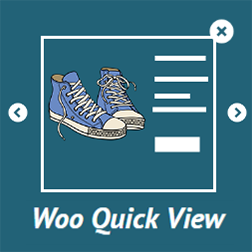
內容簡介
總結:QuickView - 即時商品預覽的 WooCommerce 外掛允許客戶透過 AJAX 模式立即預覽商品詳細信息。這提供了一個更好的購物體驗,通過提供一個快速的基於模態的產品預覽,而不必離開商店頁面。
問題與答案:
1. 這個外掛的主要功能是什麼?
- 答:這個外掛的主要功能是允許客戶通過 AJAX 模式立即預覽商品細節,提供更好的購物體驗。
2. 如何將這個外掛應用在 WooCommerce 產品頁面上?
- 答:啟用後,外掛將在您的 WooCommerce 產品列表中添加一個“Quick View”按鈕,客戶可以點擊按鈕查看產品的模態預覽。
3. 這個外掛提供哪些快速預覽設置?
- 答:快速預覽設置包括按鈕位置選擇、在移動設備上啟用或禁用快速預覽功能、按鈕標籤和顏色自定義,以及在模態中顯示或隱藏特定產品詳細信息等。
4. 這個外掛提供哪些自定義選項?
- 答:自定義選項包括模態背景顏色選擇、關閉按鈕顏色自定義(包括懸停效果)、更改模態中導航框的背景顏色和文本顏色等。
外掛標籤
開發者團隊
② 後台搜尋「QuickView – Instant Product Preview」→ 直接安裝(推薦)
原文外掛簡介
The QuickView – Instant Product Preview plugin for WooCommerce allows customers to preview product details instantly via an AJAX-powered modal. This enables a better shopping experience by providing a quick, modal-based preview of products without leaving the shop page.
Key Features
AJAX-powered modal product preview.
Allows customers to view product details instantly.
Seamlessly integrates with WooCommerce product pages.
Quick View button customization options.
Modal background color and button color customizations.
Enable quick view on mobile.
Show product details like images, price, and description.
Easily customizable button positions and styles.
Usage
Once activated, the plugin will add a Quick View button on your WooCommerce product listings. Customers can click the button to open a modal preview of the product.
Quick View Settings
Button Position: Choose where the Quick View button appears on the product page. Options include after the image, after the title, or before the add to cart button.
Enable Quick View on Mobile: This option lets you enable or disable Quick View functionality on mobile devices.
Button Label & Color: Customize the label of the Quick View button and its color to match your site’s theme.
Product Detail View: You can choose to show or hide specific product details (like images, price, and description) in the modal.
Customization Options
Modal Background Color: Choose a color for the background of the product preview modal.
Closing Button: Customize the color of the closing button, including the hover effect.
Navigation Box: Change the background color and text color of the navigation box in the modal.
Credits
Developed by Kirtikumar Solanki.
Donations welcome via PayPal.