內容簡介
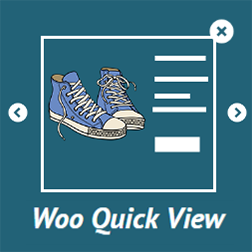
總結:Quick View For Woo 是一款專注於效能的外掛程式,旨在改善您的 WooCommerce 商店的購物體驗。它讓顧客可以直接從商店或分類頁查看商品詳細資訊,而無需重新加載頁面。適合快速瀏覽,支援手機瀏覽,並提供豐富的自定義選項。
1. 全局啟用或停用快速檢視功能。
2. 在移動設備上啟用快速檢視。
3. 在單一商品、商店和存檔頁面上展示快速檢視按鈕/圖示。
4. 選擇按鈕/圖示在商品圖片上的位置(如左上、右上等)。
5. 顯示類型:始終顯示圖示或僅在懸停時顯示。
6. 自定義快速檢視按鈕標籤。
7. 選擇在快速檢視中顯示簡短或完整商品描述。
8. 為快速檢視中的商品圖片設置自定義尺寸。
9. 自定義覆蓋層、關閉圖示、按鈕背景和文本的顏色。
10. 完全響應式,與所有 WordPress 和 WooCommerce 主題兼容。
11. 具有乾淨、可擴展的開發人員代碼。
12. 使用簡單的設置面板進行易於自定義。
13. 免費版本也提供全天候支持。
問題與解答:
問題: Quick View For Woo 的專業版本有哪些增強功能?
答案:
1. 解鎖額外的快速檢視設計風格。
2. 自定義主要文本顏色、星級評分顏色。
3. 樣式化新增至購物車按鈕:背景、懸停和文本顏色。
4. 在快速檢視中顯示額外的商品詳細信息,包括圖片、名稱、評級、價格、新增至購物車按鈕和商品元資料(類別、標籤、SKU)。
5. 在將商品加入購物車後自動關閉彈出窗口。
6. 在將商品加入購物車後直接將用戶重定向到結帳頁。
7. 流暢的彈出動畫,提供更好的使用者體驗。
8. 輕量且經過優化以獲得快速性能。
9. 通過快速檢視直接分享商品至 Facebook、Twitter、Pinterest、Email 和 WhatsApp。
10. 提供品牌體驗的專業風格和版面控制。
11. 具有具有鉤子和過濾器的乾淨、開發人員友好的代碼。
12. 能夠與所有現代的 WordPress 和 WooCommerce 主題無縫配合。
13. 提供全面的樣式控制的高級自定義選項。
14. 適用於所有設備的響應式和手機準備設計。
15. 專業用戶可獲得優先全天候支持。
外掛標籤
開發者團隊
原文外掛簡介
Quick View For Woo is a performance-focused plugin designed to improve your WooCommerce store’s shopping experience. It allows customers to view product details in a modal popup, directly from the shop or category pages—without reloading.
Perfect for fast browsing, mobile-friendly, and loaded with customization options.
Presentation
Premium | Demo | Documentation
Key Features
⭐ Enable or disable Quick View globally
⭐ Enable Quick View on mobile devices
⭐ Display Quick View button/icon on Single Product, Shop & Archive Pages
⭐ Choose icon/button position on product images (Top Left, Top Right, etc.)
⭐ Display types: Show icon always or only on hover
⭐ Customize Quick View button label
⭐ Choose to show Short or Full product description in Quick View
⭐ Set custom dimensions for product images in Quick View
⭐ Customize colors for overlay, close icon, button background, and text
⭐ Fully responsive and compatible with all WordPress & WooCommerce themes
⭐ Developer-friendly with clean, extensible code
⭐ User-friendly settings panel with easy customization
⭐ 24×7 support available for the free version too
Pro Features
⭐ Unlock additional Quick View design styles
⭐ Customize Main Text Color, Star Rating Color
⭐ Style Add to Cart button: background, hover, and text colors
⭐ Display additional product details in Quick View including image, name, rating, price, add to cart button, and product meta (categories, tags, SKU)
⭐ Automatically close popup after adding product to cart
⭐ Redirect users directly to checkout after add to cart
⭐ Smooth popup animations for better UX
⭐ Lightweight and optimized for fast performance
⭐ Share products directly from Quick View via Facebook, X (Twitter), Pinterest, Email, and WhatsApp
⭐ Pro styling and layout control for a branded experience
⭐ Clean, developer-friendly code with hooks and filters
⭐ Works seamlessly with all modern WordPress & WooCommerce themes
⭐ Premium customization options for complete styling control
⭐ Responsive and mobile-ready design for all devices
⭐ Priority 24×7 support for Pro users
Watch a Quick Tutorial
Support
Need help or have suggestions?
📧 Email us at [email protected]
🌐 Visit our website: https://jthemes.com/
Upgrade to Pro
Unlock premium features like style controls, content toggles, auto-close, redirect, and social sharing with the Pro version.
👉 Upgrade Now
License
Licensed under the GPLv2 or later. Full license details at https://www.gnu.org/licenses/gpl-2.0.html.