內容簡介
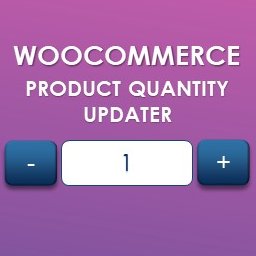
WooCommerce 預設使用數字輸入框顯示購物車數量,因為現在大部分瀏覽器都支援 <input type="number" /> 這個 HTML 標籤。
不過,如果您需要更多控制外觀,您可以安裝並啟用此外掛程式,使用 JavaScript 輸入框顯示數字。
此外掛程式可以選擇性地包含 Number Polyfill ,這是一個 HTML5 <input type="number"> 標籤的 polyfill,可以在還不支援該標籤的瀏覽器上使用。
若需要使用,只需在您的佈景主題的 functions.php 檔案中加入以下程式碼:
add_action( 'wp_enqueue_scripts', 'wcqi_enqueue_polyfill' );
function wcqi_enqueue_polyfill() {
wp_enqueue_script( 'wcqi-number-polyfill' );
}
外掛標籤
開發者團隊
② 後台搜尋「WooCommerce Quantity Increment」→ 直接安裝(推薦)
原文外掛簡介
WooCommerce uses number inputs for the cart quantities by default, as most browsers now support .
However, you may want to have JavaScript powered inputs if you want greater control over appearance. Simply install and activate this plugin to do so.
It optionally includes a Number Polyfill, which is a polyfill for implementing the HTML5 element in browsers that do not currently support it.
To include this, add the following code to your theme’s functions.php file:
add_action( 'wp_enqueue_scripts', 'wcqi_enqueue_polyfill' );
function wcqi_enqueue_polyfill() {
wp_enqueue_script( 'wcqi-number-polyfill' );
}