內容簡介
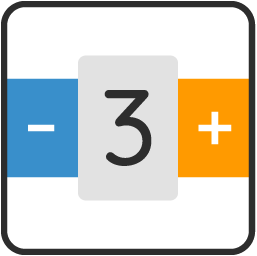
SMNTCS Quantity Increment Buttons for WooCommerce 為 WooCommerce 的產品頁面和經典購物車新增了加減數量按鈕,讓顧客可以輕鬆一鍵調整數量。此外掛能夠遵循每個產品的最小、最大和步進設定,與其他數量相關的外掛相容。
【主要功能】
• 在產品頁面新增加減數量按鈕
• 支援最小、最大和步進設定
• 與多個數量相關外掛相容
外掛標籤
開發者團隊
② 後台搜尋「SMNTCS Quantity Increment Buttons for WooCommerce」→ 直接安裝(推薦)
📦 歷史版本下載
原文外掛簡介
SMNTCS Quantity Increment Buttons for WooCommerce adds minus and plus buttons around the quantity field on the product page and in the classic cart, so customers can change the quantity with one click. The buttons respect the minimum, maximum and step of each product, which makes the plugin work with quantity plugins such as Min/Max Quantities.
Compatible with
Min and Max Quantity for WooCommerce
WooCommerce Composite Products
WooCommerce Min Max Quantity & Step Control Single
WooCommerce Min/Max Quantities
WooCommerce Minimum and Maximum Quantity
WooCommerce Product Bundles
Filters
Add these lines to your theme’s functions.php file or a small plugin.
Swap the order of the buttons to plus, quantity, minus:
add_filter( 'flip_quantity_buttons', '__return_true' );
Turn the buttons off on the product page or on the cart page:
add_filter( 'show_on_product_page', '__return_false' );
add_filter( 'show_on_cart_page', '__return_false' );
Use
Contribute
Contributions are more than welcome. Simply head over to GitHub and open a pull request.