內容簡介
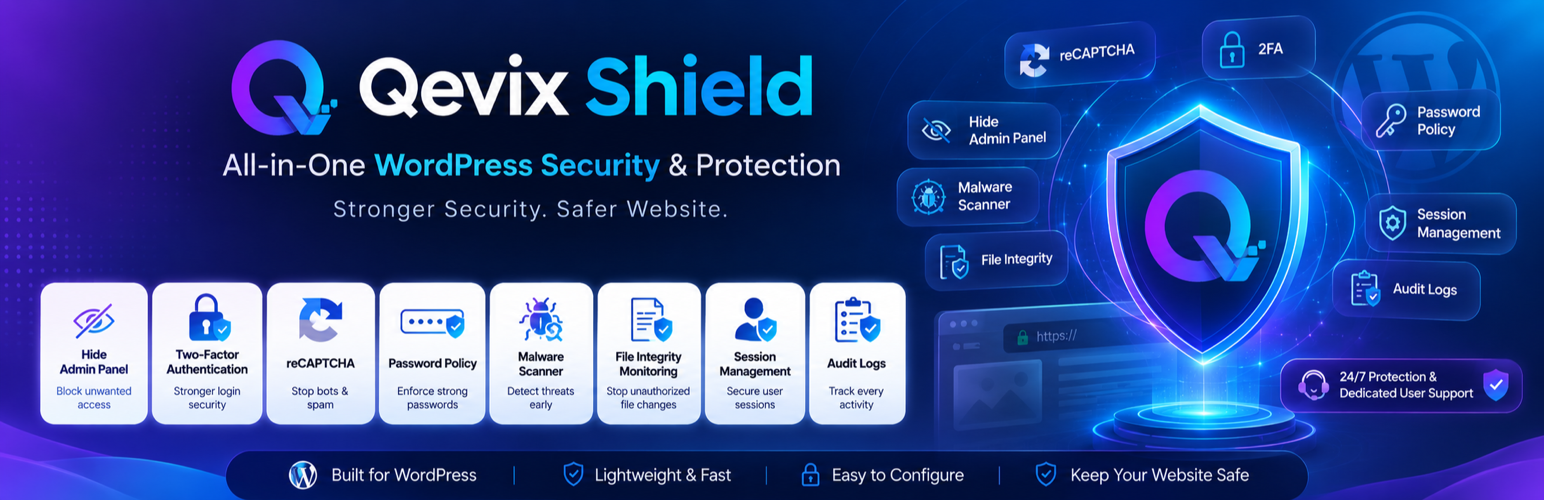
Qevix Shield 是一款多功能的 WordPress 安全外掛,旨在保護網站的登錄頁面、XML-RPC、檔案及 URL,防止暴力攻擊、提供雙重身份驗證、掃描惡意軟體等,確保網站安全。
【主要功能】
• 登錄保護:自訂登錄 URL,限制登錄嘗試
• 雙重身份驗證(2FA):支援多種驗證器應用程式
• reCAPTCHA 整合:保護登錄及註冊表單
• 活動日誌:記錄登錄、被阻擋請求及管理操作
• 輕量設計:不影響網站響應時間
• 免費功能:所有基本功能無需付費
外掛標籤
開發者團隊
② 後台搜尋「Qevix Shield – 2FA, Hide Login, Firewall, File Security & Malware Scanner」→ 直接安裝(推薦)
原文外掛簡介
Qevix Shield protects the parts of a WordPress site that attackers commonly target first: the login page, XML-RPC, files, and URLs that can reveal information about your site.
It can help stop brute-force attacks, add two-factor authentication and reCAPTCHA, scan files for malware, protect sensitive files, and record blocked activity in a searchable log. Important events can also be sent to administrators by email.
Qevix Shield is safe to activate. Activation does not change how your site works. All security protections are off until you enable them, so you can turn them on one at a time and check the result. The activity log starts automatically, but it only records activity and does not change your site.
Why Qevix Shield
Safe to activate. All security protections are off by default. Turn them on one at a time so you can see exactly what each protection does.
Easy recovery. A safe mode in wp-config.php can temporarily disable Qevix Shield if you ever lock yourself out. reCAPTCHA keys must pass a test before reCAPTCHA can be enabled. 2FA includes recovery codes and an admin reset. Login lockouts are temporary.
One plugin for your security needs. Includes Hide Login, brute-force protection, 2FA, reCAPTCHA, password rules, XML-RPC protection, malware scanning, file and server protection, firewall, and activity logging.
See what is happening. Logins, blocked requests, and admin actions appear in a searchable activity log. You can export the log to CSV. Important events can be grouped into one email instead of sending many separate emails.
Designed to be lightweight. With all protections enabled, response times are intended to remain close to the site without the plugin. Visitors do not have to wait for an external security service.
Works with other plugins. Qevix Shield does not modify or replace other plugins’ code. WooCommerce, membership plugins, and front-end login pages can continue to work, including when Hide Login is enabled.
Free features. All features listed above are included for free. No account, license key, trial, or expiring feature is required. The optional Pro add-on adds additional features; it does not unlock features that are already part of the free plugin.
Login Protection
Hide Login: Move the WordPress login page from /wp-login.php to a custom login URL. This is off by default.
Choose what blocked visitors see: a 404 page, your homepage, or a custom redirect.
A honeypot field helps block simple bots without affecting normal visitors.
Limit failed login attempts and temporarily block an IP address after too many failed attempts.
Add trusted IP addresses or CIDR ranges so they are not rate-limited or blocked.
Two-Factor Authentication (2FA)
Use one-time codes from popular authenticator apps such as Google Authenticator, Authy, 1Password, and similar apps.
Set up 2FA separately for each user by scanning a QR code and confirming a code.
Get recovery codes when setting up 2FA. You can download them and use them if you lose your phone. An administrator can also reset 2FA.
Require 2FA for the user roles you choose. Users who are required to use 2FA will be guided through setup before they can continue.
Protect XML-RPC logins for 2FA users by requiring the 2FA code or blocking XML-RPC password logins. Application passwords are not affected.
reCAPTCHA
Add Google reCAPTCHA to login, registration, and lost-password forms.
Choose between reCAPTCHA v2 (the “I’m not a robot” checkbox) and invisible reCAPTCHA v3.
Protect WooCommerce My Account and checkout forms too.
Developers can add the same protection to other plugin forms using a hook.
reCAPTCHA v3 lets you set a score threshold. You can also enable an email fallback so a genuine user who gets a low score can receive a one-time sign-in link.
Test your reCAPTCHA keys before enabling the protection. This helps prevent incorrect keys from breaking login.
If Google is temporarily unavailable, reCAPTCHA fails open so an outage does not lock users out.
Password Security
Set a minimum password length.
Require uppercase letters, lowercase letters, numbers, and symbols.
Prevent users from using their username or email address as their password.
XML-RPC Protection
Disable all XML-RPC methods or disable pingbacks only.
Record every XML-RPC request, including the method and whether it was allowed or blocked.
Malware Scanner
Scan WordPress core files, plugins, themes, and uploads. Choose which areas to scan.
Compare WordPress core files and plugins from WordPress.org with their official checksums to detect modified files.
Use a malware pattern scanner to check files that cannot be verified with checksums, including themes, uploads, premium plugins, and modified files.
The scanner only reports what it finds. It does not automatically change or delete files.
File & Server Security
Block direct access to sensitive files such as .env, .git, wp-config.php, and other protected files.
Block access to backup files and database dumps such as .sql, .bak, .tar.gz, and .wpress.
Add your own filenames or *.extension patterns to block.
Disable directory listing and PHP execution inside the uploads folder.
Qevix Shield can add the required Apache .htaccess rules and show the equivalent nginx rules for manual setup.
Hide the WordPress version, REST API discovery links, and identifying server headers.
Block author and user enumeration.
A lightweight firewall helps block common SQL injection, XSS, file inclusion, and command injection attempts, as well as known scanner user agents.
Sessions, Activity Log & Dashboard
Users can see and end their own active login sessions.
Resetting a password logs out the other sessions for that account.
The activity log records logins, admin actions, and blocked requests, including who, what, when, and where.
Search, filter, and export the activity log to CSV.
Choose how long activity records are kept.
Important events can be emailed to administrators as grouped summaries.
A WordPress dashboard widget shows threats blocked during the last 24 hours and suggests the next protection to enable.
Give selected WordPress roles permission to manage Qevix Shield or view it in read-only mode without giving them full administrator settings access.
Qevix Shield Pro
Qevix Shield is complete on its own, and all features listed above are free. The optional Pro add-on, sold at qevixlabs.com, adds additional features for what happens after a threat is detected.
Malware cleanup and deeper scanning — quarantine or delete infected files, dismiss reviewed results, use additional web-shell and backdoor signatures, detect suspicious cron jobs and administrator accounts, scan the database for injected content, and run scheduled daily or weekly scans.
Leaked-password protection — check passwords against the Have I Been Pwned database in a privacy-preserving way, block common passwords, set password expiry, prevent password reuse, and force password resets.
Advanced login blocking — permanently block IP addresses, filter user agents, and automatically block repeat offenders.
More alert options — send grouped alerts through SMS, WhatsApp, Slack, Discord, or webhooks.
Advanced sessions and access control — view users’ sessions from an admin screen, enforce idle timeouts, and use WP-CLI commands.
Additional 2FA and XML-RPC options — trusted devices, emailed backup codes, and more detailed XML-RPC controls.
Learn More
Every setting has its own screen with a “?” tip explaining the option.
For a full walkthrough, including screenshots, feature comparisons, and common questions, see the plugin’s home page: Qevix Shield on qevixlabs.com.
External services
Qevix Shield does not contact external services by default. Two optional features use external services only after you configure them.
Google reCAPTCHA — Used only when you enable reCAPTCHA and enter your own Google keys. The protected login page loads Google’s reCAPTCHA script. Each protected attempt sends the reCAPTCHA token, your secret key, and the visitor’s IP address to Google’s verification service (https://www.google.com/recaptcha/api/siteverify).
The “Test keys” button also contacts Google.
Provided by Google: terms, privacy policy.
WordPress.org checksums API — Used when you run a malware scan. Qevix Shield gets official checksums to identify genuine files and modified files.
For WordPress core, it uses WordPress’s get_core_checksums() function, which contacts api.wordpress.org and sends your WordPress version and locale.
For plugins, it gets public checksum information from WordPress.org. Only the plugin slug and version are included in the request. Results are cached for seven days. Plugins without a checksum manifest, such as premium or custom plugins, are scanned normally.
Provided by WordPress.org: privacy policy.
Built-in email alerts use your site’s own email configuration. No third-party email service is required.
The other alert channels, such as Slack, Discord, webhooks, SMS, and WhatsApp, and the Have I Been Pwned password check are part of the separate Qevix Shield Pro add-on.
Audit logs, lockout records, 2FA secrets, and settings remain in your site’s own database.