內容簡介
總結:Product Filter by WuWizards 外掛增強了您的 WooCommerce 商店,讓客戶能夠使用價格、類別、標籤、分類、屬性等篩選器來細化搜尋,並完全自訂化,與 Elementor 完美整合,讓您完全控制篩選體驗。
問題與答案:
1. WooCommerce Filter by WuWizards 是什麼?
- Product Filter by WuWizards 是一款增強您的 WooCommerce 商店功能的外掛,讓客戶可以使用各種篩選條件來細化搜尋商品。
2. 這個外掛有哪些重要功能?
- 包括 Elementor 整合、AJAX 即時搜尋、多樣的篩選選項、靈活的顯示選項、詳細的統計數據、即時預覽功能、多樣的排序選項、快速篩選創建、可自訂價格篩選設計、自動價格範圍設定、商品計數顯示以及全面響應式設計。
3. 如何自訂篩選器設計?
- 可以從預設、扁平、大、現代、銳利、圓形或方形等多種外觀中選擇,並自訂顏色、符號位置、貨幣代碼或輸入字段以適應您的品牌風格。
4. 這個外掛如何提供即時反饋?
- 通過即時預覽功能,任何對篩選設置的更改將立即反映在實時視覺中。
5. 這個外掛的排序選項有哪些?
- 可讓客戶按照受歡迎程度、評級、價格(低至高或高至低)、最新商品以及按字母順序(遞增或遞減)進行篩選。
外掛標籤
開發者團隊
原文外掛簡介
WooCommerce Filter by WuWizards
Product Filter by WuWizards Demo
Plugin FAQ and Documentation
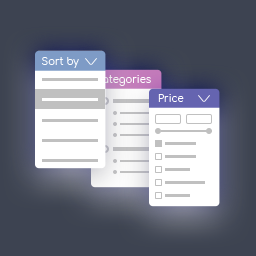
Product Filter by WuWizards plugin enhances your WooCommerce store by empowering customers to refine their searches using filters for price, categories, tags, taxonomies, attributes, and more.
This plugin is fully customizable and seamlessly integrates with Elementor, giving you complete control over the filtering experience.
= Key Features of WooCommerce Product Filter =
Elementor Integration
The Product Filter by WuWizards is fully compatible with Elementor, allowing you to design and manage filters directly from Elementor\’s interface. All features of the plugin are available within the Elementor tab for a smooth and efficient workflow.
AJAX Live Search
Provide a faster shopping experience with AJAX-powered live search. This feature instantly displays filtering results without reloading the page. Customers can select filters and see updated results immediately, ensuring a more intuitive and seamless product search.
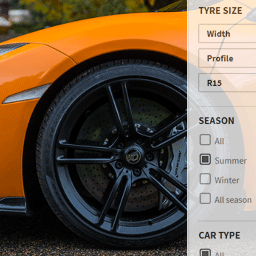
Comprehensive Filtering Options
Let customers filter products using various criteria, including:
– Price and price range
– Categories and tags
– Author, featured, on sale, and in-stock items
– Ratings and text search
– Attribute filters (e.g.., size, color, material)
Flexible Display Options
Customize how filters are displayed to match your storefront design. Display formats include:
– Radio button lists (single select)
– Dropdown menus (single select)
– Checkbox lists (multi-select)
– Icon-based attribute filters (e.g., colors, sizes, ratings)
Advanced Statistics
The plugin features a detailed statistics section, enabling you to gather insights about user behavior and filter usage. Use this data to improve your business strategies and support global growth.
Live Preview
With the Live Preview feature, any changes made to the filter settings are instantly reflected in real-time.
Advanced Sorting Options
Allow customers to sort products by various criteria, including:
– Popularity
– Ratings
– Price (low to high or high to low)
– Newest items
– Alphabetical order (ascending or descending)
Quick Filter Creation
Easily create new filters in just a few clicks. Use widgets or shortcodes to add filters to any page effortlessly.
Customizable Price Filter Design
Choose from various skins such as default, flat, big, modern, sharp, round, or square. Customize colors, symbol positions, currency codes, or input fields to suit your branding.
1Automatic Price Range Settings
Define fixed step values for price ranges or adjust them manually to set precise increments.
Product Count Display
Show the exact number of products that match the selected filter criteria, helping users see relevant results instantly.
Fully Responsive Design
The filters are optimized for all devices, ensuring they look and work perfectly on mobile phones, tablets, desktops, and laptops.