內容簡介
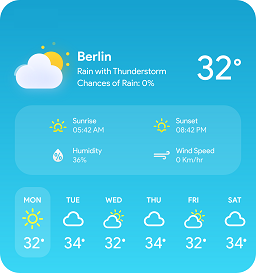
氣象外掛可顯示當地的即時氣象條件。該外掛通過與 Weather underground API 連接並收集數據,包括以下項目:
條件字符串、圖標、當前溫度、體感溫度,均以華氏和攝氏度顯示。
要顯示外掛資料,您首先需要在設置頁面上設置外掛。以下是設置選項:
API 金鑰 - 您的 Weather underground API 金鑰
國家 - 選擇您所在的國家或想要顯示條件的國家。
城市 - 輸入您想顯示條件的城市名稱。您開始輸入時,選項旁邊將顯示一個位置清單。
位置 - 這是您會從中獲取數據的測量站。您將看到輸入城市的站點列表,可以選擇其中之一。
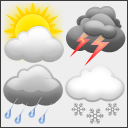
使用圖示設置 - 是否要顯示條件的圖形表示,以及是否要使用 Weather underground API 提供的圖示設置或氣象字體。
顯示體感溫度 - 顯示體感溫度(華氏或攝氏)
顯示天氣標籤 - 顯示天氣條件(例如部分晴朗、晴朗、下雪等)
預覽 - 不是一個選項,但顯示氣象片段的預覽。
設置完成後,您有兩個選擇:
1. 僅需在要顯示條件的地方輸出 pdsWeather()。請確保在輸出 pdsWeather() 之前已啟用該外掛,否則將出現錯誤。
或
2. 轉到外觀 -> 小工具,並拖放小工具到所需的小工具區域。
從 3.0 版本開始,需要 Weather underground API 金鑰。請前往 Weather underground 獲取您的金鑰。
外掛標籤
開發者團隊
原文外掛簡介
The weather plugin shows current conditions in your area. The plugin for weather data connects with Weather underground API and collects the data:
conditions string, icon, current temperature, feels like temperature, all in Fahrenheit and Celsius degrees.
To show the plugin datam first you have to setup the plugin on settings page. The settings are:
API Key – your api key from weather underground
Country – select your country, or the country for which you want to show the conditions.
City – write the name of the city for which you want to show the conditions. As you start writing the list of locations woll be shown beside the “Select your location” option.
Location – this is the measuring station that you/ll get the data from. You’ll see the list of the stations for the entered City, and may choose one of them.
Use icon set – Do you want to sho graphical presentation of the conditions, or not. Also if you want to use icon set provided by the weather underground api or weather font.
Show feels like – show feels like temperatures (Fahrenheit or Celsius)
Show weather label – show the weather conditions (i.e. Partly sunny, Clear, Snow … )
Preview – not an options, but shows how will your sweather snippet look like.
After setting up, you have 2 options:
1. simply echo pdsWeather() where you want the conditions to show. Make sure the plugin is activated before echoing pdsWeather() otherwise it will throw an error.
or
2. go to Appearance -> Widgets and drop and drag the widget to your desired widget area.
From 3.0 Weather Underground API key is required. Please go to Weather underground for your key.