內容簡介
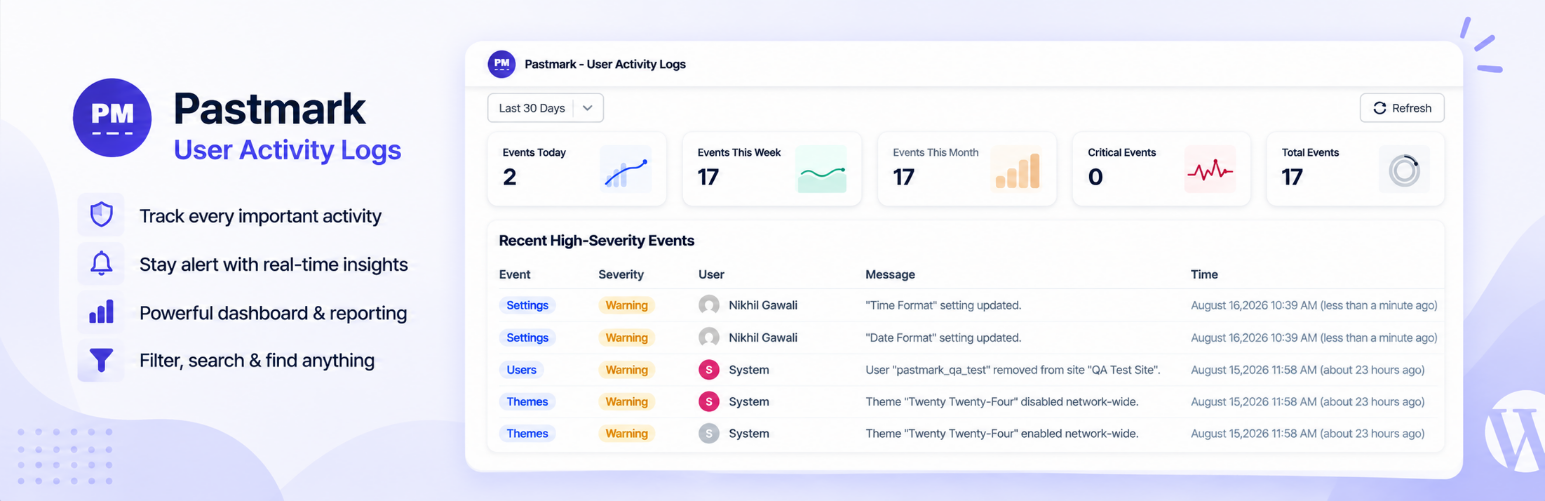
Pastmark 是一款強大的 WordPress 活動日誌外掛,能夠完整記錄網站上的所有活動,包括登入嘗試、文章編輯、外掛變更及 WooCommerce 訂單等。它提供可搜尋、可篩選的活動日誌儀表板,讓網站擁有者、代理商及 WooCommerce 商店能隨時掌握網站動態。
【主要功能】
• 記錄成功與失敗的登入嘗試
• 追蹤用戶註冊及角色變更
• 記錄文章及頁面變更
• 監控密碼變更及帳戶活動
• 記錄外掛及佈景主題的變更
外掛標籤
開發者團隊
② 後台搜尋「Pastmark – Activity Log, User Activity & Audit Trail」→ 直接安裝(推薦)
原文外掛簡介
Pastmark is an easy & powerful WordPress activity log plugin that keeps a complete audit trail of everything that happens on your site. From failed login attempts to post edits, plugin changes, and WooCommerce orders, Pastmark records the user, timestamp, IP address, and contextual details behind every event — so you always know who did what, and when.
Whether you’re a site owner who wants peace of mind, an agency managing client sites, or a WooCommerce store tracking orders and product changes, Pastmark gives you a searchable, filterable activity log dashboard without slowing your site down.
Useful links
Pastmark Website
Documentation
Why use an activity log plugin?
Without a user activity log, it’s nearly impossible to answer basic questions after something goes wrong: Who deleted that page? Who changed the site’s permalink structure? Was that a failed login attempt or a real intrusion? Pastmark answers those questions automatically by logging activity as it happens, in a dedicated database table, so nothing is missed.
Track user & security activity
Log successful and failed login attempts.
Throttle repeated failed login attempts from the same user and IP address, so a brute-force run collapses into a single updating log entry instead of one row per attempt.
Track user registrations, profile updates, and role changes.
Monitor password changes and account-level activity.
Keep a security audit log to help spot suspicious behavior early.
Track content changes
Log post, page, and custom post type changes — created, published, updated, trashed, and restored.
Log comment activity, including status changes and deletions.
Track media library uploads, updates, and deletions.
Log navigation menu changes.
Track widget changes.
Track site & plugin activity
Log plugin activation, deactivation, installs, and updates.
Log theme activation, installs, and updates.
Log changes to WordPress core settings (site title, URL, permalinks, timezone, and more).
WooCommerce activity log
If WooCommerce is active, Pastmark automatically extends its logging to your store 173 live WooCommerce events, formally confirmed against its real installed source:
Orders: placed, status changes, edits (billing, shipping, total, customer note), refunds, trash, restore, deletion, and notes.
Order line items: products, fees, coupons, taxes, and shipping lines added, removed, or changed, plus reversed refund lines.
Products: creation, publishing, and full field-level edits (description, price, stock, weight, dimensions, downloadable files, tax settings, backorders, upsells, cross-sells, visibility, product type, and more), duplication, and deletion.
Product categories, tags, and global attributes: full lifecycle (create/delete) plus slug, parent, display-type, and rename changes.
Per-product attribute values, product reviews (create, approve, unapprove, spam, trash, restore, delete, and edit), and webhooks (create, edit, status change, delete).
Coupons: full lifecycle plus discount type, expiry date, usage limits, usage restrictions, description, and visibility changes.
Customers: self-service billing and shipping address changes made from My Account.
Store settings, payment gateways, and tax settings: every individual setting change, each correctly labeled with a before/after value.
Third-party plugin integrations
If any of the following plugins are active, Pastmark automatically extends its logging to them:
Advanced Custom Fields (ACF): field-group and individual-field create, update, delete, trash, restore, and duplicate — down to which field changed.
WPForms: form create, edit, trash, restore, duplicate, delete, activate/deactivate, import/export; real visitor form submissions; best-effort notification-failure detection; global settings, service-integration, and addon changes; confirmation and notification changes.
Gravity Forms: form create, edit, trash, restore, duplicate, delete, activate/deactivate, import/export; real visitor form submissions; reliable notification-failure detection; global settings, confirmation, and notification changes; entry moderation (star, read, trash, notes, admin edits, exports).
Yoast SEO: global SEO settings and per-post SEO meta changes (title, meta description, focus keyword, indexing, canonical URL, schema, and more).
RankMath: global SEO settings and per-post SEO meta changes (title, meta description, focus keyword, robots meta, canonical URL, and more), plus module toggles.
Redirection: redirect rule and redirect group create, edit, enable/disable, and delete.
TablePress: table create, edit (with a diff), copy, and delete.
bbPress: forum, topic, and reply create, edit, close/open, stick/unstick, trash, restore, and delete; forum settings changes.
WP 2FA: two-factor method changes, policy changes, user lock/unlock, and enrollment activity.
Ultimate Member: member registration, profile field changes, and role changes.
Wordfence: login lockouts, firewall blocks/throttling, country-block changes, and security settings changes.
Tutor LMS: course, lesson, topic, and quiz create/edit/delete; student enrollment; and lesson/quiz/course completion.
Easy Digital Downloads: download (product) create, edit (with a diff), trash, restore, and delete; order/payment placed, completed, refunded, and failed; discount-code create, edit, and delete.
SupportCandy: ticket and reply activity; agent, role, and customer changes; and helpdesk configuration and settings changes.
Dashboard, reports & retention
Searchable, filterable activity log dashboard inside wp-admin.
Export your activity log to CSV from the Activity Logs screen, with no row limit. The export respects your current search and filters.
At-a-glance activity summary via an optional dashboard widget.
Daily and weekly email activity reports sent to the recipients you choose.
Automatic cleanup of old log entries with a configurable retention period.
Fine-grained control over what gets logged
Exclude specific users, roles, or IP addresses from being logged.
Exclude specific post types, statuses, plugins, themes, menus, or widgets.
Exclude custom post meta and user meta fields.
Choose from Essential, Recommended, or Complete event presets, or enable individual events yourself.
Privacy & security by design
Activity logs are only accessible to administrators (manage_options capability).
Sensitive values such as passwords, tokens, and API keys are automatically detected and masked before they’re stored in the log.
Optionally anonymize stored IP addresses from the Security & Privacy settings.
Integrates with WordPress’s built-in Personal Data Export and Erase Personal Data tools, so Pastmark-collected data is included in GDPR data requests.
Does not send any data to external servers — everything stays on your site.
Built for developers
A public pastmark_log_event() function and a REST API endpoint let other plugins, themes, or automation tools log their own custom events into Pastmark’s activity log, through the same validation and exclusion rules as every built-in event.
Pastmark Pro
Pastmark Pro adds automation, alerting, session control, and deeper reporting on top of it.
Real-time alerts: create alert rules that fire when a chosen event is logged, such as a failed login, a plugin activation, or a role change. Pick from ready-made presets or build your own rules, and use merge tags to put the user, IP address, and event details in the message.
Delivery channels: send alerts to Email, Slack, or a custom Webhook. Set up each channel once and reuse it across as many rules as you like.
User session management: see every active login session on your site, terminate a single session or all of a user’s sessions at once, and review each user’s login history.
Scheduled reports: build report definitions with Security, Compliance, and User Activity templates (or your own), then generate them on demand or have them delivered to your inbox on a schedule. Download reports as HTML or PDF.
Insights: compare any date range against the previous period, see activity broken down by integration and actor type, spot busy hours with an activity heatmap, and click through from any chart to the matching filtered logs.
Reports hub: Email Reports, Scheduled Reports, and Insights sit together on one Reports page.
Other Plugins By Us
BugTrace – Debug Log Tool: A minimalist debugging companion for WordPress. View and download your debug log, toggle WP_DEBUG, WP_DEBUG_LOG, WP_DEBUG_DISPLAY, and SCRIPT_DEBUG without editing wp-config.php, and inspect server info, wp-config.php, .htaccess, and PHP info — all from your dashboard.
Contribute
Pastmark is an open-source project. You can view the full sources (unminified JS) and contribute to the project on GitHub: Click here
External Services
This plugin does not connect to external services for its functionalities.