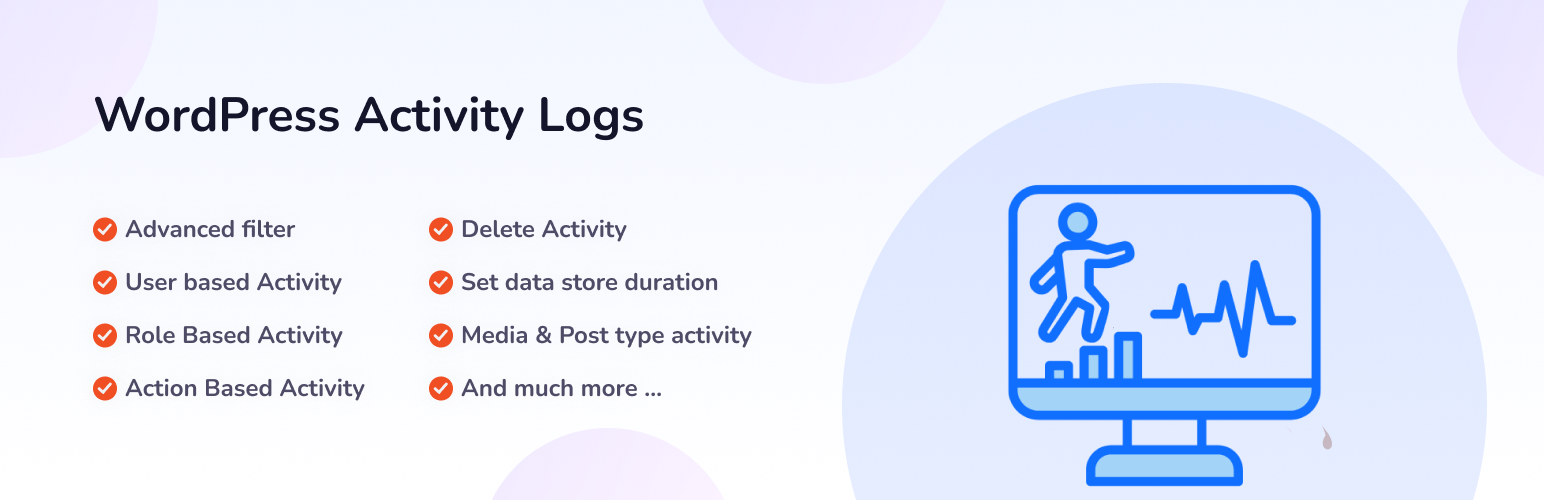
內容簡介
<html>
<h2>活動記錄外掛總結:</h2>
<ul>
<li>活動記錄外掛是一個強大且免費的監控工具,旨在追蹤和記錄 WordPress 儀表板中所有使用者活動。</li>
<li>該外掛提供管理員全面的能見度,幫助維護網站安全性、問責制和透明度,無需額外費用。</li>
</ul>
<h3>為何選擇活動記錄外掛:</h3>
<ul>
<li>增強安全性:識別可疑活動和未授權的訪問嘗試</li>
<li>完整的問責制:準確知道誰在 WordPress 網站上做了什麼,何時發生</li>
<li>簡化疑難排解:通過查看最近的變更來快速追踪問題源頭</li>
<li>遵循支持:維護詳細的審計軌跡,以符合法規要求</li>
<li>團隊透明度:通過跟蹤貢獻和變更來改善協作</li>
<li>解決沖突:以實際行動證據解決爭議</li>
<li>性能監控:識別可能影響網站速度的資源密集型活動</li>
<li>使用者培訓:識別使用者可能需要額外指導的領域</li>
<li>工作流程優化:分析活動模式以改進管理流程</li>
<li>災難恢復:了解問題發生前發生了什麼變化</li>
<li>無附加成本:所有功能完全免費使用</li>
</ul>
<h3>功能特色:</h3>
<ul>
<li>100%免費:所有功能均免費提供</li>
<li>用戶友好的儀表板:簡單的界面,以易於閱讀的格式顯示所有活動</li>
<li>實時追踪:查看使用者在 WordPress 網站上發生的活動</li>
<li>IP 地址監控:知道使用者從哪裡連接以提高安全性</li>
<li>詳細的操作描述:清晰說明變更內容和如何變更</li>
<li>多個時間篩選器:查看今天、昨天、本週或本月的活動</li>
<li>基於角色的篩選:專注於特定用戶角色,如管理員或編輯</li>
</ul>
</html>
外掛標籤
開發者團隊
② 後台搜尋「Adminify Activity Log & Audit Trail」→ 直接安裝(推薦)
原文外掛簡介
Adminify Activity Logs: Free WordPress User Activity Log
Adminify Activity Logs records every change made inside the WordPress dashboard. Who did what, when, and from which IP. Built for site owners and agencies who want a clean audit trail without paying for a premium tier or installing a heavy security suite. Everything in this readme is in the free plugin. No locked filters, no upsell modal, no nag screens.
➡️ Explore More | 📖 Documentation | 💬 Support
Why run a WordPress activity log
If you don’t know who deactivated that plugin or deleted that post, you can’t tell a mistake from a security incident. Activity logs answer who-did-what-when. Any WordPress site with more than one person in the dashboard eventually needs one. Agency builds, membership sites, and multi-author blogs all run into the same problem: someone made a change, nobody owns up, and you spend an afternoon working out what happened. An audit trail saves that afternoon.
What Adminify Activity Logs does that the others don’t
Free with no Pro tier upsell: Every filter, every retention setting, and every detail view ships in the free plugin. Other activity log plugins lock IP tracking or longer retention behind a paid plan.
Real-time logging: Activities appear in the log as soon as they happen. No cron, no batch delay.
IP address tracking: Each entry records the source IP. Useful when you’re investigating a login or a change you didn’t expect.
Time, role, user, component, and action filters: Narrow the log by time frame (today, yesterday, week, month), user role, specific user, WordPress component (Post, Plugin, Theme, etc.), or action type (Updated, Deleted, Activated).
Configurable retention: Default is 30 days. Bump it up if you need a longer compliance window. Bring it down if database size is tight.
Searchable records: Find a specific change by user, action, or keyword without scrolling.
Multisite compatible: Works across WordPress network installations.
Built by Pixar Labs: Same team that ships WP Adminify, Admin Bar Editor, Master Addons, and Loginfy.
Detailed Feature Breakdown
What gets logged for every entry
Date: Timestamp when the action happened.
Author: Username of the person who did it.
IP Address: Source IP for location tracking.
Type: Category of the action (post update, plugin installation, etc.).
Label: Short description of the activity.
Action: Specific operation (edited, deleted, added, etc.).
Description: Detailed explanation of the activity.
Delete control: Remove individual log entries with one click.
Time-frame filters
All time
Today
Yesterday
Week
Month
Role-based filters
View activities by user role: Administrator, Editor, Author, Contributor, Subscriber, Customer, Shop Manager, Guest, plus any custom roles registered on the site.
User filters
All users
Specific users (select individual users to track)
Component filters
Track activities tied to specific WordPress components:
Attachments
Comments
Options
Plugin
Post
Taxonomy
Theme
User
Action types tracked
Activated
Added
Approved
Created
Deactivated
Deleted
Installed
Trashed
Unapproved
Updated
Configuration options
Data Retention: Adjust the “Data Store for” value (default 30 days).
Search & Filter: Filter logs by user, action, or keyword via the search bar.
Common use cases
Security investigation: Spot unauthorized access attempts and unusual activity.
Accountability: Know who did what and when across the site.
Troubleshooting: Trace recent changes when something breaks.
Compliance: Keep an audit trail for regulatory requirements (GDPR, HIPAA, internal policy).
Team transparency: Track contributions across multi-author sites.
Disaster recovery: See what changed in the hours before a problem occurred.
⚡ Upgrade to Adminify Pro to get the full Adminify Pro suite. 60+ admin customization features beyond activity logging: white labeling, menu editor, dashboard widgets, login customizer.