內容簡介
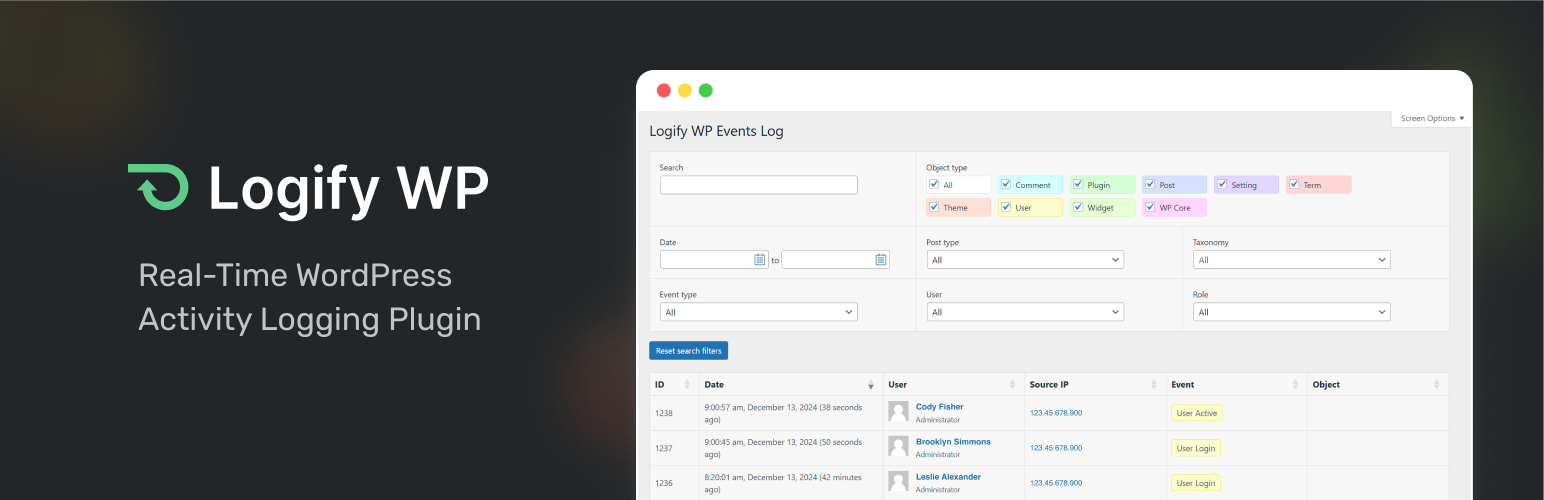
Logify WP 是一款提供即時詳細活動記錄的 WordPress 外掛,適合各類使用者如代理商、自由工作者及網站管理員。透過全面的活動記錄和審核日誌,使用者可以輕鬆監控和保護網站,確保透明度與安全性。
【主要功能】
• 活動記錄概覽:完整的時間序列活動視圖
• 使用者審核日誌:詳細追蹤個別使用者的行為
• 追蹤核心活動:記錄文章、頁面及插件的操作
• 即時監控:快速獲取變更的詳細資訊
• 行動註解:新增可搜尋的註解以增進追蹤
• 使用者登入監控:追蹤登入、登出及失敗嘗試
外掛標籤
開發者團隊
② 後台搜尋「Logify WP – Activity Log & User Audit Log」→ 直接安裝(推薦)
原文外掛簡介
Logify WP provides real-time, detailed logs of activities happening across your WordPress website. Whether you’re an agency, freelancer, IT team, developer, or website administrator, Logify WP gives you full visibility into your website’s activity with a comprehensive activity log and audit log. From tracking post edits to user login attempts and plugin updates, Logify WP helps you monitor and secure your site with clear and easy-to-understand logs.
Take your activity logs to the next level with activity Notes! This feature allows you to attach searchable notes linked to logged events, providing valuable context. Need to document why a plugin was installed, who approved an update, or where a license is stored? Now you can, with simple markup support for clarity.
Built to be simple yet powerful, Logify WP features a clean layout of activity information, easy filtering and search options, and customizable role-based access controls. The user-friendly dashboard widget makes it easy to review recent critical activities at a glance.
Key Features:
Activity Log Overview: Get a complete chronological view of all logged activities across your WordPress site. Ideal for tracking patterns, diagnosing issues, and maintaining a transparent record of site events.
User Audit Log: Drill down into individual user activity with dedicated audit trails. See exactly what each user did, when, and from where, perfect for accountability and compliance.
Track Core WordPress Activities: Record actions on posts, pages, custom post types, taxonomies, plugins, themes, users, and more.
Real-time Monitoring: Get instant insights into who made changes, when, and where, via a secure event log.
Action Notes (New!): Add and search notes linked to actions for improved tracking and accountability.
User Login Monitoring: Track user logins, logouts, and failed attempts with IP addresses.
Media Management: Know who is uploading, editing, or deleting media files and when.
Role-Based Access Control: Limit who can access the activity logs based on their WordPress role.
Advanced Search & Filters: Filter logs by user, date, post type, and more to quickly find specific actions.
User-Friendly Dashboard Widget: View the most recent critical activities in a quick summary.
IP Address Information Integration: One-click access to IP information via WhatIsMyIpAddress.com.
Who is Logify WP for?
Logify WP is perfect for:
– Agencies managing multiple client sites.
– Freelancers who need a detailed audit trail for their client work.
– IT Teams maintaining the security of large WordPress environments.
– Website Administrators responsible for monitoring site activity and detecting unauthorized changes.
– Developers looking for a simple yet powerful logging tool.
– Everyday Website Users who want a simple way to monitor and track activity on their site.
Logify WP is actively being developed, with new features in the pipeline. If you’d like to suggest features, submit them via https://logifywp.com/suggest/.
Links
Plugin Website
Suggest Features
Credits
This plugin bundles DataTables, which is released under the MIT License.
DataTables ©2007-2024 SpryMedia Ltd.
Third-Party Services
This plugin utilizes third-party services under certain circumstances:
1. WordPress Documentation Links
When viewing logs, this plugin provides links to the official WordPress documentation corresponding to the version of WordPress that has been installed on your site. These links direct users to:
Service URL: https://wordpress.org/documentation/wordpress-version/version-
Purpose: To offer quick access to documentation for the specific WordPress version installed.
Data Sent: The WordPress version number is included in the URL.
Privacy Policy: https://wordpress.org/about/privacy/
2. IP Address Lookup
This plugin allows users to click on logged IP addresses to view their origin information. When a user clicks an IP address in the log, it opens a link to an external service:
Service Name: WhatIsMyIPAddress.com
Service URL: https://whatismyipaddress.com/ip/
Purpose: To provide detailed information about the IP address’s geographical location and other related data.
Data Sent: The IP address clicked in the log is included in the URL.
Privacy Policy: https://whatismyipaddress.com/privacy-policy
Terms of Use: https://whatismyipaddress.com/terms-of-use
3. IP Geolocation Service
This plugin retrieves the geographical location of users based on their IP addresses to enhance log information. When a user’s IP address is logged, the plugin sends a request to an external service to obtain location details:
Service Name: ip-api.com
Service URL: http://ip-api.com/json/
Purpose: To obtain geographical location data (city, region, country) associated with the IP address for display in logs.
Data Sent: The user’s IP address is included in the API request URL.
Data Received: The service returns location information such as city, region, and country.
Privacy Policy: https://ip-api.com/docs/legal
Terms of Service: https://ip-api.com/docs/legal
Please Note: By using these features, data (such as your WordPress version, or your users’ IP addresses) is sent to external services. We recommend reviewing your privacy policies and terms of use to ensure compliance with local laws and regulations.