內容簡介
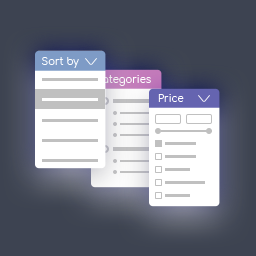
總結:這是一個強大的 WooCommerce 產品篩選外掛,允許顧客按屬性、價格範圍、庫存狀況篩選產品,並在分類之間導航。
### 問題與答案
1. 這個 WooCommerce 產品篩選外掛提供哪些功能?
- 屬性篩選:可以按照所有 WooCommerce 產品屬性進行篩選。
- 價格範圍滑塊:具有視覺化滑塊的互動式價格範圍篩選。
- 庫存狀況篩選:可以按照產品可用性篩選產品。
- 分類導航:可折疊的分類樹來瀏覽產品分類。
- 響應式設計:適合移動設備的界面。
2. 如何顯示主篩選器?
- 使用 shortcode `[nwsfilter_product_filter]` 顯示主篩選器。
3. 如何進行配置?
- 到 WordPress 管理員中的「設置」> 「產品篩選」。
- 選擇要顯示的屬性和篩選器。
- 通過拖放重新排序篩選器項目。
- 配置分類設置(自動展開、顯示位置)。
- 配置所選篩選器的顯示選項。
- 儲存您的設置。
4. 這個外掛包括哪些可供自定義的 CSS 類?
- .nws-filter:主容器。
- .filter-group:個別篩選器部分。
- .filter-group.is-active:活動篩選器部分。
- .range-slider:價格範圍滑塊。
- .selected-filters-section:選定篩選器區域。
- .filter-chip:個別篩選晶片。
- .nws-clear-filters:清除篩選器按鈕。
外掛標籤
開發者團隊
原文外掛簡介
A powerful WooCommerce product filter plugin that allows customers to filter products by attributes, price range, stock status, and navigate between categories.
Features
Attribute Filtering – Filter by any WooCommerce product attribute
Price Range Slider – Interactive price range filtering with visual slider
Stock Status Filter – Filter products by availability
Categories Navigation – Collapsible category tree for browsing product categories
Responsive Design – Mobile-friendly interface
Admin Configuration – Easy-to-use admin interface for setting up filters
Drag & Drop Ordering – Reorder filter items in the admin
Shortcode Support – Display filters anywhere using shortcodes [nwsfilter_product_filter] and [nwsfilter_selected_filters]
Clean Code – Object-oriented PHP with proper WordPress coding standards
AJAX Filtering – Fast filtering without page reloads
Multiple Filter Types – Price range, attributes, stock status, and categories
Selected Filters Display – Show active filters separately with remove buttons
Auto-expand Categories – Optional automatic expansion of parent categories
Filter Types
Price Filter
Interactive price range slider that automatically detects the price range for the current category with currency symbol support and real-time visual feedback.
Attribute Filters
Checkbox-based filtering for product attributes with product counts for each option, supports multiple selections, and automatically hides options with zero products.
Stock Filter
Simple checkbox to filter by stock availability, showing only products that are in stock.
Categories Menu
Collapsible category tree showing hierarchical structure with product counts, expandable/collapsible subcategories with visual indicators, current category highlighting, and optional auto-expand parent categories feature.
Usage
Display the main filter using the shortcode:
[nwsfilter_product_filter]
Display only selected/active filters:
[nwsfilter_selected_filters]
Or use PHP in your template:
display_filter_form(); ?>
Configuration
Navigate to Settings > Product Filter in your WordPress admin
Select which attributes and filters you want to display
Drag and drop to reorder the filter items
Configure categories settings (auto-expand, display location)
Configure selected filters display options
Save your settings
Customization
The plugin includes comprehensive CSS classes for easy customization:
* .nws-filter – Main container
* .filter-group – Individual filter sections
* .filter-group.is-active – Active filter sections
* .range-slider – Price range slider
* .selected-filters-section – Selected filters section
* .filter-chip – Individual filter chip
* .nws-clear-filters – Clear filters button