內容簡介
這個外掛程式目前主要針對開發人員,因此並沒有包含任何CSS或JavaScript,它只會新增分欄的div元素,其餘設計則由開發人員自行決定,這樣一來,開發人員就能夠輕鬆地為自己的WordPress實作中新增分欄的功能。
使用方法
使用者該如何使用?
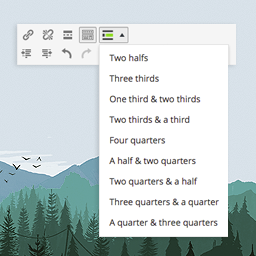
要將內容拆分成多欄,您只需要在想要新增欄位的位置加入短碼[columnbreak]。這個外掛會在column中加入一個容器, 其class名稱為'ninja_columns',且在容器中加入class 'colsid_{post-id}',讓您能夠針對文章或頁面進行特定的設定。
外掛標籤
開發者團隊
原文外掛簡介
This plugin is currently aimed at developers so it doesn’t come with any CSS or JavaScript, it just ads the DIVs for the columns, the rest is up to the developer’s imagination. This will allow developers to easily add column functionality to custom WordPress implementations.
Usage
How do users use it?
To split the content into columns, you simply add the shortcode [columnbreak] where you want the one column to end and the next one to start.
It will add a container around the columns with the class ‘ninja_columns’ and the class ‘colsid_{post-id}’ that will allow you to target the post or page specifically.