
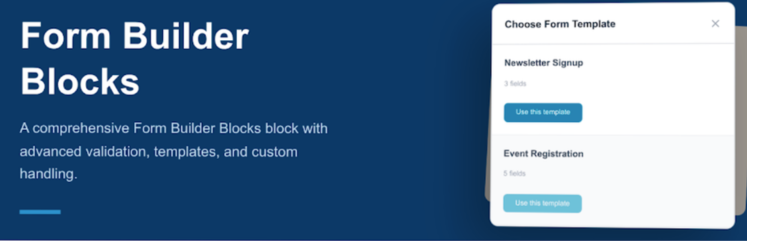
內容簡介
總結:Ninja Chnadel Form Builder Blocks 外掛是一個強大的工具,可直接在區塊編輯器中創建自定義表單,具有完整的條目存儲和管理功能。
1. 這個外掛的核心功能:
- 具有拖放介面的視覺 Ninja Chnadel Form Builder Blocks
- 所有標準輸入類型(文本、電子郵件、文本框、選擇、單選、複選框、文件上傳等)
- 預製常見用例的表單模板
- 實時表單預覽
2. 條目存儲和管理:
- 所有表單提交的數據庫自動存儲
- 管理員儀表板可查看和管理輸入
- 條目狀態追蹤(已讀/未讀)
- 批次操作以管理條目
- 搜尋和篩選功能
- 以 CSV 或 JSON 格式導出條目
- 統計和分析概覽
3. 驗證和安全性:
- 前端驗證提供即時反饋
- 後端驗證確保安全性
- 蜂窩圈防止垃圾郵件攻擊
- 符合無障礙網頁瀏覽(WCAG 2.1 AA)標準
- 文件上傳驗證和安全保護
4. 進階功能:
- 自定義成功/錯誤消息
- 多個收件人電子郵件地址
- 自定義端點配置
- 拖放文件上傳
- 條件字段邏輯
- 包含輸入詳細信息的電子郵件通知
- 管理員通知新提交表單
5. 包含的模板:
- 聯繫表單
- 電子報訂閱
- 活動註冊
- 工作應徵
- 反饋調查
- 支援請求
6. 安全性:
- 所有用戶輸入均經過篩選和驗證
- 表單輸入數據安全存儲在數據庫中
- 文件上傳受限制並驗證
- 蜂窩圈保護防止垃圾郵件攻擊
- 表單提交的 Nonce 驗證
- 防止 SQL 注入攻擊
- 管理員權限檢查以管理條目
- 安全的導出功能
7. 隱私權:
- 這個外掛將表單提交數據存儲在您的 WordPress 數據庫中,包括:
- 用戶提交的表單字段數據
- 提交者的 IP 地址
- 用戶代理信息
- 提交的時間戳記
- 除非設置自定義終點,否則不會將數據發送到外部服務
- 所有存儲的數據都可以從 WordPress 管理面板中查看、管理和導出。
外掛標籤
開發者團隊
原文外掛簡介
Form Builder Blocks is a professional-grade tool designed for the modern WordPress era. Say goodbye to complex shortcodes and external configuration pages—build, style, and manage your forms exactly where they live: in the Gutenberg editor.
This plugin provides a comprehensive suite of blocks that allow you to create anything from a simple contact form to complex job applications. With integrated database storage, you can manage submissions directly from your WordPress dashboard without needing any third-party services.
Core Features:
Visual Drag-and-Drop: Intuitive block-based interface.
Full Input Library: Text, Email, Textarea, Select, Radio, Checkbox, and File Uploads.
Smart Templates: Launch quickly with pre-built layouts for common use cases.
Real-time Preview: See your form exactly as it will appear to visitors.
Entry Management & Analytics:
Automatic Storage: Every submission is saved securely to your local database.
Admin Dashboard: A dedicated space to view, search, and filter entries.
Status Tracking: Keep track of “Read” vs “Unread” submissions.
Data Export: Download your data in CSV or JSON formats.
Submission Analytics: Get a bird’s-eye view of your form performance.
Advanced Features
Custom Notifications: Send emails to multiple recipients with full entry details.
Secure File Uploads: Drag-and-drop file uploads with strict file-type validation.
Developer Friendly: Support for custom endpoints and advanced hooks.
Security
We prioritize the integrity of your site and data. This plugin follows WordPress security best practices:
* Full sanitization and validation of all user inputs.
* Integrated Honeypot protection to stop spam bots without annoying CAPTCHAs.
* Nonce verification to prevent CSRF attacks.
* Admin-only capability checks for accessing sensitive entry data.
* Restricted file upload permissions to prevent malicious scripts.
Privacy
By default, this plugin stores submission data in your local WordPress database. This includes:
* Form field data provided by the user.
* Submitter IP addresses and User Agent strings.
* Timestamps of the submission.
No data is transmitted to external servers or third-party services unless you explicitly configure a custom endpoint. All data is fully exportable and erasable via the WordPress Admin panel.














