內容簡介
Magical Posts Display 是一款專為 Elementor 設計的外掛,能夠輕鬆生成多種文章展示格式,如滑動條、旋轉木馬、網格、手風琴等,提升網站內容的互動性與吸引力,適合用於新聞、雜誌及部落格網站。
【主要功能】
• 一鍵生成文章滑動條、旋轉木馬和網格
• 支援自訂文章類型及篩選功能
• 提供動態網站建構器和熱門文章展示
• 設計自訂單篇文章及檔案模板
• 完整的 Elementor 內部佈局支援
外掛標籤
開發者團隊
② 後台搜尋「Magical Posts Display – Elementor Advanced Posts widgets」→ 直接安裝(推薦)
原文外掛簡介
With just one click, you can easily generate posts Slider, posts carousels, posts Grids, posts accordions, posts tabs, posts tickers, and Categories & Tags Filters for Posts, Pages, and Custom Post Types. This addon helps you showcase your content in various formats, providing an engaging user experience for your visitors. Magical Posts Display is an Elementor addon that simplifies the creation of interactive content displays. Magical Posts Display is compatible with all custom post types.
✨ – Your All-in-One Tool for News, Magazines, and Blogs
Magical Posts Display is your ultimate solution for creating amazing News, Magazine, and Blog websites. Think of it as a supercharged plugin that does it all, whether you’re building a blog or a news and magazine site.
With Magical Posts Display, you get fantastic features like the Dynamic Site Builder, Popular Posts, Related Posts, Ajax Filter and Pagination, Post Carousel, Post slider, and much more. Now, with added support for Pages and Custom Post Types, it’s your secret weapon for unlocking your website’s full potential.
See live preview
Live preview Magical Posts Display
Upgrade Pro For All Features
View Pro version
See Short video
🎨 Theme Builder Widgets (Build Custom Single Post & Archive Templates)
Magical Posts Display powers your Elementor Theme Builder with a dedicated suite of dynamic widgets for single posts and archive templates. Design custom single post layouts, blog archives, category pages, author pages, search results, and custom post type templates with complete design freedom:
📄 Post Single Template Widgets:
Post Title — Dynamically output the title of the current post, page, or custom post type with HTML tag selection (H1-H6, p, span), alignment, custom colors, typography, and optional link.
Post Content — Renders the complete post or page content with full typography styling, text color, link color, blockquote styles, and complete Elementor inner-layout support.
Post Excerpt — Display custom excerpts or auto-generated post summaries with custom word/character limits and customizable “Read More” button/text.
Featured Image — Display the current post’s featured image with size controls (thumbnail, medium, large, full), custom aspect ratio, border radius, box shadow, overlay, and click-to-link options.
Post Meta — Display author (with avatar), date (published/modified), categories, tags, comments count, and reading time. Includes customizable icons, badges, dividers, and inline or stacked layouts.
Author Box — Showcase author biographical info, profile picture/avatar, social links, author role/name, and a direct link to the author’s post archive.
Post Comments — Embed a fully styled WordPress comments section including comment list, avatar styling, comment reply form, submit button styling, and threaded comments.
Post Navigation — Add previous and next post pagination links with customizable arrows/icons, post title preview, and taxonomy-restricted filtering (same category/tag).
🗂️ Post Archive Template Widgets:
Archive Title — Dynamically display the title of the current archive (Category, Tag, Author, Date, or Search Results) with optional prefix inclusion/removal (“Category:”, “Tag:”), custom prefix text, and responsive typography.
Archive Posts — A powerful, dynamic archive loop query widget that automatically displays the posts belonging to the current archive query. Features multiple layout modes (Grid, List, Magazine), column settings, thumbnail sizes, excerpt length, meta tags, and read more buttons.
Post Pagination — Add numeric, Prev/Next, or Ajax-powered pagination to your archive templates, ensuring seamless browsing across multiple pages of posts.
Magical Posts Display comes with a range of awesome Elementor widgets that make it easy to display your posts in unique and visually appealing ways. The latest addition includes the powerful News/Magazine Image Grid widget, featuring 5 distinct layout styles perfect for news, magazine, and blog websites.
Magical Posts Display is a user-friendly addon that offers many different ways to display your site posts. Our Elementor widgets allow you to customize and set new options for each Magical Posts item, giving you complete control over your content display. In addition, our addon supports post meta, categories, tags, comments, timestamps, and more, making it easy to create a personalized and engaging user experience for your visitors.
Most powerful features:
Easily display posts, pages, and custom posts anywhere.
Drag & Drop Elementor page builder Widgets.
You can edit every single item
Posts Group Grid
Posts Categories Filter Live preview
Posts Tags Filter Live preview
Posts Slider Live preview
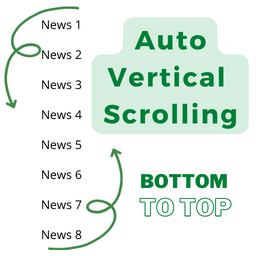
Posts Ticker (Latest News) Live preview
Posts carousel. Live preview | Video Tutorial
Posts grid card. Live preview | Video Tutorial
News/Magazine Image Grid – Modern magazine-style layouts with image overlays and 5 unique styles (Classic Magazine, Grid Layout, Compact Grid, Featured Focus, Equal Heights)
News/Magazine Grid – Modern News-style layouts with image and 4 unique styles
Posts Accordion. Live preview | Video Tutorial
Posts Tab. Live preview | Video Tutorial
Awesome Posts list. Live preview | Video Tutorial
Posts list card. Live preview | Video Tutorial
Categories gird.
Popular posts widget with image.
Elementor Widgets Manager – Toggle any of the 25 widgets on/off to maximize site speed.
Conditional Asset Loading – Fast PageSpeed; scripts & styles only load when widgets are used.
Presets & Layout Recipes – Step-by-step blueprints for 8 blog & magazine layouts.
Posts time show.
Posts category show.
Posts tag show.
All options show hide features.
User-friendly Editor.
Ajax Loadmore button.
Ajax Categories filter.
Post Position Control – Select specific posts (1st, 2nd, 3rd, 4th) or offset from any position for grid layouts.
Translations
English
Privacy Policy
Magical Posts Display – Elementor Advanced Posts widgets uses Appsero SDK to collect some telemetry data upon user’s confirmation. This helps us to troubleshoot problems faster & make product improvements.
Appsero SDK does not gather any data by default. The SDK only starts gathering basic telemetry data when a user allows it via the admin notice. We collect the data to ensure a great user experience for all our users.
Integrating Appsero SDK DOES NOT IMMEDIATELY start gathering data, without confirmation from users in any case.
Learn more about how Appsero collects and uses this data.