內容簡介
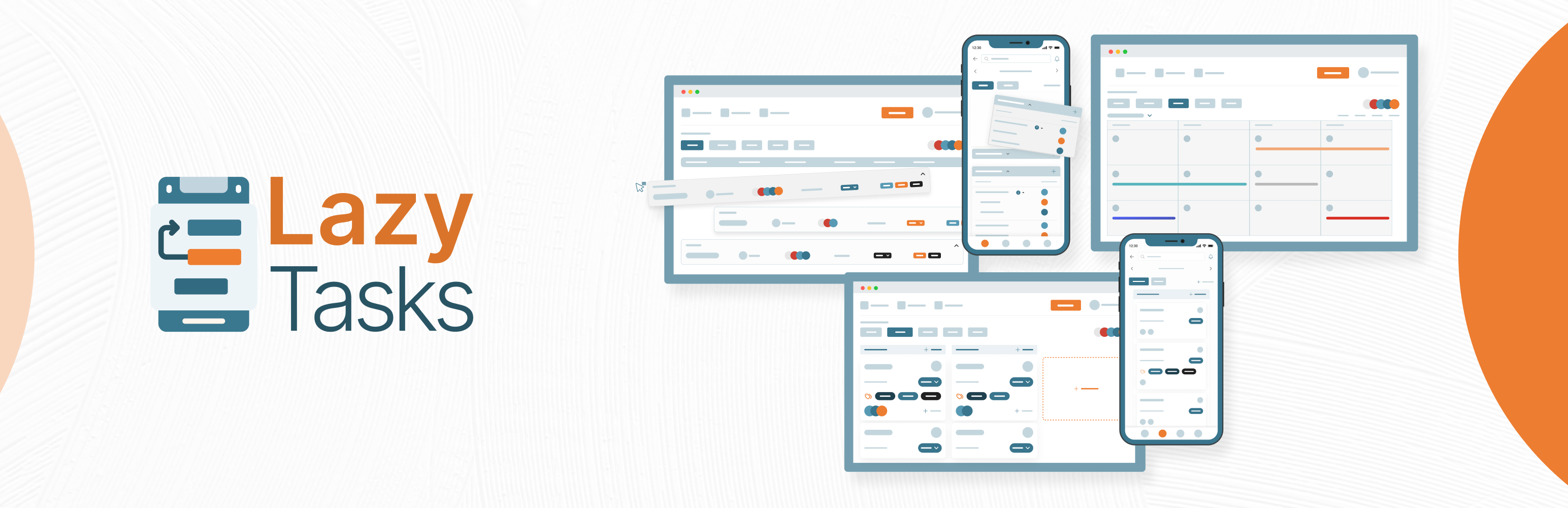
LazyTasks 是一款全面的專案與任務管理外掛,提供簡約設計與強大功能,幫助用戶提升生產力。它無縫整合專案工作流程,並支援 iOS 和 Android 的原生應用程式,完全免費。
【主要功能】
• 全面的任務與專案管理
• 直觀的看板 (Kanban) 介面
• 專案白板功能
• 多角度專案視覺化
• 每專案報告與洞察
外掛標籤
開發者團隊
② 後台搜尋「LazyTasks – Project & Task Management with Collaboration, Kanban and Gantt Chart」→ 直接安裝(推薦)
📦 歷史版本下載
原文外掛簡介
Free project and task management for WordPress: Kanban, Gantt, calendar, reports and roles, plus native iOS and Android apps.
🟧 Description 🟧
⚠️ We ship updates often, based on what you tell us. Found an issue or have an idea? Send it through the feedback form inside the plugin, or message our founder directly on WhatsApp.
Join our community to share feedback, suggest features and get help from other users and the LazyTasks team. Join the LazyTasks community.
LazyTasks puts full project and task management inside your WordPress dashboard. Plan projects, assign tasks, track progress and keep your team talking, without leaving WordPress or paying per seat. The plugin is free with every feature included, and native iOS and Android apps let you manage work on the go.
🟧 Why Choose LazyTasks? 🟧
⏱ Time Tracker 🆕
Set a time estimate when you create a task, then start, pause and stop the timer on the web or in the mobile app. Every task keeps its time log and estimate history, so you can see where your team’s hours go.
📌 Pinned Tasks 🆕
Pin the tasks you check every day and find them all in one Pinned view.
🔀 Move Tasks and Projects 🆕
Move a task, or copy and move it, to another project. Move whole projects between workspaces when your setup changes.
🔗 Copy Task Link 🆕
Copy a link to any task and send it to a teammate. It opens that task directly.
🔎 Filter Every Section 🆕
Every section has its own filter, so busy boards stay easy to work through.
♻️ Restore Deleted Tasks
Deleted something by mistake? Every project has a Deleted Tasks view where you can find it and bring it back.
💬 Better Comments
Attach files to comments and edit your own comments after posting, on web and mobile. Get email notifications when someone comments.
🔎 Find Tasks Faster
Search by task reference ID and filter by tag, alongside global search across every view.
📋 Task and Project Management
Create, assign, follow and comment on tasks. Subtasks, @mentions, attachments and activity logs keep everyone on the same page.
✉️ Invite Anyone by Email
Invite teammates and clients to a project by email, even if they don’t have a WordPress account yet.
🔒 Public and Private Tasks
Keep a task private when it’s not for everyone. Private tasks stay hidden from other project members in every view.
🪧 Kanban Board
Drag tasks through every stage, from to-do to done.
🗒 See Work From Every Angle
List, Kanban board, Gantt chart (Day, Week and Month) and Calendar views, so nothing slips through the cracks.
📊 Per-Project Reports
Every project has a Report tab with six widgets: KPIs, status and priority breakdowns, section progress, team workload and overdue tasks.
📥 Import from Trello and Todoist
Switching tools? Bring your existing projects over instead of starting from scratch. Export any project to Excel, CSV or PDF too.
🖍 Project Whiteboard
Capture ideas, discuss them in comments, and convert the good ones straight into tasks.
🤖 Quick Task Chatbot
Jot a task down the moment you think of it, then turn it into a full task when you’re ready.
🎨 Customizable Portal
Upload your logo, set the portal title, size and color, pick a header color with an optional gradient, and show or hide any branding element.
🔐 Roles and Permissions
Create custom roles and decide exactly who can see and do what. Parent-child rules prevent mistakes, every permission has a tooltip, and task creators and assignees always keep control of their own tasks.
🧩 Project-Based Roles
Give the same person a different role in each project, so access matches the work.
📱 Mobile Apps
Native iOS and Android apps with the same permissions as the web plugin, comments with attachments, time tracking and push notifications. Manage work from anywhere.
🆓 Always Free
The LazyTasks plugin is free forever, with every feature included and no limits on users, projects or tasks.
🟧 Features at a Glance 🟧
👥 Unlimited users, projects and tasks
📑 Kanban boards with drag and drop
🗂 Gantt charts with Day, Week and Month views
🗓 Calendar with drag-and-resize scheduling
📊 Per-project Reports with KPIs, workload and overdue views
⏱ Time Tracker add-on with estimates, timers and time logs (web and mobile)
📥 Import from Trello and Todoist
📤 Export any project to Excel, CSV or PDF
🖍 Whiteboard to turn ideas into tasks
🤖 Quick Task Chatbot for fast capture
🔍 Global search, plus search by task reference ID
📌 Pinned tasks with a Pinned view
🔗 Copy a direct link to any task
🔀 Move tasks between projects and projects between workspaces
🗃 Section By, Group By, tag filter and advanced filters in every view
📦 Archive and unarchive for sections, tasks and projects
♻️ Deleted Tasks view with restore
🛡 Safe delete with a typed-name confirmation for workspaces and projects
📄 Duplicate tasks and sections
🔁 Convert subtasks into tasks, and close or reopen completed tasks
🔒 Public and private tasks
👀 Task assignments and followers
✉️ Invite people by email, even without a WordPress account
🏠 Dashboard My Tasks with Mentioned and Follower tabs
🖼 Paste images straight into task descriptions
🖥 Full-screen view, plus icon, text or icon-and-text menu modes
💬 Comments with attachments and @mentions, on web and mobile
🎨 Custom portal branding: logo, title, colors, gradient header
🔐 Fine-grained roles and permissions with parent-child rules
🧩 Project-based roles
🚪 Client and user portal, no WordPress backend needed
📧 Email notifications through any SMTP provider (built-in test connection)
📲 SMS notifications via WP SMS
🔑 Google and LinkedIn social login
🔔 Web and mobile push notifications
⚙️ Notification templates for internal use or other plugins
🌍 Translation ready
🟧 Roadmap 🟧
🚀 Coming Next
➡️ Performance Scorer add-on: team and individual performance tracking
➡️ Swim Lane view for advanced task organization
🗺 On the Roadmap
➡️ Zen Mode: switch into a focused mode for deep work, with My Zen, your personal space for your own tasks and progress
➡️ White-label mobile app for your organization
➡️ Gmail integration
➡️ Google Calendar integration
➡️ Facebook social login
And much more!
🟧 Get Started with LazyTasks 🟧
Whether you’re a freelancer juggling clients, an agency running dozens of projects, or a small team that wants everything in one place, LazyTasks turns your WordPress site into your project hub. Install it, invite your team and start planning in minutes.
🟧 LazyTasks Mobile App 🟧
📱 Premium Mobile App
The LazyTasks app for iOS and Android is our paid product, with 24/7 priority support. It matches the web plugin: the full permission system, comments with attachments, time tracking with Start, Pause and Stop, push notifications, a profile screen, and a notifications center with pull-to-refresh and mark-all-read.
Requirements: iOS 16.0+ and recent Android versions.
📱 White Label Mobile App for Your Organization (upcoming)
For building a white-label mobile app for your organization, you’ll need to purchase a license of the plugin from our website at lazycoders.co.
For the white-label app, we require some basic and necessary information to build it: Website URL / Domain name, App Name, Email, App Logo, Splash Screen, and License Key (must be valid).
We can create both Android and iOS apps for you, delivered ready for publication on the App Store and Google Play.
Android App
When you build an Android app, you receive two file formats: .apk and .aab, both ready for publishing to your Play Store.
iOS App
Your iOS app is built ready for publication and can be automatically deployed to your App Store.
😃 HAPPY TASKING! 🚀