內容簡介
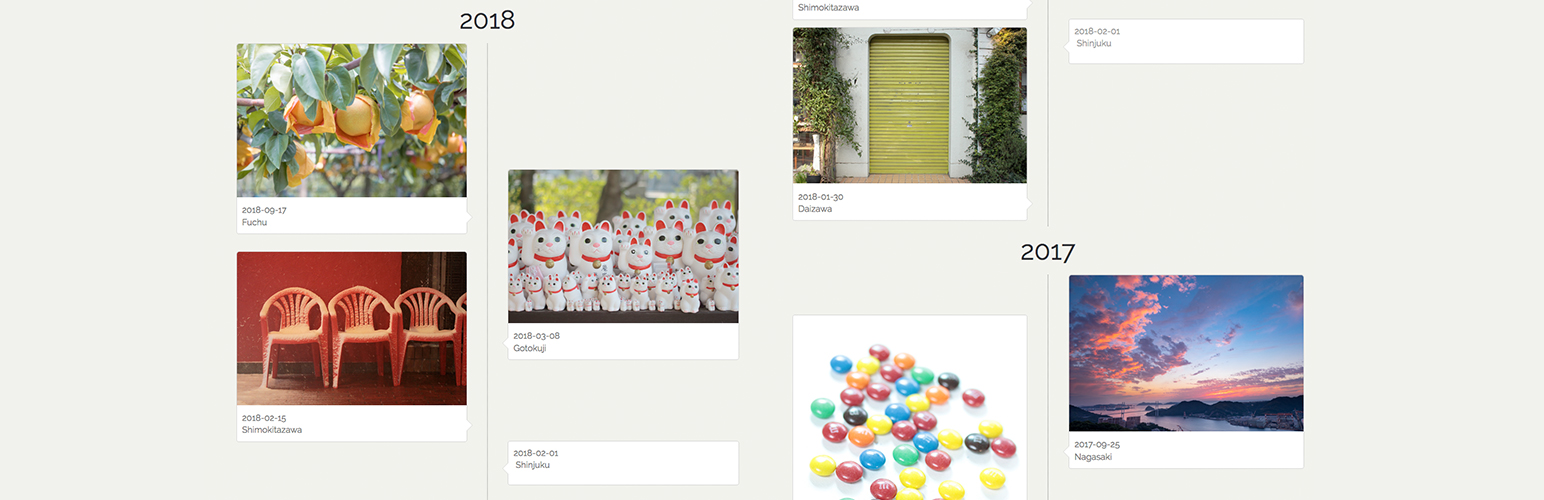
這個短代碼會在垂直的時間軸上顯示文章,並使用無限捲動(Infinite scroll)讀取下一頁的文章。
示範
GitHub
日文介紹
特色
這個短代碼會在垂直的時間軸上顯示文章。
自動使用無限捲動(Infinite scroll)讀取下一頁的文章。
當點擊時間軸上的文章,會跳轉到單獨的頁面。
除了文章之外,也可以使用頁面或自訂文章類型,並能夠設定相關的分類和標籤。
相容於響應式網頁設計。
使用的infinite-scroll.pkgd.js jQuery 外掛程式採用 MIT 授權。
使用的lazysizes.js JavaScript 程式庫採用 MIT 授權。
使用方式
請在內容中輸入短代碼 [infinite-timeline]。
您可以設定選項。
post_type: 文章、頁面或自訂文章類型(預設為文章)
category_name: 分類別名稱(預設為無)
tag: 標籤名稱(預設為無)
posts_per_page: 每頁要顯示的文章數(預設為儀表板上的閱讀設定)
例如: [infinite-timeline category_name="news" posts_per_page="20"]
外掛標籤
開發者團隊
原文外掛簡介
The shortcode displays posts on vertical timeline, and it will read the next page by Infinite scroll.
Demo
GitHub
Description in Japanese
Features
The shortcode displays posts on vertical timeline.
Automatically it will read the next page by Infinite scroll.
When clicked the post on timeline, browse to single page.
In addition to the post, use the page or custom post type, and can be set category, tag.
It’s compatible with responsive web design.
infinite-scroll.pkgd.js the jQuery plugin is licensed under the MIT license.
lazysizes.js the javascript library is licensed under the MIT license.
Usage
Please write shortcode [infinite-timeline] in the content.
You can set option.
post_type: post or page or custom post type (default: post)
category_name: category slug (default: none)
tag: tag name (default: none)
posts_per_page: number of posts you want to show on one page (default: Reading Settings at dashboard)
example. [infinite-timeline category_name=”news” posts_per_page=”20″]