內容簡介
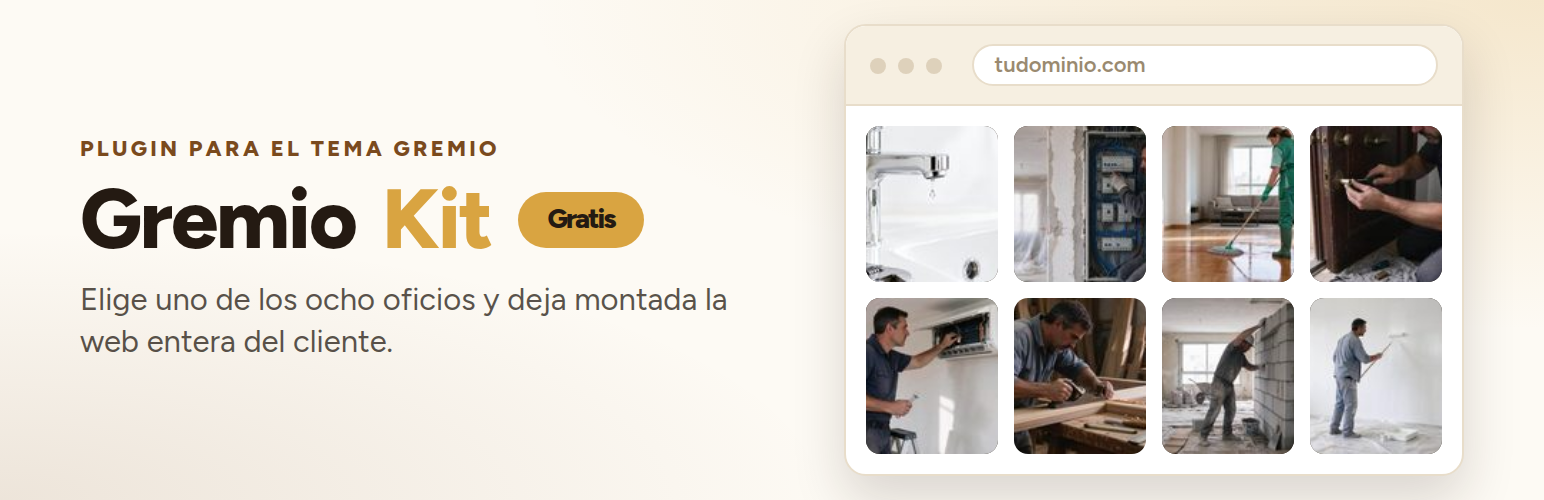
Gremio Kit 是 Gremio 佈景主題的伴隨外掛,專為貿易網站自動化設計。它簡化了網站建置過程,讓使用者能快速建立專業的貿易網站,並提供多種功能來管理服務和客戶聯繫。
【主要功能】
• 一鍵選擇八種貿易類別
• 自動生成服務、評價和聯絡頁面
• 支援多語言,根據網站語言顯示內容
• 提供報價表單和 WhatsApp 聯繫按鈕
• 簡單的請求管理面板
• 無需第三方服務,完全免費
外掛標籤
開發者團隊
原文外掛簡介
Gremio Kit is the companion plugin for the Gremio theme (a block theme for trades). It automates the
boring part of getting a trade website going, and then gets out of the way.
With one click you choose one of the eight trades the theme covers — plumbing, electrical work,
cleaning, locksmithing, heating and air conditioning, renovation, painting and decorating, and
carpentry — and the plugin:
Builds the home page with the design of that trade, which comes from the theme’s own patterns.
Creates the pages the theme menu points to (services, who comes, reviews, area and contact), with
the content of the theme’s own pieces inside.
Builds a normal WordPress menu linking to those pages, with the labels written in the language of
your site. It is yours: rename it, reorder it or delete it whenever you like.
Puts the quote form inside the contact piece, where the theme leaves an empty box on purpose.
Sets that page as your home page (Settings → Reading) and moves the old home page to the trash
(recoverable, never deleted for good).
Leaves everything it created noted down, so a single Undo button removes it again. A page or a
menu the plugin did not create is never touched.
Anything it creates is in the language of your site
The pages and the menu are written in the language of your website (Settings → General → Site
Language), not in the language of the person pressing the button. If you run your site in Spanish but
you use the admin in another language, the pages and the menu still come out in the language of the
site. The plugin brings Spanish and Catalan; for any other language it falls back to English until a
translation is added.
A panel of its own, by function
Everything lives under one Gremio Kit menu, with a separate screen for each job:
Trades — the eight trades, each with its own picture, and the button that applies it.
Quote form — where requests are sent, the subject of the email, the thank-you message, the
privacy policy link and the contact details that show next to the form.
WhatsApp — the number, the message the chat starts with, and whether the button shows on
phones, on computers or on both.
Requests — everything the form has collected, with an “answered” tick you set as you deal
with them, and a count of the ones still pending.
Help — how it all works, in four steps.
It also adds two things the theme leaves out:
A quote form made by the plugin itself: name, phone, trade, message and consent (with a link
to your privacy policy). It uses a nonce, cleans and escapes everything, and has simple anti-spam
(a hidden field and a minimum time on the page). Every request is saved on your website as a
private entry before the email is sent, so nothing is lost if the email fails.
A floating WhatsApp button: a plain wa.me link with a message you choose. No third-party
requests until someone taps it. You decide whether it shows on phones, on computers or on both.
Leave the number empty and the button is not shown.
Everything is in English and translated into Spanish (and Catalan). No third-party services, no
tracking, no JavaScript needed for the form to work.
License
The whole plugin is free software, released under the GNU General Public License, version 2 or any
later version. There is no premium version, no account and no service behind it.