內容簡介
Global Weather Pro 是一款免費的 WordPress 天氣小工具外掛,能夠顯示全球任何地點的準確天氣預報及重要的惡劣天氣警報。透過多種顯示方式,讓訪客隨時掌握當前天氣狀況及未來預報,提升網站互動性。
【主要功能】
• 提供即時惡劣天氣警報
• 無需 API 金鑰,快速設置
• 支援區塊編輯器與全站編輯
• 每個區塊可自訂位置與主題
• 響應式設計,適合各種螢幕
• 專業的深色與淺色主題選擇
外掛標籤
開發者團隊
② 後台搜尋「Global Weather Pro: Weather Widget for WP」→ 直接安裝(推薦)
原文外掛簡介
Global Weather Pro is a free WordPress weather widget plugin that displays accurate weather forecasts and critical severe weather alerts for any location in the world. It gives you three ways to put weather on your WordPress site: a comprehensive header widget, a compact sidebar widget, and a native Weather Widget block for the block editor and Full Site Editing themes. Effortlessly display current weather conditions, detailed 7-day forecasts, air quality, and severe weather alerts to keep your visitors informed and engaged.
The plugin also ships stunning AI-generated animations for all 60+ WeatherAPI weather conditions, displayed in the header widget, with a growing number of them now upgraded to smooth looping video. Make the widgets your own with 18 professional typefaces and an adjustable text size for each widget, and self-host every one of them with a single click for a fully Google-free, privacy-friendly setup.
All weather data and alerts are sourced from WeatherAPI, a well-known and trusted weather provider, ensuring reliable and professional-grade forecasts you can count on. Global Weather Pro handles all API communications through our dedicated service, meaning you get reliable data from top providers like WeatherAPI without needing to sign up for, manage, or pay for your own weather API key.
Check out the live demos to see both widgets in action: Sidebar Demo
Header Demo
Features:
Critical Weather Alerts: Keep your audience safe and informed with timely notifications for severe weather events, sourced directly from WeatherAPI. Alerts are prominently displayed within the widget to ensure maximum visibility.
No API Keys Needed: Instantly set up and deliver weather forecasts without any third-party signups or costs. Global Weather Pro handles all API communications through our dedicated service.
Block Editor & Full Site Editing Ready: A native “Weather Widget” block works in the block editor, in Full Site Editing templates, and anywhere else blocks are allowed. The block is server-rendered and shares the exact same output pipeline as the classic widgets and shortcodes, so the weather block, the widget, and the shortcode all produce identical results.
Per-Block Location & Theme Overrides: Each Weather Widget block can override the site-wide location and color theme, so you can show local weather for a different city on a different page or template without touching the global settings. Blocks with no override simply inherit your saved settings.
Responsive on Every Screen: Both widgets adapt to the space they are given. On phones the header widget reflows into a single-column card that opens collapsed, so the current conditions are visible immediately and the full parameter readout and forecast strips are one tap away.
Dual Widget Design: Comes with two specialized widgets, one designed for prominent header placement and another optimized for sidebars, ensuring a perfect fit for your theme’s layout.
Professional Dark & Light Themes: Choose between a rich, innovative Dark Mode featuring a slate-based palette with frosted glass effects and cyan accents, or a clean, polished Light Mode, both designed for a modern weather app aesthetic.
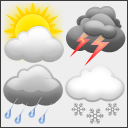
AI-Generated Animations: Every one of the 60+ weather conditions has its own AI-generated animation in the header of the weather widget, creating a beautiful user experience. A growing number play as small, muted videos that load only when the widget is in view, and the rest as animated images until their videos are ready.
SEO-Friendly, Crawlable Forecast Text: Each widget is delivered with a plain-text summary of the forecast already in the page’s HTML: the place name, current temperature and conditions, the outlook for the next few days, and when the reading was taken. Search engine crawlers, link previews, and visitors with JavaScript turned off can all read the local weather without running any scripts. The full interactive widget replaces the summary as soon as the page loads.
No Layout Shift (Core Web Vitals): The summary reserves the space the finished widget will take up, on desktops, tablets and phones, so the page does not jump when the weather appears. Cumulative Layout Shift (CLS) is one of Google’s Core Web Vitals, and a weather widget that pushes your content down as it loads counts against it.
No Weather API Calls From Visitors’ Browsers: Forecasts are fetched and cached on your server in the background and arrive with the page itself. Visitors’ browsers never contact a weather service, so nothing slows the page down while it loads and no visitor data is sent to a weather provider.
Accessibility Compliant (WCAG): Built with comprehensive ARIA attributes, semantic HTML, keyboard navigation support, and reduced motion preferences for an inclusive experience for all users.
Detailed Hourly & Daily Forecasts: Provide a true, 24-hour, hour-by-hour forecast and a 7-day forecast. Display key metrics like temperature, chance of rain, humidity, UV index, air quality, and more.
Shortcode Support: Includes separate, reliable shortcodes for both the header and sidebar widgets ([gwpro_header_weather] and [gwpro_sidebar_weather]) for easy embedding anywhere on your site.
Flexible Placement (Blocks, Widgets & Shortcodes): Seamlessly add weather to your header, footer, or sidebar using the block editor, the classic Widgets screen, or a shortcode in any post or page.
Font Customization: Personalize the widget’s appearance by choosing from 18 professional Google Fonts organized into Sans-Serif, Serif, Monospace, and Display categories, including Roboto, Open Sans, Inter, Montserrat, EB Garamond, Merriweather, Playfair Display, Roboto Mono, Poppins, and more. The widget layout stays pixel-consistent no matter which font you choose.
Adjustable Font Size: Set the text size of the header and sidebar widgets separately, from 12px to 24px. Every piece of text in the widget, including its severe weather alert window, scales together and keeps its proportions, so you can make the weather easier to read or fit it into a tighter space.
Privacy-First Font Self-Hosting: Prefer not to link your site to Google’s Font API? One click on the settings page downloads all 18 font families directly to your own server (each with its license file included), so visitor browsers never contact Google Fonts. Any font not yet downloaded automatically falls back to Google’s CDN, so nothing ever breaks.
Whether you run a WordPress blog, a business website, or a community portal, Global Weather Pro makes it easy to share up-to-date local weather with your audience.
Third-Party Services
Global Weather Pro API
Fetches weather data.
No personal data collected.
Accessed at:
https://www.pointforecaster.com/api/geocodedata
https://www.pointforecaster.com/api/alerts
https://www.pointforecaster.com/api/forecasthourly
https://www.pointforecaster.com/api/forecastdaily
Privacy Policy: https://globalweatherpro.com/gwpro-privacy-policy
WeatherAPI
Provides weather forecasts and alerts.
Location data (entered by site owner) sent; no personal data collected.
Accessed at:
https://api.weatherapi.com/v1/alerts.json
https://api.weatherapi.com/v1/forecast.json
Weather condition icons served from: https://cdn.weatherapi.com/weather/
By default, the Global Weather Pro service above makes these requests. If the site owner enters their own WeatherAPI key, the site’s server sends them to WeatherAPI directly, including that key and the location (or its coordinates).
Terms of Service: https://www.weatherapi.com/terms.aspx
Privacy Policy: https://www.weatherapi.com/privacy.aspx
Geoapify API
Provides geolocation services.
No personal data collected.
Accessed at: https://api.geoapify.com/v1/geocode/search
Privacy Policy: https://www.geoapify.com/privacy-policy/
Google Fonts API
– This service is used to load and display the custom font selected in the widget settings, but only for fonts that have not yet been self-hosted. Once a font is downloaded via Settings > “Download & Self-Host All Fonts,” it is served entirely from your own server and visitor browsers never contact Google.
– Personal Data: When a font loads from Google’s CDN, Google may collect data such as visitor IP addresses in order to serve the font files. Self-hosted fonts send no visitor data to Google.
– Access: Visitor browsers access https://fonts.googleapis.com (stylesheet) and https://fonts.gstatic.com (font files) only while a selected font is not self-hosted. When the site owner runs the one-click download tool, these same two endpoints are contacted once, server-side by your WordPress site, never by your visitors, to fetch the font files.
– Privacy Policy: Refer to Google’s privacy policy here: https://policies.google.com/privacy.
Third-Party Fonts & Licenses
This plugin offers 18 Google Fonts as font-family options. When downloaded via Settings > “Download & Self-Host All Fonts,” the actual font files are saved to this plugin’s own /uploads/ directory (one subfolder per font, each including a LICENSE.txt). Both licenses below permit free use, modification, and self-hosted redistribution:
Apache License, Version 2.0 (Roboto, Roboto Mono) — http://www.apache.org/licenses/LICENSE-2.0
SIL Open Font License, Version 1.1 (Open Sans, Inter, Lato, Source Sans Pro, Raleway, Montserrat, Nunito, EB Garamond, Merriweather, Playfair Display, Lora, Crimson Text, Source Code Pro, Fira Code, Poppins, Quicksand) — https://scripts.sil.org/OFL
Until a given font is self-hosted, it is instead loaded live from Google Fonts under the same license terms; see “Google Fonts API” under Third-Party Services above for that data flow.