
內容簡介
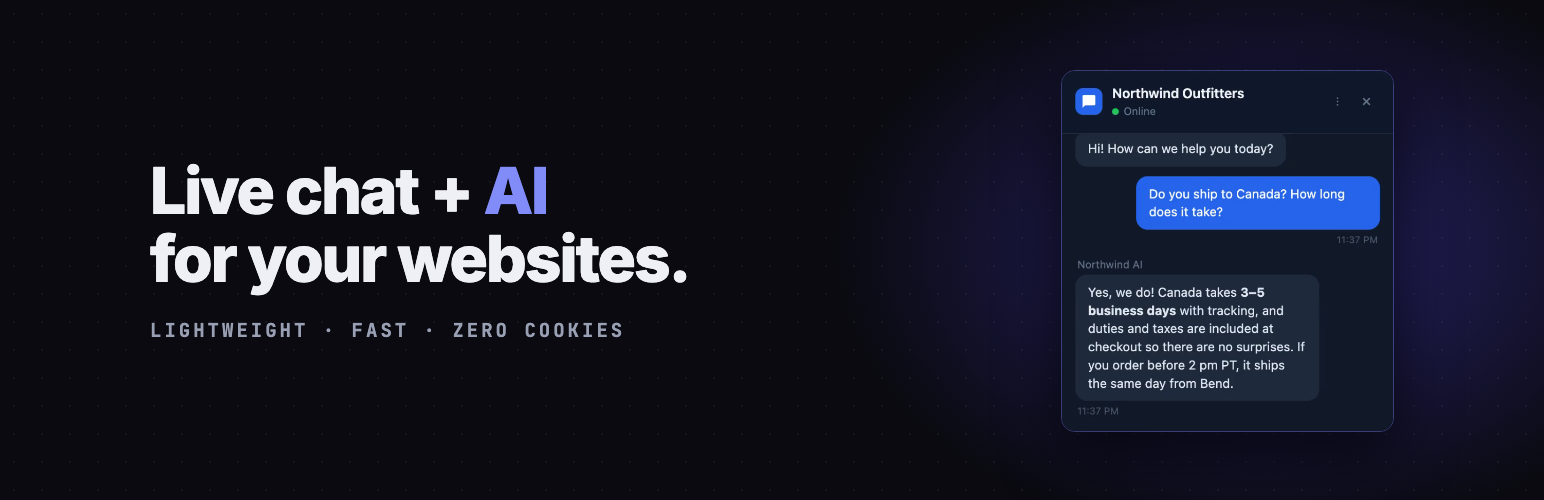
GhostChat 是一款專為 WordPress 設計的即時聊天和 AI 聊天機器人外掛,讓使用者能夠直接從 Gmail 回覆訪客,無需學習新應用程式。此外掛重視隱私與性能,無需追蹤或設置 Cookies。
【主要功能】
• 從 Gmail 回覆訪客
• 零 Cookies 和追蹤
• AI 聊天機器人 24/7 回答問題
• 實時消息傳遞
• WooCommerce 自動整合
• 自動翻譯 133+ 語言
外掛標籤
開發者團隊
② 後台搜尋「GhostChat – Live Chat, AI Chatbot & Customer Support」→ 直接安裝(推薦)
原文外掛簡介
GhostChat is live chat and an AI chatbot for WordPress that won’t slow your site down. Answer visitors from the web dashboard, the mobile dashboard, or straight from Gmail — reply to the email and the visitor sees it in the chat widget.
Why GhostChat?
Zero cookies, zero tracking – The widget sets no cookies and does not track your visitors
AI chatbot (Claude) – Answers visitor questions 24/7 from a knowledge base you control, or have it draft one from your site, then hands off to you when it cannot. Available as an add-on on the paid plans.
Will not slow your site down – The widget is 18.9KB — up to 58x lighter than Intercom, Tidio, Tawk.to or Crisp (measured August 2026) — and it does not move your Lighthouse or Core Web Vitals scores
Real-time messaging – Messages arrive instantly, delivered from the edge
Reply from your phone – The dashboard is a mobile PWA. Install it and answer chats like WhatsApp.
Answer from Gmail – A new chat arrives as an email. Reply to it and the visitor gets your message in the widget. No new inbox to learn.
WooCommerce auto-integration – Real-time cart & page context, zero configuration
Team inbox – Invite teammates to a shared inbox
CRM Lite – Built-in contacts, conversation history, and notes
Auto-translate – 133+ languages, real-time visitor message translation
Canned responses – Save time with pre-written replies
Webhooks & Bot Agent API – Integrate with your stack, or bring your own LLM
How it works:
Sign up at GhostChat
Create a site and get your Site ID
Enter your Site ID in the plugin settings
The chat widget appears on your site automatically
Pricing:
Never priced per seat. What each plan includes is always at ghostchat.dev/pricing.
Perfect for:
Small businesses
Freelancers
E-commerce stores
Support teams
Anyone who values privacy and performance
WooCommerce Integration:
Running a WooCommerce store? The plugin auto-detects WooCommerce and sends your agents real-time context — zero configuration required. Your agents see:
Page type, product name, cart items, total, and item count — on paid plans
Custom data via GhostChat.setContext() — on the higher plans (see pricing)
Updates in real-time on AJAX cart changes
Privacy Policy
GhostChat does not collect, store, or transmit any personal data from your WordPress site. The plugin only:
Stores your Site ID in your WordPress database (wp_options table)
Loads the chat widget script from api.ghostchat.dev
When WooCommerce is active, sends page context and cart data (page type, product name, items, total, count) on paid plans, and custom setContext() data on the plans that include it
Does not set any cookies
Does not track visitors
Does not send any data to third parties besides the GhostChat service
Chat conversations are handled by GhostChat service. Please review GhostChat’s privacy policy at https://ghostchat.dev/privacy for details on how chat data is handled.
Support
Need help? We’re here for you:
Support forum: https://wordpress.org/support/plugin/ghostchat/
Email: [email protected]
WordPress Setup Guide: https://ghostchat.dev/chat-widget-for-wordpress
Dashboard: https://app.ghostchat.dev
Website: https://ghostchat.dev
About GhostChat
GhostChat is a privacy-first live chat platform that prioritizes page speed and visitor privacy. We believe live chat shouldn’t slow down your site or compromise your visitors’ privacy.
Learn more at ghostchat.dev














