外掛標籤
開發者團隊
② 後台搜尋「FFL Monkey Data Feed for WooCommerce」→ 直接安裝(推薦)
原文外掛簡介
🏪 Turn Your WooCommerce Store Into a Fully Stocked Online Gun Shop
Stop uploading spreadsheets. Start selling from your distributors’ catalogs automatically.
FFL Monkey Data Feed for WooCommerce is a WooCommerce firearms distributor integration built for FFL dealers, gun shops and online firearms retailers. Connect your existing distributor accounts and automatically publish firearms, ammunition, optics, accessories and outdoor products in your WordPress store, complete with product images, descriptions, specifications, categories and your own selling prices.
When distributor inventory or costs change, Data Feed updates your WooCommerce catalog automatically. You control which products appear, how they are priced and which distributor wins when multiple distributors carry the same UPC.
🎁 New stores get a 15-day free trial on the yearly plan at FFLMonkey.com. Plans start at $17.99/month.
🎯 Why Gun Stores Choose FFL Monkey
📦 Expand your online catalog without manually listing thousands of products. Import eligible products from the distributors you already work with.
⚡ Keep firearm inventory and prices current. Receive pushed stock and price changes as they happen, with an hourly catch-up check for missed updates.
📈 Protect your margins. Set percentage or dollar markups by product, brand, category or distributor, with a default rule for everything else.
🔗 Avoid duplicate listings. Multiple distributors carrying the same UPC become one WooCommerce product, with the lowest-priced eligible source selected after your rules.
🎛️ Control what you sell. Include or exclude products by distributor, brand, category, type, UPC, SKU, inventory level or cost.
🏬 Manage your own inventory too. Add in-store stock manually, through CSV or via API, alongside distributor inventory.
🖼️ Keep your website lean. Product images load from FFL Monkey’s CDN rather than filling your WordPress media library.
🚚 WooCommerce Distributor Integrations
Connect supported distributors using your own existing dealer accounts:
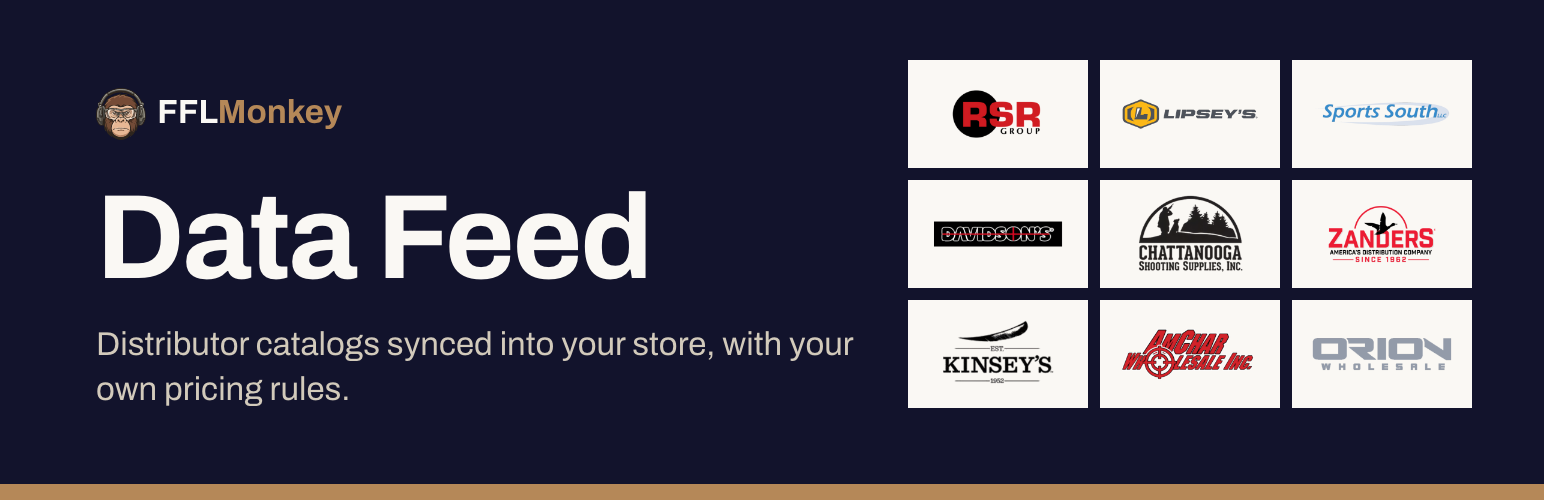
RSR Group WooCommerce integration: firearms, ammunition, optics and shooting accessories.
Lipsey’s WooCommerce integration: firearms, exclusive models and NFA-related products.
Sports South WooCommerce integration: firearms and shooting-sports inventory.
Davidson’s WooCommerce integration: firearms and related merchandise.
Chattanooga Shooting Supplies integration: shooting-sports products.
Zanders integration: firearms and accessories.
Kinsey’s integration: archery, outdoor gear, firearms and ammunition.
Amchar integration: firearms and law-enforcement-oriented products.
Orion integration: distributor catalog inventory.
No more maintaining separate spreadsheets for every distributor. FFL Monkey brings supported distributor catalogs into one WooCommerce storefront. Distributor accounts and ordering arrangements remain yours.
⚙️ Powerful Firearms Inventory Automation
📥 Automatic Product Imports
Publish real WooCommerce products with images, descriptions, attributes, categories, cost, MAP and MSRP. Your first catalog import starts during setup, and you can follow its progress inside WordPress. Products removed from the feed are moved to draft rather than deleted.
🔄 Real-Time Inventory and Price Sync
Stock and price changes are pushed to your store as they happen, rather than relying solely on a nightly bulk import. An hourly reconciliation check catches missed changes when your site was unavailable.
🏷️ Flexible Markups and MAP Pricing
Create percentage-based and fixed-dollar markup rules for brands, categories, distributors or individual products. Combine markup types, use a default margin, apply optional .99-style rounding and enable a Minimum Advertised Price (MAP) floor. You remain responsible for configuring pricing appropriately for your business and distributor agreements.
🧩 Smart Multi-Distributor Product Matching
If the same UPC is available from several connected distributors, shoppers see one product rather than duplicate listings. FFL Monkey selects the lowest-priced source after your configured rules.
🏬 In-Store and Distributor Inventory Together
Track inventory you physically stock using manual entry, CSV import/export or API keys for your POS or other systems. Your in-house stock can compete with distributor stock under the same source-selection logic.
🛒 Built for WooCommerce Gun Stores
Choose FFL Monkey’s product categories or map products to your existing WooCommerce categories. Product updates use an optimized path for large catalogs, and the plugin only manages products it created, leaving your independently created products, pages and media untouched.
🤝 Compatible With FFL Checkout by FFL Monkey
Data Feed marks firearms that require delivery to an FFL and NFA products requiring an SOT dealer. The separate FFL Checkout by FFL Monkey plugin can use these classifications to guide dealer selection at checkout. Data Feed itself does not replace your legal compliance responsibilities.
🧭 Simple Setup: From Installation to Live Catalog
Install and activate WooCommerce and FFL Monkey Data Feed for WooCommerce.
Open FFLMonkey.com → Data Feed in your WordPress dashboard.
Create an account and select a subscription (new stores get a 15-day free trial on the yearly plan).
Select your supported distributors and configure your pricing and catalog rules.
Let FFL Monkey import products and keep inventory and pricing updated automatically.
No manual CSV feed uploads, cron setup or copying license keys required.
💳 Straightforward Pricing
$17.99/month or $179.99/year (save $35.89 compared with monthly billing).
⏱️ 15-day free trial for new stores on the yearly plan
🛡️ 30-day money-back guarantee
🚚 Access to all supported distributors
♾️ Unlimited pricing and product restriction rules
🔄 Automatic inventory and price updates
The WordPress plugin is free, GPL-licensed software. An active FFL Monkey subscription is required to receive distributor catalog data and updates.
📣 Start Selling More of Your Distributors’ Inventory
Your distributors already have the products. FFL Monkey helps put them in your WooCommerce store, with your pricing, your product selection and automatic inventory updates.
👉 Get started: FFLMonkey.com
📨 Questions? Email [email protected] or open a support ticket directly in the plugin.
External services
Data Feed is the client for FFL Monkey’s service, so it talks to FFL Monkey’s servers. This is what goes where.
1. FFL Monkey API: https://backend.fflmonkey.com
Supplies the catalog: products, prices, stock, categories and image addresses.
When: when you open the plugin’s page; when you sign in, create an account and go through setup; on the hourly check; when the plugin fetches products it has been told have changed; a minute after you change your product categories; when a shop manager opens an order that holds catalog products; when a shop manager opens one of FFL Monkey’s products for editing, to list the distributors that carry it and its log; and when you deactivate the plugin or disconnect the store, if the store is connected.
What is sent: at sign-in, your email and password; at sign-up, your name, email and password; your site’s address and name, and an identifier for this installation. During setup, the licence and plan you choose. Once connected, the licence key and API token, the plugin and WordPress versions, the IDs of the products being fetched or reported on, and your product categories (ID, name, slug, parent, product count, and which is the default) so you can map ours into them.
Order sourcing, for a connected store, when a shop manager opens an order that holds catalog products: the catalog IDs and quantities of those lines, whether each goes to a dealer, to the buyer or to your store, and the US state of the dealer, of the shipping address and of your store; when the shop manager picks another distributor for a line, which distributor. No names, street addresses or contact details.
Order compliance, for a connected store, when a shop manager opens an order that holds catalog products: the catalog IDs of those products and the US state the order ships to, to ask which of them that state’s law restricts. The answer is kept for 15 minutes. No names, street addresses or contact details.
Problem reports, for a connected store: when the plugin can’t reach FFL Monkey or an import fails, your site address, licence key, plugin and WordPress versions, and the error. At most once an hour for each kind of problem.
Subscribing again, for a connected store whose licence has stopped (a failed payment, an ended trial or free period, a cancelled subscription): when you open the plugin’s page, the licence ID and API token, to ask whether a subscription restores it; when you choose a plan, that plan, to open Stripe’s checkout.
Deactivation, for a connected store: when you deactivate the plugin, your site address, the licence key and the plugin version, so FFL Monkey holds your product updates until the plugin is switched back on. Activating the plugin sends nothing.
Disconnecting, for a connected store: when you disconnect the store or start a reconnect, the same three things, so FFL Monkey holds your product updates until the store connects again.
Support tickets: what you write and any files you attach, from your browser, with the name and email of the WordPress user who sends it, your site’s address, and your plugin, WordPress, WooCommerce and PHP versions. Never your licence key or any password. While you are in wp-admin, your server also asks whether a reply is waiting for you, at most once a minute, with the store’s licence ID and API token.
FFL Monkey also sends your store signed webhooks with catalog changes, at a REST endpoint the plugin registers. Each one is verified against a shared secret before it is applied.
2. FFL Monkey in your browser: https://backend.fflmonkey.com
The plugin’s page loads the setup screen’s distributor logos and product photos from this host, an order’s sourcing box loads the distributors’ logos from it, and once the store is connected, the Data Feed screens load your account’s data from it with a short-lived token. After you pay, Stripe returns that browser tab to a page on this host. Each of these sends this host your IP address and browser details. Nothing is embedded in a frame.
3. FFL Monkey image CDN: https://cdn.fflmonkey.com
Product photos on your storefront load from this host, so your visitors’ browsers send it their IP address and browser details.
FFL Monkey’s terms and privacy policy cover all three:
Terms of service: https://fflmonkey.com/legal/terms
Privacy policy: https://fflmonkey.com/legal/privacy
4. Stripe Checkout: https://checkout.stripe.com
Choosing a paid plan during setup, or to subscribe again once the licence has stopped, opens Stripe’s checkout in a new tab, where you pay. FFL Monkey creates the checkout; the plugin sends nothing to Stripe itself, and your card details never touch your site.
Terms: https://stripe.com/legal
Privacy policy: https://stripe.com/privacy
Credits
The merchant screens bundled in this plugin show department icons from Game
Icons (https://game-icons.net), by Lorc, Delapouite and contributors, licensed
under CC BY 3.0 (https://creativecommons.org/licenses/by/3.0/).