內容簡介
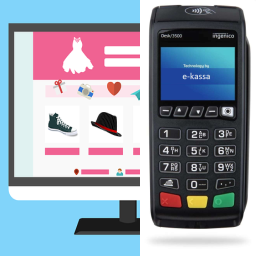
WCPOS 是一款專為 WooCommerce 商店設計的銷售點 (POS) 外掛,能將任何裝置轉變為銷售終端。無論是在櫃檯、路上或電話上,都能輕鬆管理庫存、價格和訂單,並支援離線瀏覽及購物車建立。
【主要功能】
• 跨平台支援:可透過瀏覽器、桌面及行動裝置存取
• 離線儲存:快速搜尋產品及處理訂單
• 彈性購物車:可新增未列於 WooCommerce 的產品
• 條碼支援:直接掃描產品進入購物車
• 收據模板:選擇內建模板或自訂設計
• 熱感打印:支援多種熱感打印機
外掛標籤
開發者團隊
② 後台搜尋「WCPOS – Point of Sale (POS) plugin for WooCommerce」→ 直接安裝(推薦)
📦 歷史版本下載
原文外掛簡介
WCPOS turns any device into a point of sale for your WooCommerce store. Same catalog, same stock, same prices — at the counter, on the road, or over the phone. Run it in a browser or as a native desktop, iOS or Android app, with offline product browsing and cart building during connection drops. (WCPOS was formerly known as WooCommerce POS.)
🕒 Install and start taking orders in less than 2 minutes.
🎥 DEMO
You can see a demo of the WCPOS plugin in action by going to demo.wcpos.com/pos with 🔑login/pass : demo/demo
Desktop Apps:
⬇️ Windows
⬇️ Mac (Intel)
⬇️ Mac (Apple Silicon)
Mobile Apps (Beta):
📱 iOS (TestFlight)
📱 Android (Google Play)
✨ FEATURES
Cross-platform: Accessible via browser, desktop, iOS & Android (mobile apps in beta)
Offline Storage: Fast product search and order processing
Flexible Cart: Add products not listed in WooCommerce
Barcode Support: Scan products directly into the cart
Receipt Templates: Pick from a built-in gallery — receipts, invoices, quotes, packing slips, gift receipts, kitchen tickets — or design your own
Thermal Printing: Print directly to 58mm and 80mm thermal printers over network, Bluetooth, or USB
Customer Tax IDs: Built-in field for VAT, ABN, GST, and other regional tax numbers
Multilingual: Available in most major languages
Built-in Support: Access live chat for instant help
🔓 PRO FEATURES
Stock Management: quickly adjust stock levels, pricing and more
Order Management: re-open and print receipts for older orders
Customer Management: create new customers and edit customer details
Payment Terminals: take in-person card payments with Stripe Terminal and SumUp readers
Payment Gateways: check out with any WooCommerce gateway — Stripe, PayPal, Square, Mollie and more
Coupons: apply coupons at the POS with search, coupon pills, and sequential discounts
Refunds: refund POS orders directly from the till
End of Day Reports: summarise daily sales, transactions, and cash flow for reconciliation
Stores: Manage locations with unique tax settings, pricing and receipts
Priority Discord support: one-on-one support via private chat
Discover all PRO features at wcpos.com/pro
📋 REQUIREMENTS
WordPress >= 5.6
WooCommerce >= 5.3
PHP >= 7.4