內容簡介
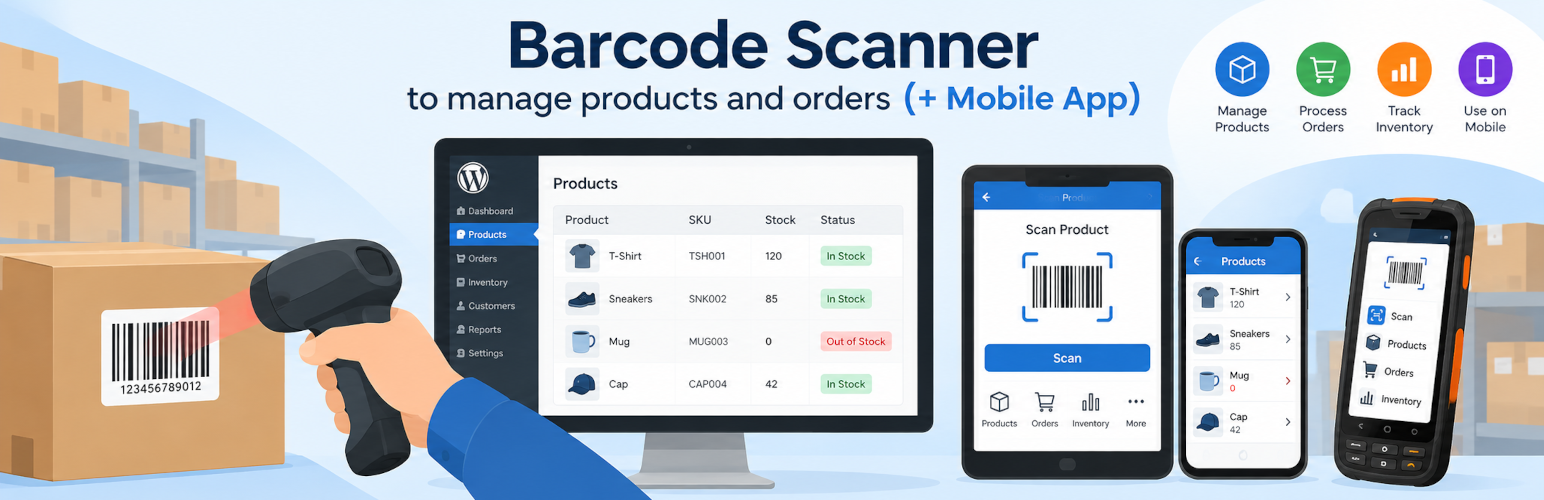
此外掛專為 WooCommerce 設計,提供條碼掃描功能,讓使用者能夠更有效率地管理庫存和訂單。透過掃描條碼,使用者可以快速找到產品或訂單,並具備即時的銷售點(POS)功能,方便在工作場所或結帳櫃檯創建訂單。
【主要功能】
• 支援各類型條碼掃描器
• 透過條碼掃描搜尋產品和訂單
• 編輯基本產品資訊
• 管理庫存數量和價格
• 創建新訂單(POS 功能)
• 手動搜尋產品和訂單
外掛標籤
開發者團隊
② 後台搜尋「Barcode Scanner (+Mobile App) – Inventory manager, Order fulfillment system, POS (Point of Sale)」→ 直接安裝(推薦)
原文外掛簡介
✔ Find products/orders by scanning barcodes or by name/SKU/Id
✔ Manage product stock, prices and other product data
✔ Point of Sale (POS) – create orders by scanning barcodes
This plugin for WooCommerce allows you to scan barcodes and manage your inventory/orders more efficiently. After barcode is scanned, plugin starts to search item automatically and displays product/order you were looking for. Also this plugin provides Point Of Sale (POS) functionality, so you can create WooCommerce orders right from the work place or checkout counter.
You can also switch to the “Enter” mode and search products/orders manually by typing ID/SKU/NAME/etc – and product/order will be found.
We pay a lot of attention to search speed optimization, so even shops with thousands of items can count on fast responsiveness and comfortable work.
Plugin is fully compatible with WooCommerce.
Main features of barcode scanner:
Supports all types of barcode scanners
Product and order search by barcode scanning
Review & edit basic product information
Manage stock quantity, price, etc.
Search of orders
Review order information
Creation of new orders (POS functionality)
Consider to upgrade to full version:
Order fulfillment – Allows to fulfill orders by picking the product and scanning its barcode, system tells if product from this order or not.
Mobile App – Allows you to manage inventory and orders from your iOS or Android devices
Customization of product/order view – Add more custom product/order fields to the barcode scanner.
Barcode auto-actions – Set action to trigger each time you scan the barcode (like quantity increase or decrease) , so you even don’t have to touch a keyboard or mouse to manage inventory/orders.
Search by any custom field – By default plugin allows to do search by Product ID, SKU, Name, however in Pro version you can specify any other custom field (like UPC, EAN, etc) by which search should be done.
Order Receipts – Each order will have its own receipt ready to print.
Permissions – Grant different user roles different access to barcode scanner features.
“Direct DB” mode – Dramatically increases work of the barcode scanner, reduces server delays and preloaders time.
Possible use cases:
Quick search of item:
If you have to search for products/orders regularly and you type id/sku/name manually – you may increase your productivity by using barcode scanner.
You will need to scan product/order barcode and it will be found as fast as possible without any additional interaction with keyboard.
Point of Sale (POS):
You can use barcode scanner as a Point of Sale (POS) system to create orders in offline stores.
You simply scan products which your customer wants to buy, and you will see prices for each item along with total order price.
POS functionality also includes price adjustment for added products to the order and possibility to edit the end price of the order.
POS also allows to specify order status, final order price, apply coupons, specify WooCommerce user, etc.
Restocking items:
If you received new products from your vendor, you can use “auto actions” to increase products quantity in WooCommerce simply by scanning items.
Product quantity will be increased each time you scan a barcode and the success or error sound will be played. So, you even don’t have to look at the screen to understand if it worked or not.
Order fulfillment / Item picking
Speed up order fulfillment and eliminate packing mistakes with barcode verification.
Open order and scan each product’s barcode. When the scanned item matches the order, it is automatically marked as Picked. If the wrong product is scanned, you’ll know immediately before it is packed.
Monitor the picking progress of every order and instantly see whether it is Not Picked, Partially Picked, or Fully Picked.
Your use case may be different, however barcode scanning & quick search is always helpful tool and can be adopted to stock management process.
More information about Barcode Scanner plugin here:
Barcode Scanner Plugin
FAQ
[Front-end source code] (https://github.com/ukrsolution/Barcode-Scanner-Front-end)