內容簡介
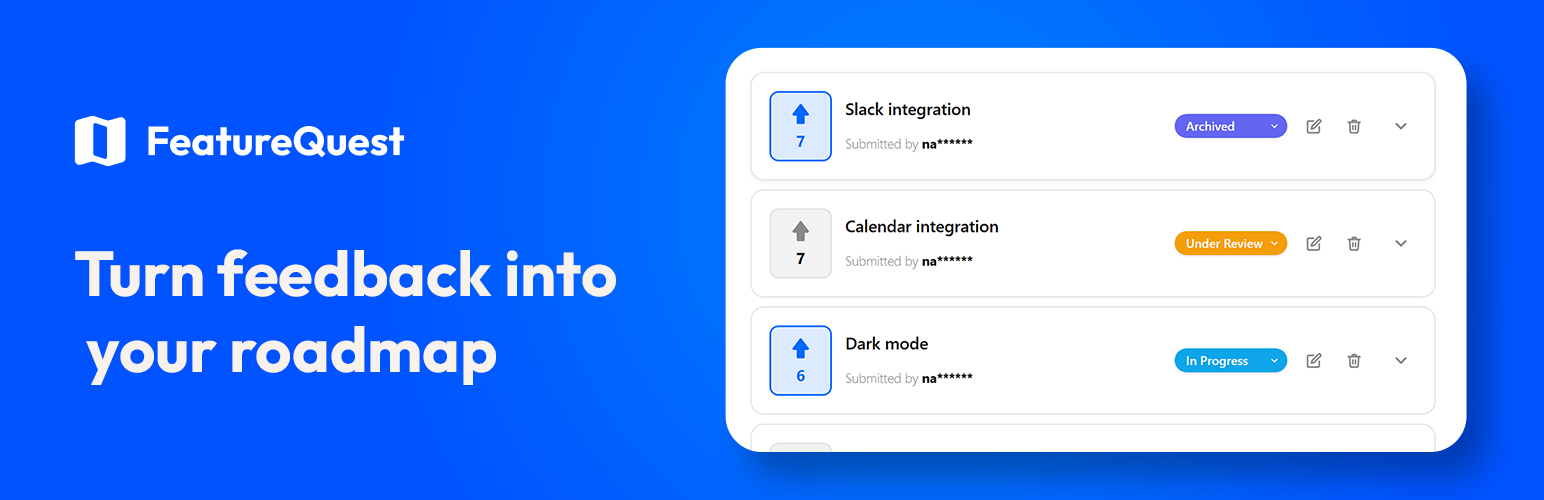
FeatureQuest 是一款讓使用者能夠提出需求並對彼此的想法進行投票的外掛,適合用於 SaaS 產品、外掛與佈景主題商店、會員網站等。只需在任何頁面上放入一個短碼,即可獲得完整的需求板,具備提交、投票、搜尋、排序及管理功能。
【主要功能】
• 一個短碼即可啟用完整需求板
• 支援無限需求板,分別管理功能、錯誤及想法
• 兩種登入模式,簡化參與流程
• 每位使用者可進行一次投票,防止重複投票
• 自訂樣式以符合佈景主題設計
• 實時搜尋和重複請求檢測功能
外掛標籤
開發者團隊
② 後台搜尋「FeatureQuest Roadmap & Voting Board」→ 直接安裝(推薦)
原文外掛簡介
FeatureQuest gives your users a clean, modern place to ask for what they want next and vote on each other’s ideas. Drop one shortcode on any page and you get a full request board with submission, upvoting, search, sorting, and moderation built in.
Great for SaaS products, plugin and theme shops, membership sites, communities, or any site that wants to collect and prioritize ideas in public.
Key features
One shortcode – add [featurequest] to any page or post.
Unlimited boards – run separate request boards for features, bugs, and ideas, each with its own settings and styling.
Two sign-in modes – require a WordPress account, or let visitors take part with just a verified email (no account needed).
Upvoting – one vote per user, with an optional secondary IP guard against duplicate voting.
Matches your theme – accent color and “corner roundness” controls style the cards, buttons, and inputs to fit your design.
Shortcode attributes – [featurequest title="Roadmap" tab="active" sort="trending" tabs="false"] for filtered or compact embeds.
Gutenberg block – insert the board visually in the block editor.
Spam protection – per-IP rate limiting plus an optional captcha (Cloudflare Turnstile, Google reCAPTCHA, or hCaptcha).
Requester notifications – email the requester when their request is marked complete.
Submit, edit, and delete – logged-in users manage their own requests.
Active / Complete / My Requests tabs – so users can track progress and find their own submissions.
Sort by Most Requested, Recent, or Trending – trending ranks by recent vote velocity over the last 30 days.
Live search with suggestions – users find existing requests fast.
Duplicate detection – similar requests are surfaced before a user submits, reducing clutter.
Moderation queue – optionally require admin approval before new requests go live.
Pin to the top – stick important requests above the list (on every sort) with one click from the admin request list.
Per-user request limits – cap how many open requests each user can have.
Email notifications – get notified on every submission, or as a daily or weekly digest.
Vote Log with abuse detection – review every vote and flag IPs that voted from multiple accounts.
Privacy-friendly – submitter names are masked on the front end; raw IPs are never stored, only salted hashes.
Translation ready – every string is translatable, including the ones drawn by the interactive board, and a POT file is included.
Works with every page builder – a Gutenberg block plus a shortcode that works anywhere (Elementor, Bricks, Beaver Builder, Oxygen, WPBakery, Divi, and others). No page builder required – the shortcode works on its own.
No external service required – your data stays in your WordPress database.
Sign-in modes
Choose how visitors take part, under Feature Requests > Settings:
Account login (default) – visitors register and log into a WordPress account. In this mode you can point the “Log In” and “Create Account” buttons at any custom URLs (for example, a membership plugin’s login page).
Email verification – visitors submit and vote with just their email and confirm via a link, no account required. Nothing is saved until the link is clicked, so unconfirmed submissions never clutter your board. Confirming sets a private 30-day identity so they can keep voting and managing their own requests without logging in. This mode depends on your site being able to send email.